Dermatology Photo Management Software Track Skin Progress Across Every Visit
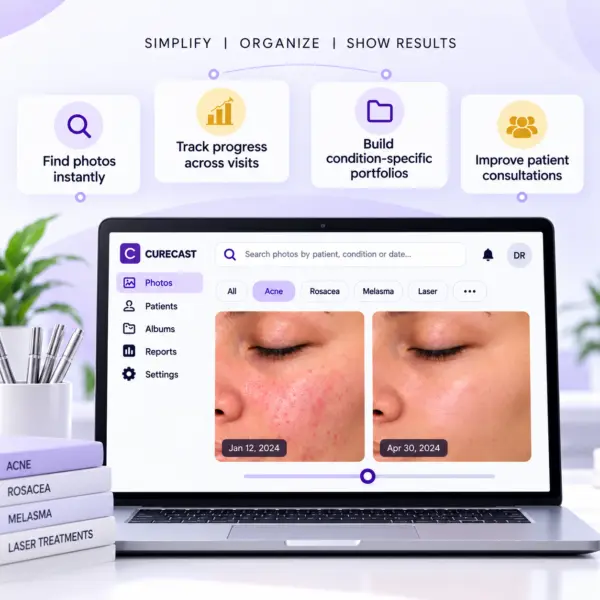
Before-and-after photo management for dermatology
Keep baseline and follow-up photographs organized so your team can review skin changes across visits. For acne treatment, use comparable views and lighting at each appointment and record the treatment context alongside the photo history.
- Start with a consistent baseline. Follow a standardized clinical photography process for framing, position and lighting.
- Organize the visit history. Use consistent condition and treatment labels so the team can find the right patient photographs.
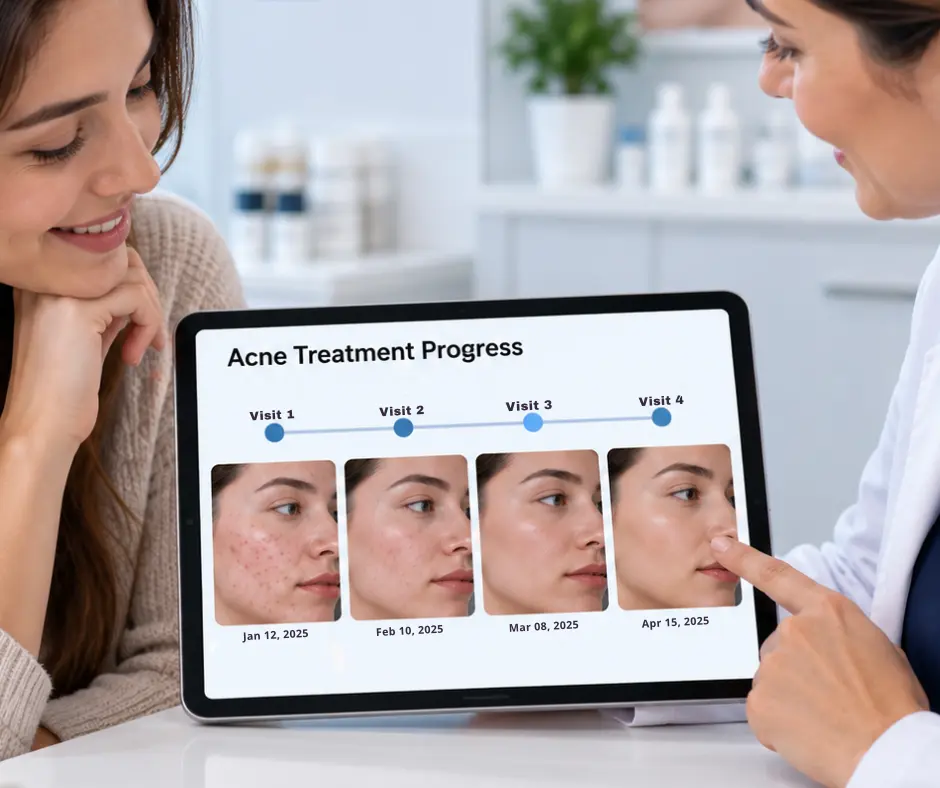
- Compare matching views. Review before-and-after photos with the patient, using visit dates and treatment context.
Explore the CureCast clinical photo app and before-and-after photo management.
Everything your practice needs, in one photo system.
CureCast replaces nine separate tools and manual workflows with one system built specifically for clinical photo management.
Practice Photo System
Built to protect patient photos and records.
CureCast combines seven security controls to manage who accesses patient information, what activity is recorded, and how data is protected at rest and in transit.
- Staff Access Control : who can access what
- Audit Trail : what activity is recorded
- Device Management : which devices have CureCast access
- Session Timeout : how inactive sessions are handled
- Encryption : how patient records and clinical photos are protected
- Confidential Patient : invisible to unauthorised staff
- Multi-Clinic : how access stays scoped to a single clinic location
Practice Security Status
Dubai and UAE skin photo workflows
Dermatology Photo Management for Dubai and UAE Clinics
CureCast helps dermatologists in Dubai and across the UAE organize skin photos by patient, condition and visit. Teams can find acne, melasma, pigmentation and laser hair reduction cases during consultations, compare skin progress across visits and collect follow-up photos through a secure patient upload link.
Built for dermatology photography
- Track acne severity, melasma, pigmentation and rosacea across peels, laser sessions and topical treatments, with every photo tied to the correct patient record.
- Match camera distance and angle at each visit with Photo Ghosting, so follow-up photos show real skin change and not camera change.
- Build condition-specific consultation galleries by concern, grade or treatment, and keep clinical records separate from consented marketing albums.
UAE data residency
For UAE-hosted CureCast accounts, the primary Azure region is UAE North in Dubai and the recovery region is UAE Central in Abu Dhabi. Clinics should confirm the hosting configuration for their account.
Explore clinical photo management for Dubai and UAE clinics for hosting details, onboarding and UAE workflow demos.
Read the DHA clinical photography and UAE data residency guide for consent, storage and advertising considerations.
You have the photos. You just can’t find them when it matters most.
A disorganized photo workflow can make it harder to review progress, retrieve the right case and manage access. These are common problems dermatology teams can address with a consistent process.
Four capabilities that change how your dermatology practice runs every day
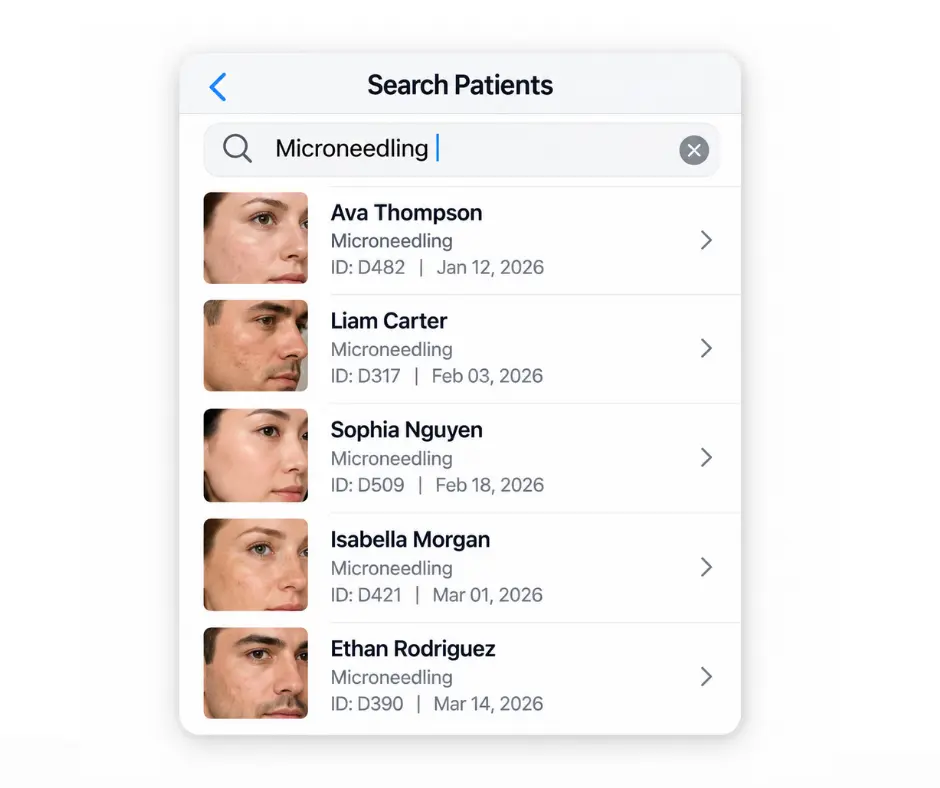
Find any patient’s skin photo in under 3 seconds by treatment, patient name, MRN or phone number
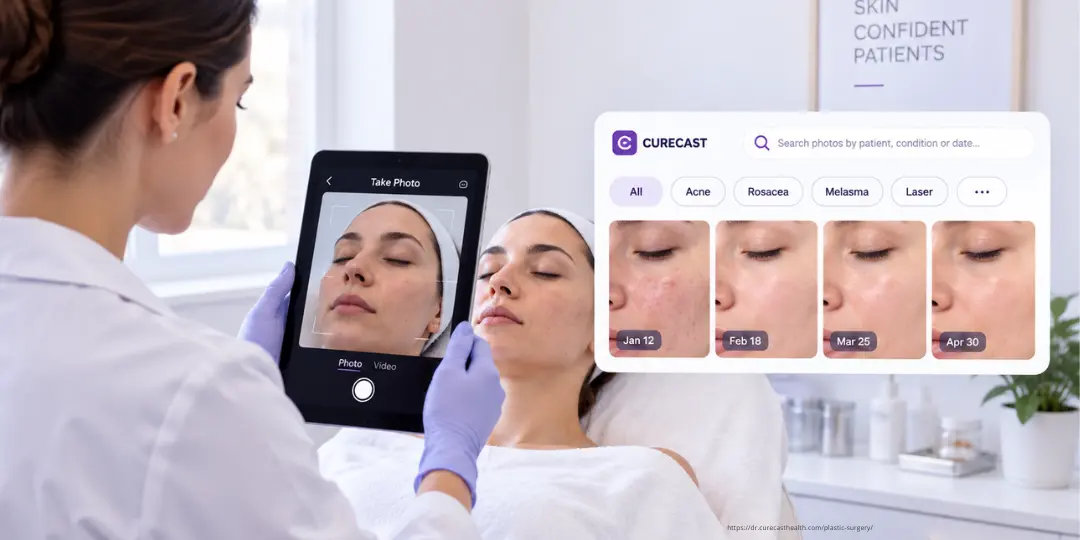
All photos captured in CureCast are automatically tagged at the time of capture by procedure, body area, date, phone, and patient. No manual organization is required. During consultations, users can search by procedure, diagnosis, phone, or patient to instantly retrieve all relevant images.
- Search by conditions like acne, rosacea, melasma, pigmentation, laser treatment
- Search by treatment name, diagnosis, body area, MRN or patient name
- Staff captures on a phone or iPad. The doctor opens it on any device.
Show patients exactly how their skin has changed across every visit, in Photo Timeline
CureCast organises every patient’s photos chronologically by visit date. For conditions that improve gradually acne, pigmentation, rosacea. This timeline is your most powerful consultation tool. Select any two visits and create a before/after comparison in seconds. Capture consistent before-and-after photos so patients who doubt their progress can see exactly what changed and when.
- Resolves patient doubts about treatment progress with photographic evidence
- TrueAlign helps match follow-up framing for more consistent before/after comparisons
- Complete chronological photo timeline, every patient visit visible at a glance
- Automatically builds your before/after portfolio by procedure name
- Share to Instagram directly from app after adding watermark and consent
See real skin progress, not camera changes
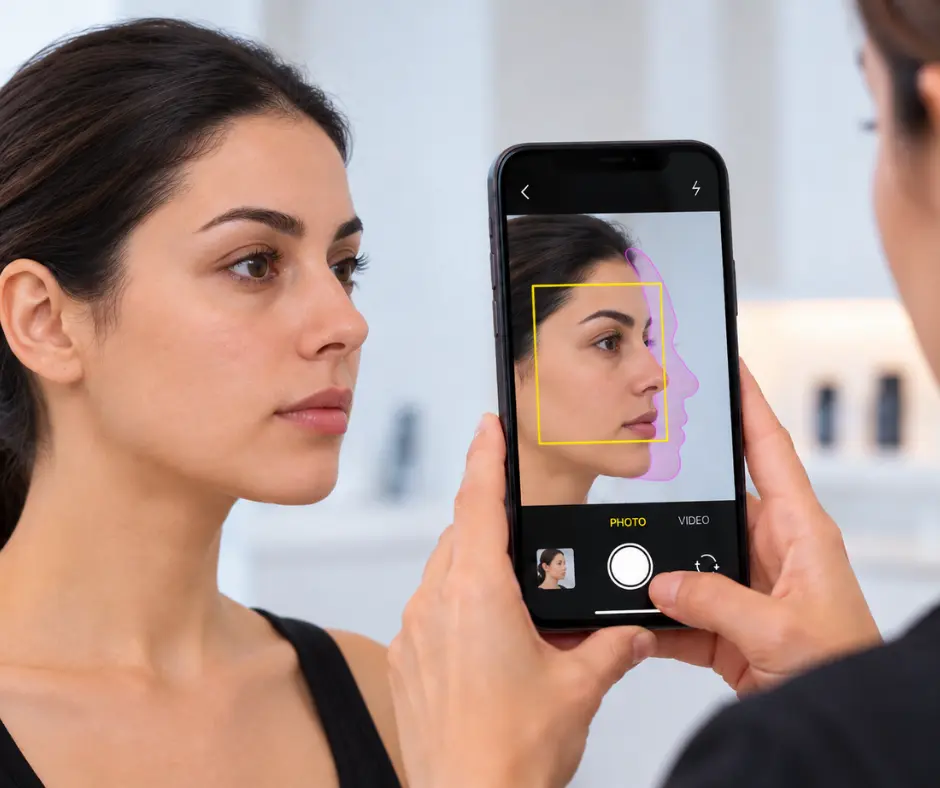
When you compare skin photos over time, small camera changes can hide real progress. If you stand closer, a mole or patch looks bigger. If the angle changes, acne, redness or pigmentation can look better or worse than it really is. That makes it hard to tell if the treatment is working.
On iPhone and iPad, TrueAlign Match shows the patient’s earlier photo on the live camera screen as a faded ghost image or a simple outline. Use it to help match the earlier framing, distance and angle, while keeping lighting and patient positioning consistent.
- Shows you when the camera is tilted up or down
- Keeps the skin area photographed the same way every time
- No filters, smoothing or retouching
- The skin looks exactly as the camera captured it
There are no filters, no smoothing and no retouching. The skin looks exactly as the camera captured it, so what you see in the comparison is the real change.
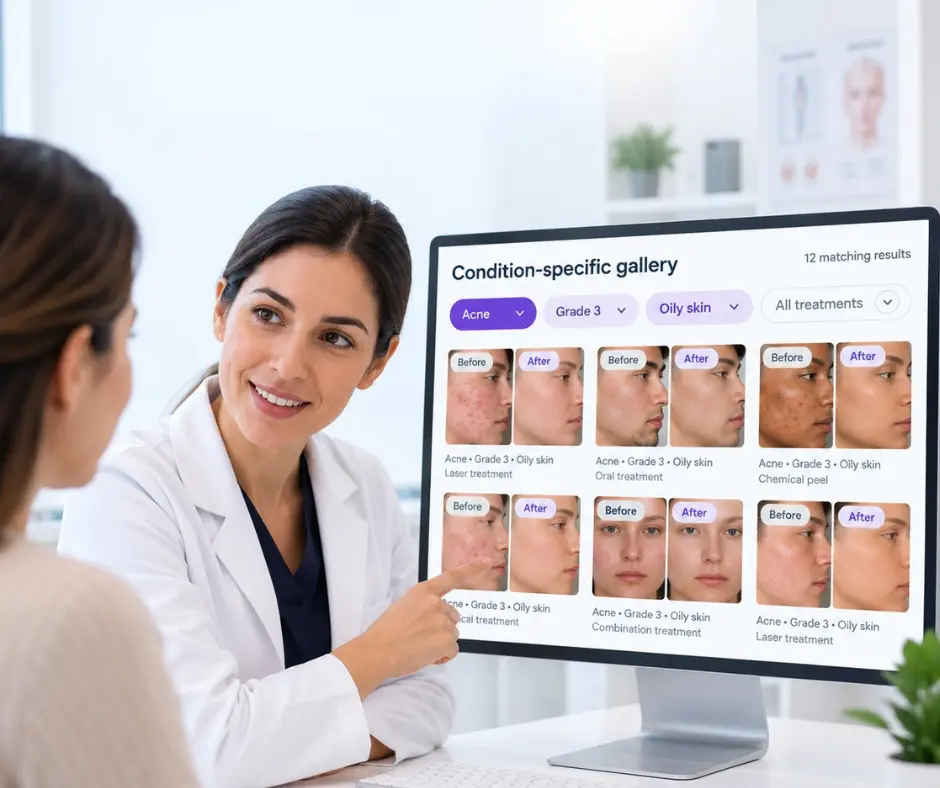
Build condition specific galleries. Show new patients results that match exactly their skin type and concern
A new patient with Grade 3 acne sits down. Within seconds you are showing them your acne treatment results filtered by grade and skin type not a generic collection but cases that match their exact presentation. A patient considering laser hair reduction sees your session-by-session progression galleries.
- Build galleries by condition, grade, skin type, or treatment method
- Marketing consent filter, only consented photos appear in marketing albums
- Administrators configure staff permissions, including access to patient records, albums, downloads and sharing
- For laser hair reduction, session-by-session progress galleries automatically built
- Works mid-consultation on any device, phone, iPad, tablet, or desktop
Collect post-treatment skin photos from patients who never come back for follow-up
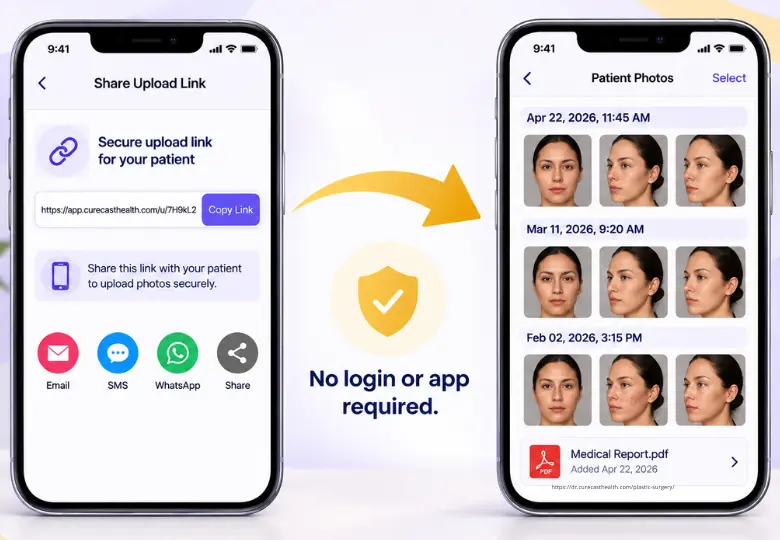
The biggest regret of every dermatologist, patients don’t return after treatment so the post-op photos never make it into your portfolio. CureCast solves this with a secure upload link you send directly from the app.
- Generate a secure patient upload link and send it using the options available for your account. WhatsApp workflows are unavailable for US accounts; they are available in other supported markets where permitted by applicable privacy laws and practice policies.
- Patient uploads photos from their phone; no app download required
- Photos automatically filed into patient chart on the upload date
- Instant push notification when patient photos arrive
Trusted by clinics globally


Want to hear from more practices using CureCast? Read more customer reviews →
CONDITION COVERAGE
Find photos by any dermatology treatment or skin condition, instantly using TAGS
CureCast’s photo search works for every condition and treatment your practice manages. You define the names, CureCast finds the photos.
Why dermatologists choose CureCast?
Get Started With CureCast
See How CureCast Fits Your Practice
Discuss how CureCast fits into your clinical photo workflow, from capturing and organizing patient photos to securely managing them across your practice.
Prefer email? [email protected]