GET IN TOUCH
We’d love to hear from you.
Questions about CureCast, a demo, or pricing, reach us any of the ways below.
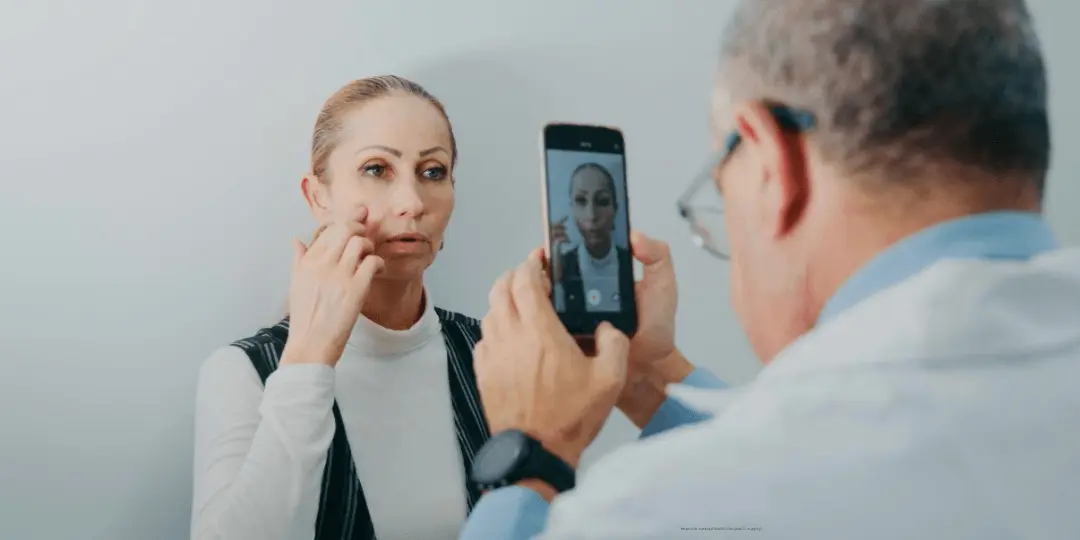
See How CureCast Fits Your Practice
Discuss how CureCast fits into your clinical photo workflow, from capturing and organizing patient photos to securely managing them across your practice.
Prefer email? [email protected]
Trusted by clinics globally


Frequently asked questions
Still have questions?
- Dermatology
- Getting Started
- HIPAA & Compliance
- Medical Spas
- Patient Photos
- Plastic Surgery
- Security & Compliance
- Staff-management
CureCast is designed for practices that rely on clinical photography throughout the patient journey. Whether you run a plastic surgery practice, dermatology clinic, or medical spa, CureCast keeps patient photos organized from capture and follow-up through before-and-after comparison and remote photo collection. These workflows are part of CureCast’s broader clinicalphoto management system, so your team can manage clinical photography in one connected place.
CureCast brings clinical photography into one workflow, from capturing consistent photos and creating before-and-after comparisons to collecting follow-up photos from patients remotely. Practices can use overlay earlier photos as a reference when taking new images, organize photos by patient and treatment, and send a secure upload link when a patient cannot return to the clinic. This keeps clinical photos organized and connected to the patient record throughout their care.
No. The US Department of Health and Human Services does not certify, approve, endorse or accredit any software, server, cloud provider or vendor. There is no government-issued HIPAA certificate, and no official list of approved products.
Some vendors advertise HIPAA certification anyway. What they usually mean is that they have had a third-party audit, which is a reasonable thing to do but is not a government certification and does not make a practice compliant.
What to ask instead: will you sign a BAA, how is data encrypted at rest and in transit, how is staff access controlled, and what does the audit trail record. Those are answerable questions with verifiable answers.
Patient data is stored on encrypted cloud infrastructure with AES-256 at rest and TLS in transit. CureCast holds a signed Business Associate Agreement with the infrastructure provider, and we sign one with every US practice. Tell us where you are licensed and we will confirm your account’s region in writing.
With photos taken on personal phones, usually nothing good. They stay in that person’s camera roll and personal cloud account, and the practice has no route to recover or delete them. With CureCast, deactivating the staff account ends their sessions across every device immediately and removes their access. The photos were never on their device to begin with. The audit trail retains a record of what they accessed while employed.
As of now, Meta does not sign Business Associate Agreements, so WhatsApp is not a HIPAA-covered channel for routine disclosures. HIPAA does permit a covered entity to send information to the patient themselves through a channel the patient has asked for, provided the practice has warned them of the risks and documented that. That is a patient-directed disclosure with conditions, not a compliant messaging system.
Yes. A clinical photograph that can be linked to an individual is protected health information, because an identifiable image combined with treatment information meets the definition. Facial photographs are identifiable on their own.
This applies to before and after photographs, progression series and images taken for the patient’s record. Cropping out a face does not automatically remove identifiability, since tattoos, scars and other distinguishing features can identify a person.
They can, but it creates a problem worth avoiding. A photo taken with the phone’s own camera app is saved to that staff member’s camera roll and, on most phones, synced automatically to their personal cloud account. Your clinical images then sit on a device and in an account your practice does not control, and cannot retrieve when that person leaves. Photos taken through CureCast Camera go directly into your practice account. They are never written to the camera roll and never sync to a personal cloud. If a phone is lost or a staff member leaves, the images stay with the practice.
Yes, treatment photographs taken at a medical spa are protected health information when the spa operates as a covered entity, and the usual exposure is staff phones rather than the software. CureCast supports HIPAA-compliant workflows. Photos taken through the app go straight into your practice account and are never saved to the device’s camera roll or synced to a staff member’s iCloud, so a departing injector does not leave with your clinical images. Each staff member signs in individually, access is controlled per person, and every action is updated in audit log. We sign a Business Associate Agreement with every US practice. No vendor can be “HIPAA certified,” as HHS certifies no products, so your policies, training and offboarding process remain yours.
Not necessarily. Access depends on how your locations are configured.
With separate accounts per location, staff use the appropriate account for each clinic, and each location has its own patients, photos, staff, and permissions.
With one shared clinical photo library across locations, staff can access authorized patient photos across locations using their individual staff account. Access remains controlled by location and the permissions assigned to that staff member.
Administrators can therefore decide whether locations should keep patient-photo data separate or share a clinical library across locations.
Yes. Download and share access is controlled separately from photo-viewing access.
For activity performed through an individual staff account, the audit log identifies the staff account associated with recorded photo activity.
Yes. Administrators can review the device record and end the active CureCast session from a lost, stolen, or no-longer-trusted device.
Their account can be deactivated, preventing further authenticated access on the next request. Active CureCast sessions associated with that staff account can also be ended as part of the practice’s offboarding process.
Yes. Administrators can allow appropriate internal sharing while preventing a staff member from downloading files to their device.
Yes. Administrators can restrict a contractor or photographer to selected modules and actions, such as Albums or photo viewing, without granting access to patient records, editing, deleting, downloading, or sharing.
Only authorized administrators can update staff permissions.
Module access controls which areas of CureCast a staff member can access, such as Patients, Before/After, Albums, Billing, Prescriptions, or Appointments. Action permissions control sensitive actions such as Edit/Delete and Download/Share.
Yes. Practices should review and adjust module access and sensitive action permissions when creating a staff account, based on the person’s responsibilities.
Yes. Administrators can configure module access for each staff member, including areas such as Patients, Before/After, Albums, Appointments, Prescriptions, and Billing.
Yes. CureCast supports both separate location accounts and a central clinical photo library across locations. With separate accounts, each location has its own patients, photos, staff, and permissions. With a shared library, locations can share patient and photo data while access remains controlled by location and staff permissions.
Staff use individual accounts rather than shared credentials, and an administrator can manage the appropriate location accounts.
SkinLab by Dr. Jamuna Pai operates CureCast across 20+ aesthetic clinic locations across India and UAE from a single account with centralized client records and location-specific access controls.
Yes. CureCast lets you build treatment-specific counselling galleries such as CoolSculpting, Botox, laser body contouring, skin tightening so a new client sees real results from your own practice matching their body type and goals. Every before/after you create is automatically filed into the right treatment gallery without any manual effort. The consultation becomes a visual conversation rather than a verbal pitch.
Yes. Instantly search and display similar cases based on condition, skin type, or treatment, helping improve patient understanding and conversion during consultations.
Clinical photographs are protected health information, and a dermatology practice generates thousands of them a year across progression tracking, lesion documentation and treatment records. CureCast supports HIPAA-compliant workflows for that volume. We sign a Business Associate Agreement with every US practice, images are encrypted with AES-256 at rest and TLS 1.3 in transit, staff access is controlled individually at module and action level, and every view, download and share is recorded in an audit trail. No software can be “HIPAA certified,” since HHS does not certify products. Compliance remains your practice’s programme, and CureCast is built to support it.
Yes. CureCast supports both separate accounts per location and a central clinical photo library across locations.
With separate accounts, each location keeps its own patients, photos, staff, and permissions. If locations choose to share a library, authorized staff can access relevant records across locations using their individual staff accounts and location-scoped permissions.
An administrator can manage multiple location accounts when required.
SkinLab by Dr. Jamuna Pai operates CureCast across 20+ dermatology clinic locations across India and UAE from a single account, with location-specific access controls and centralized patient records.
Yes. Send a secure upload link via WhatsApp, SMS or email in one tap. Patients can upload photos, videos, or files directly from their phone without installing CureCast app. Images are automatically saved to the correct patient record, and you receive an instant notification, ideal for tracking acne progress or post-treatment recovery.
Yes. Search by condition, treatment, or keyword such as acne, melasma, cool sculpting, laser, chemical peel, PRP and matching photos appear instantly in under 3 seconds. Each photo can be tagged under multiple conditions, so a single patient can show up in different searches without duplication.
Yes. CureCast organizes a patient’s clinical photos by visit date, making it easy to review progress across multiple appointments. For conditions such as acne, melasma, and pigmentation that may change gradually over weeks or months, you can view the patient’s photo history and compare images from different visits. Select photos from two visits to create a before-and-after comparison and show patients how their results have changed over time.
Yes. CureCast includes photo annotation tools that work directly within the app. During a consultation you can draw on photos and add text notes, useful for marking treatment areas, highlighting planned incision points, or annotating progress photos for the clinical record. The annotation tools are designed to be quick enough to use with a patient in the room without interrupting the consultation flow. Annotated photos are saved to the patient chart alongside the original. It is currently available only on iPhone and iPad
Yes. CureCast supports multi-location plastic surgery groups with two options for managing patient photos and clinical data.
Separate account per location: Each clinic has its own account with its own patients, photos, staff, and permissions. Staff at one location cannot search or view another location’s patients. One administrator can manage multiple location accounts.
One central library across locations: Locations can also share a single patient database and photo library. Staff continue to use their individual accounts, with access controlled by their assigned permissions and location. A surgeon working across multiple sites can access the patient photos they are authorized to see from their own login.
Choose separate accounts when locations are separate legal entities or franchises, patients belong to a specific site, or locations need their data held separately. Choose a shared library when locations operate as one practice, surgeons work across sites, or you want a group-wide patient-photo portfolio and reporting.
Yes. CureCast lets you build procedure-specific and condition-specific counselling galleries for every treatment you offer. For rhinoplasty, you can create galleries filtered by nose type, anatomy, or correction needed, open rhinoplasty, revision rhinoplasty, ethnic rhinoplasty so a new patient sees results that match exactly what they are seeking. For liposuction patients, build zone-specific galleries by waist, flanks, abdomen, or inner thighs separately. Every before and after you create is automatically filed into the right procedure gallery without any manual effort.
All patient photos, videos, documents and clinical records are stored on cloud infrastructure with automatic redundant backups, encrypted with AES-256 at rest and TLS 1.3 in transit. CureCast holds a signed Business Associate Agreement with the infrastructure provider. You never need to back up manually.
Yes. CureCast allows administrators to control staff access using individual user accounts and permissions. Each staff member has their own login, and administrators can assign access based on their role. Permissions can be managed at the module and action level, including access to view, edit, delete, download, and share patient photos.
Yes, if the app stores or handles protected health information on your behalf and your practice is a covered entity. HIPAA requires a covered entity to have a written BAA in place with any business associate before that vendor handles PHI.
CureCast signs a BAA with every US practice, and we hold one with the infrastructure provider, who host the storage. Ask any vendor for their BAA before you upload a single patient photo. A vendor who is vague about it is telling you something. Contact us at [email protected] to receive yours.
Yes, both. To share with a patient, select any photos, videos, docs, or before/after comparison and send directly via WhatsApp or email in one tap. Crucially, you do not need to save the patient’s phone number to your personal contacts, CureCast handles the share securely without exposing your personal information.
To share on Instagram, Facebook, or any other social media app installed on your device, add your clinic watermark and logo within CureCast first, then share directly via your device’s native share sheet. The photo never needs to be downloaded to your personal camera roll. Patient consent must be in place before any social media sharing.
Yes, before and after photographs are protected health information. A clinical image that can be linked to an individual is PHI under HIPAA even when no name appears in the frame, and facial photographs are identifiable by definition.
CureCast supports HIPAA workflows for capturing, storing and comparing them. We sign a Business Associate Agreement with every US practice, photos are encrypted with AES-256 at rest and TLS 1.3 in transit, and they are never saved to a staff member’s camera roll. Staff access is controlled individually at module and action level, and every view, download and share is recorded in an audit trail. No vendor can be “HIPAA certified,” as HHS certifies no products. Your practice remains responsible for its own policies and for patient authorisation before any photograph is used in marketing.
Yes. Send the patient a secure upload link by email, straight from CureCast. If their number or email is saved in the app, it sends in one tap. The patient uploads from their phone, no app to install. Photos, videos, and documents land in their file automatically, and you get an instant notification.
New patient – Search your portfolio by procedure, body area, or condition. Show real results from your own practice, not stock photos. They see themselves in it. They book.
Returning patient – Open their photo timeline. Build a before/after between any two visits in seconds. They see exactly what changed, and how far they’ve come. Their doubt disappears.
Yes. Search photos by procedure, treatment, patient, or other available details. CureCast describes photo retrieval in under 3 seconds, depending on search and system conditions.
No. CureCast includes unlimited storage for photos, videos, and documents on every plan and no per-file fees, no storage cap, and no surprise charges as your library grows. A busy aesthetic practice captures between 15,000 and 20,000 clinical photos per year per location. CureCast is built to handle this volume without any performance degradation. All files are stored on encrypted cloud infrastructure and are accessible from any device instantly.
CureCast supports HIPAA workflows and we sign a Business Associate Agreement with every US practice, which is what HIPAA requires of a vendor handling protected health information. Patient photos and records are encrypted with AES-256 at rest and TLS 1.3 in transit, stored on cloud infrastructure under a signed BAA between CureCast and cloud server, and accessible only to staff you authorise, with a full audit trail. No software can be “HIPAA certified,” since HHS certifies no products, so compliance remains your practice’s programme of policies, training and safeguards, and CureCast is built to support it. Contact us to receive your BAA before your trial.
No, and this is one of CureCast’s most important compliance features. When a staff member takes a photo through the CureCast app, it is uploaded directly and securely to your practice’s encrypted storage. The photo is never saved to the device’s camera roll or gallery. This means if a staff member loses their phone, leaves the practice, or their device is accessed by someone else, your patient photos remain completely protected. Your clinic data stays in your account and not on personal devices.