Standardized Clinical Photography
Perfect Before & After Alignment
with TrueAlign Match: Photo Ghosting
Use the patient's earlier photo as a live reference while you shoot. CureCast helps you match the previous photo for more consistent before and after photos.
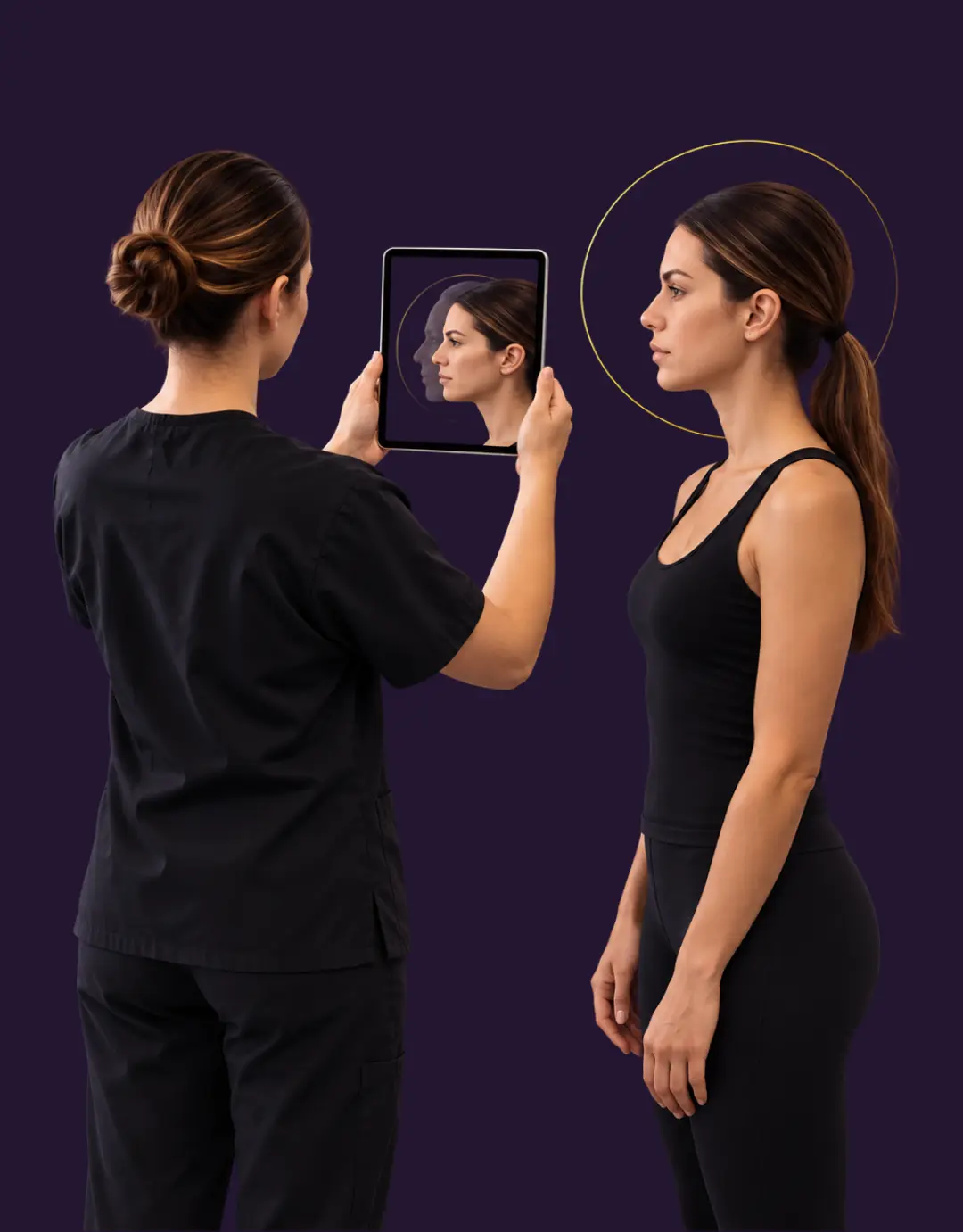
You have the result. The patient is delighted. Then you put the two photographs side by side and something is wrong.
The face is turned slightly further. You were standing a little closer. This happens in every practice, and it’s not about skill. Three months apart, the photos look different because the setup wasn’t the same.
Stop guessing camera angles. Overlay a patient’s earlier photo as a live translucent guide or outline right on your iPhone or iPad to capture flawless matches every time.
What makes clinical photography standardized?
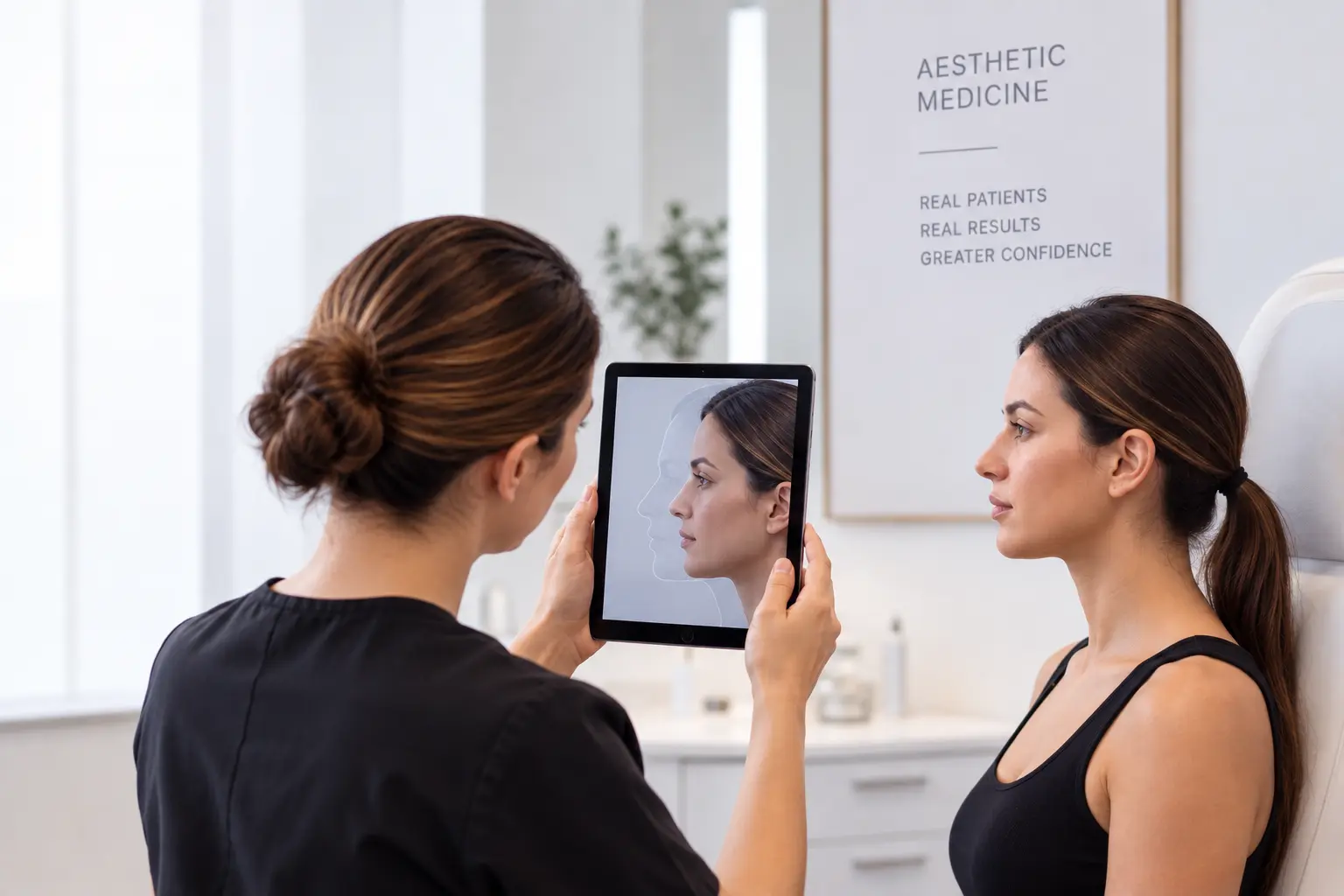
Taking the same photo twice is harder than it sounds. The patient’s position and camera angle can change between visits, making before and after photos look different. CureCast uses the earlier photo as a guide, so you can line up the new photo before you capture it.
Angle
Whether the camera was higher or lower, and whether it was tilted or rotated.
Position
Where the patient is positioned and how they are oriented for the photograph.
Framing
How the patient is positioned in the frame and how much of them is visible.
Consistent views make before-and-after comparisons easier to interpret. Use the same positioning and framing at each visit to keep photographs comparable.
What TrueAlign Match does
CureCast’s clinical photo management workflow connects the capture, organization, and comparison of patient photographs. TrueAlign Match adds consistency at the moment you take the new photo.It puts the earlier photograph over the live camera view as an overlay or shows it as an outline while you take the new one.
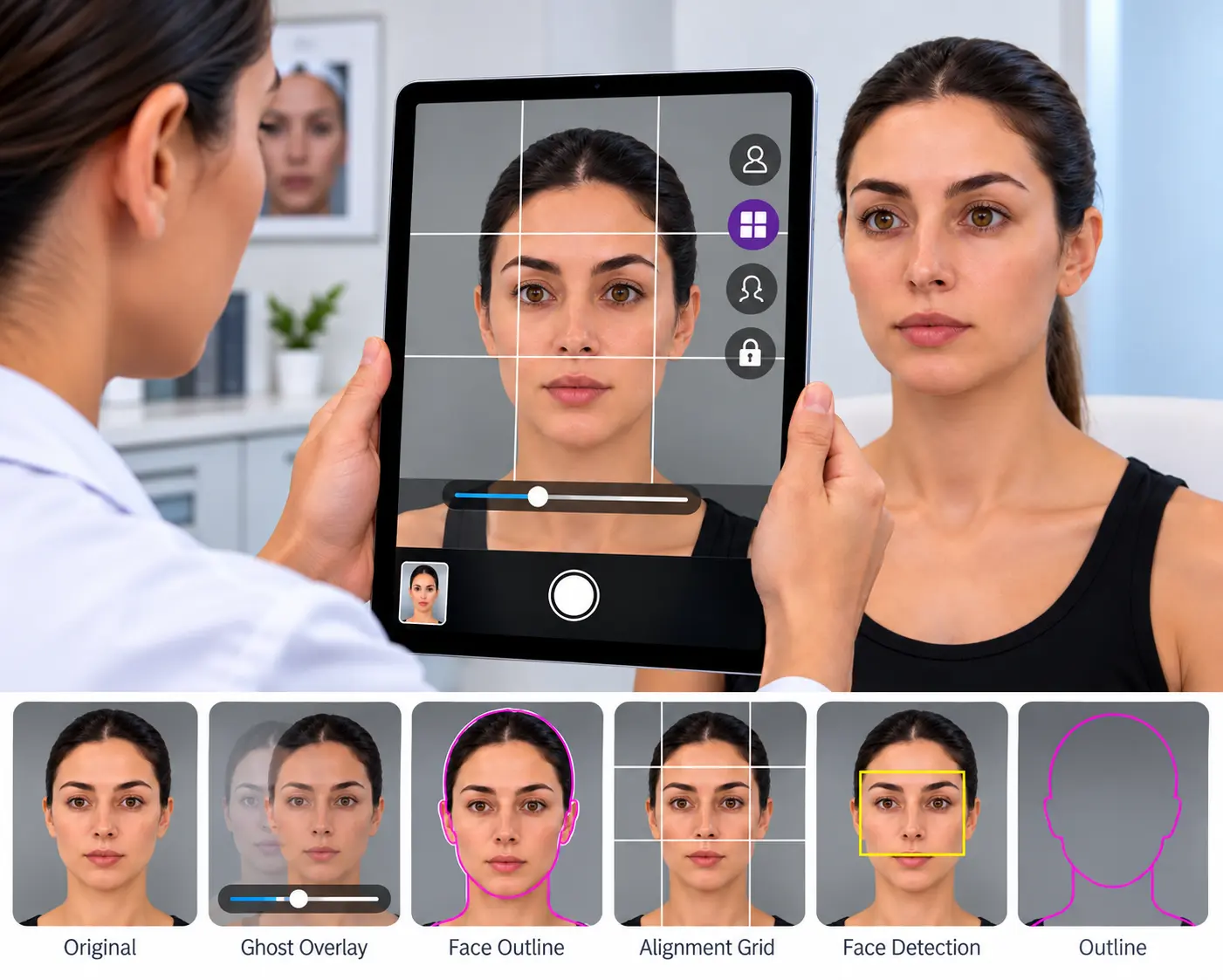
Open a patient, choose the photo you want to match, and the camera opens with that image over the live view. You can select up to 15 photographs from the patient’s file as reference images. Adjust the reference opacity, use the photo or outline view, and turn on the grid or level guide if you need them. Move until the patient lines up, then shoot. If you leave before saving, you can resume the unsaved photo session later.
That is the whole interaction. There is nothing to measure, nothing to record, and nothing to remember between visits, because the earlier photograph is doing the remembering.
Does TrueAlign Match use photo ghosting?
Photo ghosting puts a faint copy of the patient’s earlier photograph over the live camera view, so the new photograph can be lined up against it. CureCast also offers a second way to use the same reference: as a single outline instead of a translucent image.
The two options give you different ways to use the same reference photograph. With the outline, you can use the outline on its own or keep the reference photo visible underneath. With the ghost image, the earlier photograph appears as a faint layer over the live view, and you can adjust its opacity.
Two ways to view the overlay
Both exist because they suit different views. Use the outline when you want to match the patient’s shape and position. Use the ghost image when you need to see the details of the earlier photograph.
Switch between them with one tap, at any point, without leaving the camera.
What it does not do
No background replacement, smoothing, filters, or retouching. Capture tools help with positioning and consistency, while the image is stored as captured.
This matters beyond principle. Australia is explicit about this. The Medical Board of Australia’s Guidelines for registered medical practitioners who advertise cosmetic surgery require before and after images to be genuine and unedited, taken under consistent conditions, and to avoid digital enhancement that could mislead. AHPRA’s Guidelines for advertising higher risk non-surgical cosmetic procedures, in effect since 2 September 2025, go further and require a prominent results-vary warning on any advertisement using them. In the UK, the ASA treats before and after photos the same way as testimonials under the CAP Code, so advertisers must hold proof that the images are genuine and evidence for the result they imply. A system that changes the picture at the moment of capture makes both of those harder for the practice that uses it.
TrueAlign Match helps you capture the same view again. It does not edit the patient or change the photograph after capture.
When a patient cannot return for the next photograph, you can also collect follow-up photos remotely through a secure upload link. The images can then become part of the patient's photo record for future comparison.
Consistency matters across every specialty
The reason for consistent photography is the same, but the clinical workflow can look different from one practice to another. See how CureCast supports plastic surgery, dermatology, and medical spa photo workflows.
Built for real clinical photo workflows
The numbers that matter in a consultation, a follow-up and a before and after.
Find any photo
Search by patient, procedure, body area or date. Show the match while the patient is still in the chair.
Visits in one view
Compare two visits side by side, or four at once to show the full journey. Weeks or years apart.
Reference photos
Pick up to 15 earlier photos as a guide in TrueAlign Match. Every new photo lines up with the last.
Consent signers
Up to four signatures on one consent form. Stored with the patient's record.

See How CureCast Fits Your Practice
Discuss how CureCast fits into your clinical photo workflow, from capturing and organizing patient photos to securely managing them across your practice.
Prefer email? [email protected]
Consistent photography, built into your workflow.
Standardized how you capture follow-up photos, recreate earlier views, and build more reliable before-and-after comparisons without adding studio equipment or extra steps to your consultation.
Standardized clinical photography
- ✓ Match earlier photo views
- ✓ Overlay and outline guidance
- ✓ Consistent before-and-after photos
- ✓ No studio or special equipment required