CureCast vs RxPhoto:
an honest comparison, and the other RxPhoto alternatives worth knowing
RxPhoto is a strong product and, for practices running PatientNow, usually the right one. This page explains exactly when it is, when it is not, and what else is on the market. Written by the founder of a competing product, with every competitive claim sourced so you can check it.
Public sources reviewed 10 November 2026. Corrections welcome: [email protected]
The short answer
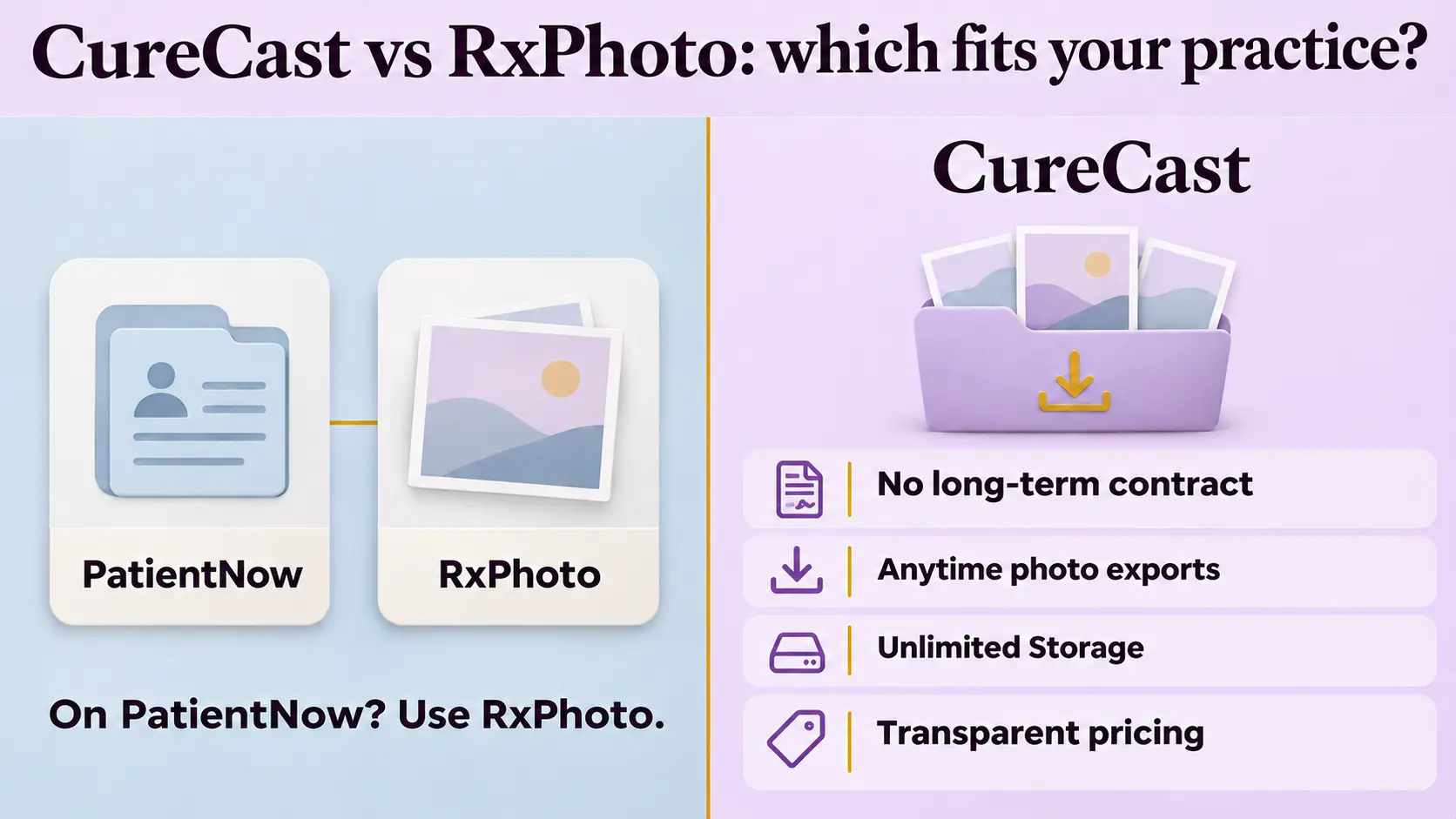
If your practice runs PatientNow or EnvisionNow, use RxPhoto. Same company, native integration, photos landing in the chart your team already works in. No standalone tool beats that, and we will not pretend otherwise.
If you do not run PatientNow, the decision comes down to four things that have nothing to do with the camera: which devices your team uses, whether you can get a single patient's photos out on demand, how you collect photos from patients who do not come back, and whether the price is published before you sit through a demo.
On photography itself the two are close. Guided capture, ghosting overlays, annotation and injection markup are in both. Anyone telling you the camera is the differentiator has not used both.
What is RxPhoto?
RxPhoto is clinical photography software for aesthetic practices, built around turning an iPhone or iPad into a standardised before-and-after capture system. It is owned by PatientNow, the practice-management and EMR vendor, and is offered both as a standalone app and as embedded charting inside PatientNow Essentials.
Its recognised strengths are guided capture with on-screen positioning overlays, ghosting a prior image over the live camera to match angle and distance between visits, HIPAA-compliant storage, digital consent and intake forms, and synchronisation with the patient record in PatientNow.
RxPhoto
- Owned by
- PatientNow
- Platforms
- See the note below. Sources disagree.
- Best for
- Practices already on PatientNow or EnvisionNow
- Published price
- Not published by the vendor
CureCast
- Owned by
- CureCast Technologies, independent, serving practices since 2016
- Platforms
- iPhone, iPad, Android phone and tablet, any desktop browser
- Best for
- Mixed device fleets, practices outside the US, practices wanting no contract
- Published price
- From $150/month, billed annually, listed on our pricing page
This page previously stated that RxPhoto is iOS only. We no longer state that, because the sources disagree. RxPhoto's own website describes the product in terms of iPhone and iPad. PatientNow's RxPhoto platform page lists the operating systems as iOS, Android and Web in its page data. We could not resolve the two.
If Android support matters to your practice, ask RxPhoto directly and get the answer in writing before you decide. We would rather lose a comparison than win one on a claim we cannot stand behind.
The five differences that actually decide it
Strip out the features both products have and five things are left. If none of them applies to your practice, RxPhoto is a good product doing exactly what it was built to do, and you should buy it.
1. Can you get one patient's photos out, on demand?
CureCast exports a single patient's complete photo history, or a batch across many patients, whenever you ask. This is not a convenience feature. It is what you need when a patient exercises their right of access, which HIPAA gives you 30 days to satisfy and UK and EU GDPR give you one month. It is equally what you need when an insurer or a solicitor requests a medico-legal disclosure, or when you refer a patient on to another specialist.
A system that cannot produce one patient's images on request is a compliance problem long before it is an inconvenience.
2. What happens between appointments?
CureCast sends a secure upload link by text to the number already in the patient record. The patient opens it in any browser and uploads their photos. No app download, no patient account, no password. The images land directly in that patient's record rather than arriving through a messaging app and sitting in someone's phone gallery.
For practices treating travelling or international patients, this is frequently the difference between having a final result photo and not having one. How remote patient photo upload works.
3. Is there a storage cap waiting for you?
CureCast has no storage cap. There is no 500 GB, 1 TB or 10 TB tier to outgrow and no surcharge for the space your photos occupy. That matters more in this category than in most software, because clinical photography is the one clinical record that grows without limit: five standardised views per visit, multiple visits per patient, at full sensor resolution, for every patient you have ever treated.
A practice photographing properly will pass a terabyte. The question is not whether you reach the cap but what happens when you do, and whether the answer is a renegotiation at renewal.
RxPhoto describes storage as included in the subscription. We could not find a published cap or allowance in any source we reviewed, which means we cannot tell you there is one. Ask both of us in writing what happens at 2 TB.
4. Can you try it properly, and leave if it does not fit?
This is the one we would weigh most heavily in your position, because it is the only difference that costs you nothing to test.
- Start monthly. No long-term contract is required.
- Training is free, and so is onboarding. There is no implementation fee and no per-seat training charge.
- Leave in month two with your data if it does not suit the practice. Export is free, including patient-level downloads that retrieve a patient's photos together rather than one image at a time.
Put plainly: you can run CureCast for one month, have your team trained at our cost, decide it is wrong for you, take every photograph with you and owe nothing further. A vendor confident in the product can afford to offer that. One relying on switching costs cannot.
RxPhoto does not publish its contract terms. One major directory records no free plan or trial, while others carry a free-trial label with no detail, so the sources conflict and you should confirm directly.
5. Do you know the price before the demo?
CureCast starts at $150 per month billed annually, and the number is on our pricing page where anyone can read it.
RxPhoto does not publish pricing on its website. Third-party directories report a starting figure of around $210 per month, and at least one older listing reports $175, with pricing described as dependent on the number of locations and licences. We have verified none of these with the vendor and neither should you take them from us.
CureCast vs RxPhoto, side by side
| Feature | CureCast | RxPhoto |
|---|---|---|
| Guided capture overlays | Yes TrueAlign Guide | Yes |
| Ghosting: prior photo over live camera | Yes TrueAlign Match, iPhone and iPad | Yes |
| Photo annotation and markup | Yes iPhone and iPad | Yes |
| Injection mapping | Yes | Yes |
| Before and after builder with watermark | Yes | Yes |
| Side-by-side and morph comparison | Yes | Yes |
| Search by procedure, name, MRN or phone | Yes | Yes |
| Consultation galleries by procedure | Yes | Yes |
| Photos never saved to device camera roll | Yes | Yes |
| Signed BAA and encrypted storage | Yes AES-256 at rest | Yes |
| Digital consent forms | Yes up to 4 signatures, stored with the photos | Yes |
| Multi-location photo library | Yes shared or deliberately separated | Yes |
| Desktop browser access | Yes | Yes |
| Android phone and tablet | Yes | Verify sources disagree, see note above |
| Remote patient upload with no patient login | Yes secure link, any browser | Patient portal login |
| Export one patient's full photo history on demand | Yes no charge | Not published |
| PatientNow or EnvisionNow EMR integration | No available on request | Yes native, same company |
| Canva integration | No | Yes |
| UAE-resident data storage | Yes | Not published |
| Published compliance guidance by jurisdiction | Yes HIPAA, GDPR, PHIPA, Australia, DHA | HIPAA documented |
| Free trial | 14 days no credit card | Not published |
| Long-term contract required | No | Not published |
| Starting price | $150/month billed annually, published | Not published by vendor. Directories list approx. $210/month, unverified |
When RxPhoto is the better choice
If your practice already runs PatientNow or EnvisionNow, stop here and buy RxPhoto. Photos land in the EMR your team works in all day. A standalone tool, ours included, cannot replicate that, and a second system means a second place to look.
Beyond the EMR question, choose RxPhoto if:
- You want one vendor across EMR and imaging. Some practices consolidate procurement deliberately, and PatientNow owns both halves. Fewer contracts, one support line, one roadmap.
- Your marketing team works in Canva. RxPhoto integrates directly, which shortens the path from clinical photo to published content. CureCast does not offer this.
- You want the longer market track record in the US aesthetics category specifically. RxPhoto is well established there and widely reviewed.
When CureCast is the better choice
CureCast fits when your practice is not built around PatientNow. Choose CureCast if:
- You need to answer a patient records request. Export one patient's complete photo history on demand, at no charge.
- Your patients do not always come back. A secure upload link to the number already in the record, no app and no patient login.
- You operate outside the United States. UAE clinics get UAE-resident storage by default, with primary in Azure UAE North and the recovery copy in UAE Central. Published compliance guidance covers GDPR, the Australian Privacy Act, PHIPA and DHA alongside HIPAA, rather than a single-market product with international customers attached.
- You want the price before the demo and the freedom to leave. Published pricing, a 14-day trial with no card, no contract, no onboarding fee, no export charge.
- Your clinic runs Android or a mixed fleet. One account, one patient library, across Android, iOS and desktop.
Switching from RxPhoto: what it actually involves
Migration is where photo platform changes go wrong, so here is the honest version rather than the reassuring one.
- Get your photos out first, before you sign anything new. Ask your current vendor in writing how a full export is delivered, in what format, how long it takes, and what it costs. Do this while you are still a paying customer with leverage.
- Expect metadata loss. Photos usually export cleanly. The tags attached to them, procedure, body area, visit date, often do not survive, because every vendor structures them differently. Ask specifically whether tags are included and in what form.
- Run both systems in parallel for one cycle. Keep the old platform read-only while new captures go into the new one. Do not cut over on a Monday morning with a full clinic.
- Reconcile before you cancel. Count patients and count images on both sides. Check a sample of complete patient histories end to end, not just that the files arrived.
- Keep the export archived. Whatever the new vendor promises, keep your own copy of the original export somewhere safe. Retention obligations sit with the practice, not the software.
Under exactly what conditions can I exit if the system does not perform as promised? Is there a trial before I am committed? How do you confirm migration accuracy, missing photos, duplicate profiles, incomplete records, before you call it done? Who is responsible if records are found missing after you have said migration is complete? What is your average support response time, and will you put that in writing?
Our answers: 14-day free trial with no credit card. No long-term contract, cancel any time and export your data at no charge. We reconcile patient counts and image counts with you and share the reconciliation before we call a migration complete. If records are found missing afterwards we re-run the migration at our cost. Support is by email and WhatsApp, and we will state a response-time commitment in writing on request.
Other RxPhoto alternatives worth knowing
CureCast is not the only alternative, and a comparison page that pretends otherwise is not much use to you. Here is the wider landscape as of November 2026.
CureCast
Cross-platform including Android, remote patient upload by link, published pricing, multi-jurisdiction compliance guidance. No PatientNow integration.
TouchMD
Strong on in-room patient education and consultation experience, with DSLR and Canon capture workflows. Heavier setup. Compare.
Canfield (VECTRA, Mirror)
The long-standing standard in plastic surgery imaging, including 3D capture. Premium hardware, premium price, significant physical footprint. Compare.
Aesthetic Record
Med spa practice management with photography included. Good if you want one system for everything. Compare.
Crisalix
Outcome simulation rather than record keeping. Solves a different problem and is often used alongside a photo platform rather than instead of one.
Nextech, ModMed, Symplast
Full clinical EHRs with photo modules. The photography is rarely the strongest part, but consolidation has real value.
A note on how to read any of these pages, including this one. Every comparison on the internet between two aesthetic photo platforms is written by one of the vendors, including the "best apps" roundups that happen to rank their author first. Check the publication date, check whether competitive claims are sourced, and ask both vendors the same five questions in writing.
Frequently asked questions
Is there a storage limit?
Not in CureCast. There is no 500 GB, 1 TB or 10 TB tier to outgrow and no surcharge for the space your photos occupy. This matters because clinical photography grows without limit: several standardised views per visit, at full sensor resolution, for every patient you treat. A practice photographing properly will pass a terabyte.
RxPhoto describes storage as included in the subscription. We could not find a published cap or allowance in any source we reviewed, so we cannot tell you whether one exists. Ask both vendors in writing what happens at 2 TB.
What happens if CureCast does not fit my practice?
You leave. There is no long-term contract, so you can start monthly, have your team trained at our cost, and cancel in month two. Export is free and includes patient-level downloads, so you take every photograph with you and owe nothing further.
We would rather you test the product for a month and walk away than sign a year and resent it. A vendor confident in the product can afford to offer that.
Does CureCast work on Android?
Partly, and we will be precise about it. Viewing, searching, comparing and sharing patient photos all work on Android phones and tablets and in any desktop browser. TrueAlign guided capture and ghosting are iPhone and iPad only today.
So if your front desk is on Windows and your clinicians carry iPhones, that works well. If you need guided capture on an Android handset, CureCast is not the right answer yet, and we would rather say so now than have you discover it in month three.
Is RxPhoto iOS only?
The sources disagree and we will not assert either answer. RxPhoto's own website describes the product in terms of iPhone and iPad. PatientNow's RxPhoto platform page lists the operating systems as iOS, Android and Web. If this matters to your decision, ask RxPhoto directly and get the answer in writing.
How much does RxPhoto cost?
RxPhoto does not publish pricing on its website. Third-party directories report a starting figure of around $210 per month, at least one older listing reports $175, and pricing is described as dependent on the number of locations and licences. None of this is verified with the vendor, so confirm directly before relying on any figure, including ours.
CureCast starts at $150 per month billed annually and the price is published on our pricing page.
What is the best RxPhoto alternative?
It depends on one question: do you run PatientNow? If you do, RxPhoto is not worth replacing, because the native EMR integration is worth more than any individual feature difference. If you do not, the main alternatives are CureCast for published pricing, no storage cap and no contract, TouchMD for consultation experience, Canfield for high-end and 3D imaging, and a full EHR such as Nextech or Symplast if you would rather consolidate.
Does CureCast integrate with PatientNow?
Not natively. Integration is available on request but it is not a shipped, supported connector, and we would not recommend choosing CureCast on the expectation of one. If PatientNow is the centre of your workflow, RxPhoto is the better answer.
Can I move my photos from RxPhoto to CureCast?
Yes. Request a full export from RxPhoto first, while you are still a customer. Photo files normally transfer cleanly. Tags such as procedure, body area and visit date often do not survive between systems because each vendor structures them differently, so ask what is included. We reconcile patient counts and image counts with you and share that reconciliation before calling a migration complete.
Is CureCast HIPAA compliant?
No software is HIPAA compliant on its own, and any vendor claiming otherwise is describing something HIPAA does not recognise. Compliance attaches to the covered entity, which is your practice. CureCast is built for HIPAA-compliant workflows: we provide a signed Business Associate Agreement, AES-256 encryption at rest, TLS in transit, per-user access controls and a full audit trail of every view, download and share. Read the detail.
How long has CureCast been running?
Since 2016. Our longest continuously active clinic joined that year and is still on the platform, which we think is a more useful number than a founding date, because it tells you something about whether practices stay.
Do patients need an app to send post-operative photos?
No. CureCast sends a secure upload link by text to the number already held in the patient record. The patient opens it in any browser, uploads photos, videos or documents, and the files go directly into their record. There is no app to download, no account to create and no password.
Does CureCast work for dermatology and med spas, or only plastic surgery?
All three. The workflow is the same wherever patients are photographed over time: standardised capture, retrieval by procedure or condition, and side-by-side comparison. See plastic surgery, dermatology and med spa.
Surgeons who use CureCast daily
Independent reviews from practices in Dubai, London and Asia. Video, not paraphrase.


Want to hear from more practices using CureCast? Read more customer reviews →
See it against your own workflow
Fifteen minutes, your use case, and an honest answer about whether CureCast is the right fit. If RxPhoto suits you better we will say so.
Book a 15-minute demo Or email [email protected] · 14-day free trial, no credit cardSources and method. Public sources reviewed 10 November 2026. Information about RxPhoto is drawn from the RxPhoto website, PatientNow's RxPhoto platform page, and third-party software directories including Capterra and Software Advice. Information about CureCast describes our own product. Where sources conflict we say so rather than choosing the version that favours us.
"Not published" means the detail was not found in the sources reviewed. It does not mean a feature is unavailable. Pricing and features change; verify both directly with each vendor before deciding.
To request a correction, email [email protected] with a supporting source and we will amend the page and note the change.
Written by Vishal Parikh, Founder, CureCast Technologies. Last reviewed 10 November 2026.