Quick summary
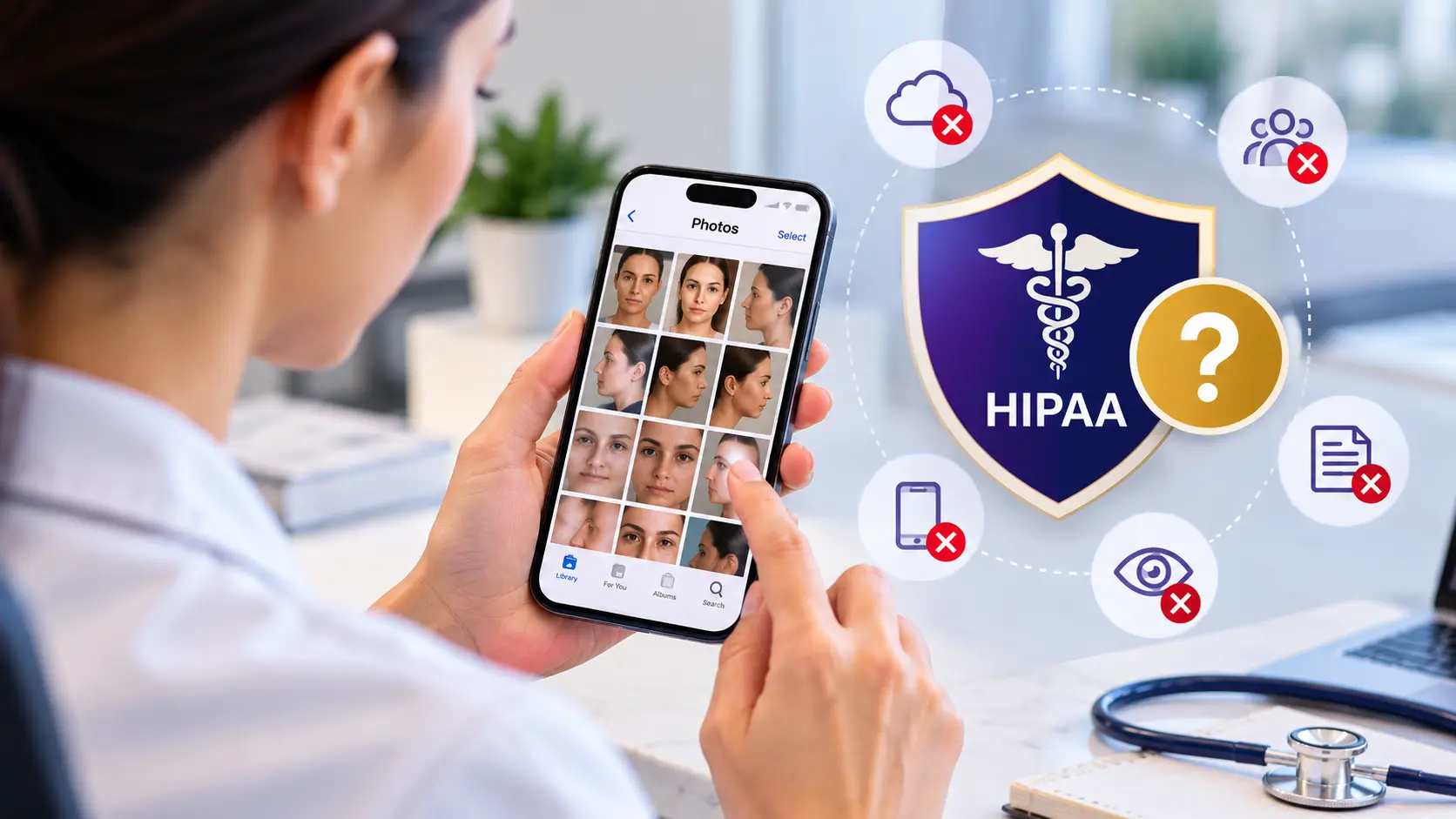
No. A patient photo is protected health information (PHI), and a phone’s standard gallery lacks the access controls, audit trail and agreements HIPAA expects.
You can lock a phone down to reduce the risk (clinic-owned, cloud sync off, encryption, remote wipe), but it still can’t record who viewed a photo. A dedicated clinical photo system has those controls and that record built in, which makes it simpler to run and easier to defend.
Many clinics began photographing patients on their phones, and the fix is usually straightforward. The sections below show where to start.
| What goes wrong | What it looks like in real life | Why it matters under HIPAA |
|---|---|---|
| Cloud sync | Photos quietly upload to a personal iCloud or Google account, and nobody ever decided that | The photo now sits with a company you have no agreement with. HHS says your clinic needs a signed business associate agreement (BAA) with any cloud provider that stores PHI for you, and personal accounts don't offer one. |
| Shared albums and messaging | "Let me show you this" turns into an AirDrop, a link or a chat message | You can't see or control who ended up with the photo. |
| A lost or stolen phone | The phone has a weak passcode, or none at all | Unsecured PHI on a lost device can trigger breach notification duties. |
| Everyone shares one login | The whole team uses the same phone and the same gallery | Anyone who unlocks the phone sees every patient photo, and you can't tell who viewed, shared or deleted what. |
| No audit trail | The gallery doesn't record who viewed, copied or deleted a photo | If a patient or regulator asks what happened, you can't show them. |
| Deleting isn't really deleting | A photo removed from the gallery lingers in a backup, a "Recently Deleted" folder or another device | The photo is still out there after you think it's gone. |
Each of these is a point where the default gallery can’t control who sees a photo or prove what happened to it, and HIPAA expects both.
Can iCloud, Google Photos or OneDrive hold patient photos under HIPAA?
No. A personal iCloud or Google account can’t be used to store patient photos under HIPAA, however secure it is. Without a signed business associate agreement (BAA), a cloud service can’t hold patient information for you, and HHS is clear that this applies even when the data is encrypted and the provider can’t read it.
iCloud. Apple’s terms tell clinics not to use iCloud for patient information, and Apple doesn’t act as a business associate, so there’s no BAA to sign. That means there’s no compliant way to use it. If iCloud Photos is turned on, every patient photo on that phone is being copied to a service that can’t be used for patient information.
Google Photos. A personal Google account has no BAA, so the same answer applies. Google offers a BAA only for certain Google Workspace services, and your clinic has to sign it. Without one, Google says customers must not use PHI in those services. A staff member’s personal account sits outside any agreement your clinic holds.
OneDrive. OneDrive for Business is covered by Microsoft’s BAA, which Microsoft offers to HIPAA-covered customers as part of its business terms, so a clinic can use it for patient photos if it’s set up properly. A personal OneDrive account is not covered. Even with the BAA, your clinic still has to set up sharing and access correctly, because a BAA doesn’t make you compliant on its own.
The same two questions apply to any other cloud or backup service: is there a signed BAA covering that exact plan, and does your clinic control the account? If either answer is no, the service shouldn’t hold patient photos.
Will turning off cloud sync fix it?
Partly. Turning off cloud sync closes the biggest gap, because new photos stay on the device and stop going to a third-party cloud. But a few things are still open:
- Photos that already synced stay in the cloud account until someone deletes them there.
- There’s still no per-person access and no audit trail.
- The phone can still be lost, so the photos still need a passcode, encryption and a remote wipe plan.
- Photos can still leave through messaging apps or shared albums unless you block them.
- Someone has to switch sync off on every phone, check it stays off after software updates, and be able to prove that to an auditor.
So here’s the honest picture. A locked-down, clinic-owned phone with sync off, encryption on, remote wipe and written rules can cover where the photos are stored. But it relies on every person doing the right thing every day, and it still leaves you without an audit trail or control over who sees what. That’s why many clinics move to a system made for clinical photos.
What if my team uses their own phones?
Personal phones are the harder case, because your clinic doesn’t own the phone or control its settings, yet you’re still responsible for any PHI that lands on it. If you allow them, the clinic needs an approved photo app with its own secure storage under a signed BAA, and you need to be able to answer no to each of these, in writing:
- Can anyone take or keep a patient photo outside the approved app, in the phone’s regular camera or gallery?
- Would clinic photos stay on a phone after someone leaves or the phone is lost?
- Could someone open the phone without a passcode or device encryption? On current iPhones and Android phones, encryption switches on once a passcode is set.
If the answer to either of the first two is yes, the safest rule is simple: no clinical photos in the phone’s regular camera or gallery.
Is a clinic-owned phone enough for patient photos?
No, not on its own. It helps, because the clinic controls the settings and can wipe a lost phone. But a phone is still a phone. It keeps no audit trail, and it can’t control which staff members see which photos.
Storage is another weak point. When it fills up, photos get deleted or stop saving, and if the phone is lost or broken, any photo that was never backed up is gone. HIPAA expects a backup plan for patient information (45 CFR 164.308(a)(7)(ii)(A)), and your state may require you to keep the record for years.
Backing up to the cloud brings the BAA problem back: iCloud can’t be used for patient photos at all, and a Google or Microsoft business service needs a BAA in place with your clinic. That is why a system built for clinical photos is the safer home for them
Is texting patient photos HIPAA compliant?
Not by standard SMS text. A text is quick, but it fails the same three tests as the phone gallery:
- Where the photo lives. It lands on a second phone you don’t manage, then in that phone’s gallery and cloud backup, and it stays in both message histories.
- Who can reach it. A notification preview can show it on a lock screen to anyone nearby, and group chats put it on every device in the group.
- What you can prove. There’s no audit record and no way to take it back.
Even if nothing has gone wrong, you can’t say where the copies of a texted photo are now, and you can’t prove otherwise if someone asks.
HIPAA’s transmission security standard (45 CFR 164.312(e)(1)) expects patient information to be protected while it travels, and a standard SMS isn’t encrypted end to end across carriers.
Texting a patient their own photo is a different situation. HHS says that when a patient asks to receive their own information through an unsecure channel, and has been warned of the risk, the clinic isn’t responsible if it’s intercepted along the way (see HHS FAQ 2061). In practice: confirm the number first, explain the limits, note the patient’s choice in their record, send only their own images, and never use that same route for sharing inside your team.
What’s the right way to share a photo with another provider?
Under HIPAA, you can share a patient photo with another provider for treatment, such as a second opinion (45 CFR 164.506(c)(2)). What matters is how: share access to the photo, not a copy of it. The moment a photo becomes an attachment, it’s a copy in a place you don’t control, and every question about it afterwards gets harder to answer.
A secure way to share a patient photo meets four conditions:
- The photo stays in one controlled system instead of being copied onto another device.
- The other provider signs in as themselves, rather than receiving a file.
- The access is logged, so the disclosure is on record.
- The access can expire, or be switched off, when the consultation is over.
To meet those conditions, use your clinical photo system (the other provider signs in or opens a link that expires), a healthcare messaging app covered by a BAA, or a patient portal. If the other office only takes fax, use an online fax service covered by a BAA and keep the delivery confirmation.
Is a patient photo protected health information (PHI)?
Yes. A patient photo is protected health information (PHI) when it’s tied to a patient’s care and could identify them. HIPAA’s list of identifiers includes “full face photographic images and any comparable images” (45 CFR 164.514(b)(2)(i)(Q)), so a face photo from a consultation is covered.
But a face isn’t the only giveaway. A tattoo, a scar or a birthmark can identify someone too, because the list also covers “any other unique identifying number, characteristic, or code” (164.514(b)(2)(i)(R)). So can a file name, or the account and date attached to the image. If you’re unsure, treat the photo as PHI.
Once a photo is PHI, the HIPAA Security Rule applies to it. Four of its requirements matter most for photos, and each is simpler than it sounds:
- Access control (45 CFR 164.312(a)(1)). Everyone who opens a photo has their own login, and you can limit what each role sees.
- Audit controls (45 CFR 164.312(b)). The system records who viewed, changed or deleted a photo.
- Transmission security (45 CFR 164.312(e)(1)). Photos are protected while they travel over a network.
- Device and media controls (45 CFR 164.310(d)(1)). You have rules for how devices are issued, reused, lost and retired, including how photos get removed from them.
In practice, treat every clinical photo as PHI wherever it’s stored, and make sure that place can do these four things.
How long do you have to keep patient photos under HIPAA?
HIPAA doesn’t set a time limit for keeping patient photos. If a photo is part of the medical record, your state’s medical records law decides how long you keep it, which is known as record retention. Periods vary by state, they’re often longer for minors, and they commonly run from the age of majority rather than the date of treatment. Your malpractice carrier may have its own requirement as well.
The six years you may have heard about belong to a different rule. HIPAA requires covered entities to keep their compliance documentation for six years (45 CFR 164.316(b)(2) and 164.530(j)). For photos, that means your written photo policy, staff training records, signed BAAs and each patient’s signed marketing authorization. It doesn’t cover the photos themselves.
In short: keep the photo for as long as your state requires, and keep the HIPAA paperwork for at least six years. Deleting clinical photos to free up space is a records decision, not housekeeping, so check your records policy before you clear anything out. Keeping photos for years doesn’t fit phones that get replaced every few years, which is another reason to keep them in a system built for records.
HIPAA checklist for patient photos
You don’t have to fix everything in a day. Work from the top down, because the order matters: deleting a photo before it’s safely stored elsewhere can wipe out part of a patient’s record.
☐ Find out where photos are today. Ask everyone who takes patient photos what’s on their phone and where it syncs. Ask kindly and without blame, so people answer honestly. Check galleries, cloud accounts and messaging apps.
☐ Turn off automatic cloud sync on any gallery that still holds patient photos, so no more copies leave your control while you fix the rest.
☐ Make sure a BAA is in place with every vendor that stores or handles patient photos, before any photo moves to them (45 CFR 164.308(b)).
☐ Set up a safe way to capture. Use an approved app that gives each person a login and keeps an access log. If the team keeps photographing the old way, new photos land in the same place tomorrow.
☐ Move existing photos into that system, attaching each one to the right patient record.
☐ Then clear out the old copies. That means the gallery, the cloud account, the “Recently Deleted” folder, shared albums and old backups. Check that each deletion actually went through.
☐ Lock down every device that touches PHI. Require a passcode, make sure encryption is on, and set up remote wipe.
☐ Write a short photo policy. Cover who can take photos, where they’re stored, how they’re shared, and what to do if a phone goes missing.
☐ Train your team (45 CFR 164.308(a)(5)), and keep a record that you did.
☐ Add photo removal to your offboarding checklist (45 CFR 164.308(a)(3)(ii)(C)), so patient images don’t walk out the door with departing staff.
☐ Review it once a year, and whenever staff or devices change. Your annual security risk analysis (45 CFR 164.308(a)(1)(ii)(A)) is a natural time to do it.
Consent is a separate question from storage. Get the patient’s consent before taking clinical photos if your state or clinic policy requires it, and get a separate written authorization before you use an identifiable photo in marketing (45 CFR 164.508(a)(3)).
How does CureCast handle patient photos?
CureCast is a clinical photo management platform built around the gaps above. Your team keeps taking photos from their phones, but the photos stay out of the gallery, the right people see the right ones, and every action is recorded.
- No gallery, no sync. Photos taken in the CureCast app are designed not to be written to the phone’s camera roll, so there’s no gallery copy to sync to a personal cloud. They’re stored against the patient record.
- The right people see the right photos. Admins decide which team members can open each area of the account, and who can edit, delete, download or share photos.
- A record of everything. The audit trail logs views, downloads, shares, edits and deletions, with the staff login, device, IP address and time. Authorized users can export it as CSV or PDF.
- Control over devices. Admins can review each device and end an active session, though that doesn’t remove files already downloaded to a device. Sessions also time out after a period of inactivity.
- Encrypted throughout. Stored photos and records are encrypted at rest and in transit.
No software makes a practice compliant on its own. CureCast supports the safeguards above, and you still need your own policies, team training, and the patient’s authorization before a photo is used in marketing. CureCast provides a signed business associate agreement (BAA), starting from your 14-day trial.
Frequently asked questions
I already have patient photos on my phone. What should I do?
Don’t delete anything yet. Deleting first can destroy part of the patient’s record. Turn off cloud sync, make sure the system you’re moving to has a BAA in place, and move the photos into it, attaching each one to the right patient record. Then remove the old copies from the gallery, the cloud account, “Recently Deleted” and shared albums. The checklist above walks you through the order.
Can I take patient photos on my phone at all?
Yes, as long as the photo is taken in an approved app and saved straight into a system with a signed BAA, individual logins and an access log, never into the phone’s gallery or a personal cloud account. The camera isn’t the problem. Where the photo is saved is.
Can you send patient photos in an encrypted messaging app under HIPAA?
Encryption in transit helps, but it doesn’t settle the question. With a consumer messaging app you still don’t have a BAA with the provider, the photo still lands in the recipient’s gallery and cloud backup, and there’s no audit trail or way to revoke access. Use a platform built for healthcare.
Do patient photos on phones break HIPAA even if there’s been no breach?
Yes, they can. HIPAA asks whether patient photos are protected, not only whether a breach has happened. Clinics must assess the risks to patient information (45 CFR 164.308(a)(1)(ii)(A)), and photos on uncontrolled phones, with no access controls and no audit trail, are a risk even if no breach has happened yet. Without logs, you also couldn’t tell if one had.
What does HIPAA require if a phone with patient photos is lost?
Lock or wipe it remotely right away, then bring in your compliance lead the same day. Whether the loss is a reportable breach depends on two things: whether the photos were encrypted to the standard HHS recognizes, and your documented risk assessment. If notification is required, it must happen without unreasonable delay and no later than 60 days after you discover the loss (45 CFR 164.404).
What should you do first?
Start by finding out where your patient photos are today, then move them somewhere with a signed BAA, individual logins and an access log. Give your team one simple rule to follow: patient photos are taken only in the approved app, never in the phone’s regular camera or gallery.
If your photos are on phones today, you’re not alone. It’s a common habit that grew out of convenience, and the checklist above shows how to fix it step by step.
This guide is general information about HIPAA and clinical photography. It is not legal advice, and state privacy and retention requirements vary. Check your own policies with your compliance lead or counsel.

Related Articles
Navigating the Cloud: Unveiling the Superiority of CureCast’s Cloud-Based Plastic ...