Clinical Photo Management for Saudi Clinics
Keep sensitive patient photographs within a defined clinic workflow. CureCast helps Saudi plastic surgery, dermatology and aesthetic teams organise photo access and follow-up comparisons. Saudi hosting can be arranged on subscription and is not included during the free trial.
From the first consultation to the post-operative review
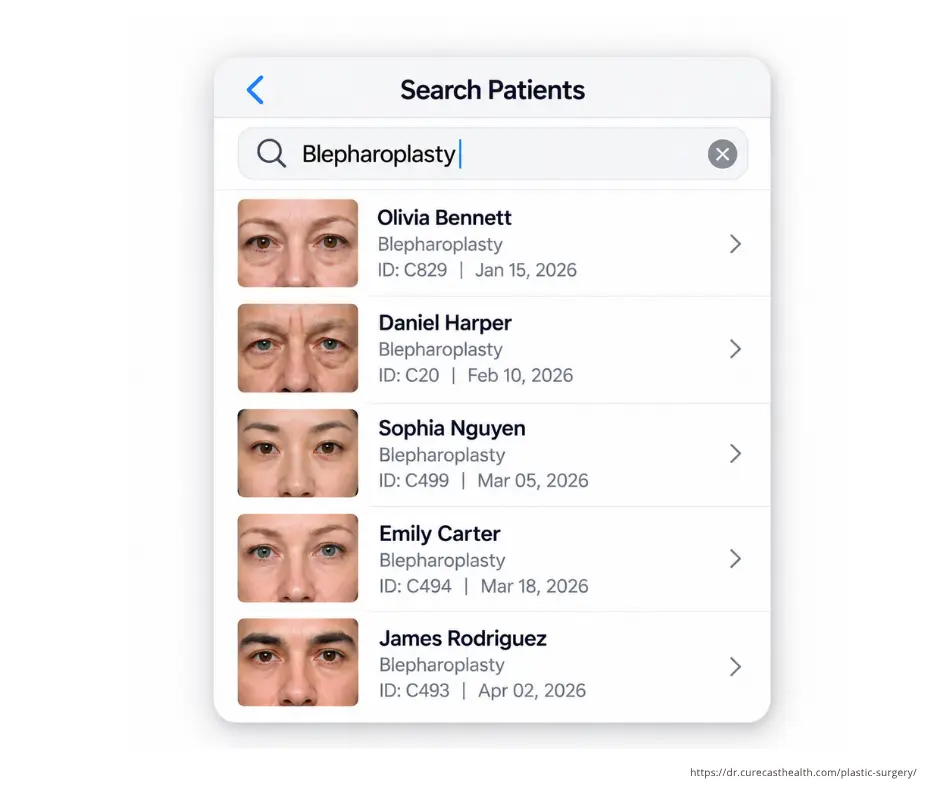
Decide who needs each photograph before opening access
A clinic’s photo library may contain facial views, body-contouring photographs and intimate treatment areas. The useful starting point is to decide which staff roles need each record and which actions they should be allowed to perform.
Clinical review
Define who captures the photographs, who selects follow-up views and who reviews the patient’s progress. Use consistent patient, procedure and visit labels so a photograph is not opened simply because its filename looks familiar.
Downloads and wider sharing
Review who can download or share images as a separate decision from who can view them. Administrators configure module and action permissions. A staff member’s access should reflect their current responsibilities.
A separate access decision for confidential patients
CureCast’s confidential-patient feature can hide a patient from lists, searches and galleries for staff who do not hold the relevant permission. Discuss how your clinic would authorise that access and how a covering clinician would receive it when needed.
- At registration: identify records that need restricted visibility under the clinic’s policy.
- During treatment: check that authorised clinicians can find the relevant visit and compare the correct views.
- When duties change: review permissions rather than carrying previous access forward automatically.
- When a device is lost: use device-session controls and review recorded activity under the clinic’s incident process.
From demonstration records to an activated Saudi account
1. Evaluate during the trial
Use demonstration records to check capture, retrieval, comparisons and staff access. Saudi hosting is not included during the free trial. Confirm the trial setup before deciding what information may be entered.
2. Request Saudi hosting on subscription
Saudi hosting can be arranged when your clinic subscribes. Contact us before signing up to agree primary storage, backup and recovery locations, support access and activation timing.
3. Confirm activation before handover
Wait until the agreed Saudi deployment is active before adding patient information. Check the account agreement, sample imported records and staff permissions before moving the full photo library.
Saudi storage is one part of the arrangement. Your clinic should also review consent, retention, remote-service requirements and the data-processing agreement for its intended use.
For the retention questions to discuss with your clinic’s adviser, read our patient photo retention guide, including Saudi Arabia.
Use the demo to test your clinic’s access decisions
Choose a representative procedure and walk through four tasks with demonstration records:
- Have the capturing staff member add the agreed views to the correct visit.
- Ask the reviewing clinician to retrieve the baseline and follow-up photographs.
- Confirm which staff can see a confidential patient and which can download or share.
- Review the recorded photo activity and demonstrate a patient-level download for the clinic’s own records.
For remote follow-up, ask how the secure upload link files submissions and how the clinic will communicate review times. Confirm the Saudi deployment and the requirements applying to the intended service before enabling it.
Full feature demonstrations: before-and-after comparisons, patient uploads and signed consent forms. Specialty examples: plastic surgery and dermatology.
Agree the subscription and migration scope
Before the clinic commits, confirm the number of accounts, billing currency, Saudi hosting activation, migration responsibilities and any custom work. Review current pricing; no local-currency amount is assumed here.
If your clinic uses several locations, discuss whether records should remain separated or be accessible to authorised locations. Confirm the actual account-switching workflow in the demo. Integration can be assessed when the EMR provider makes suitable APIs available; scope and timing are agreed separately.
Frequently asked questions
Is Saudi hosting included during the free trial?
No. Saudi hosting can be arranged when your clinic subscribes. Contact us before signing up to confirm the setup and activation timing.
When can we move real patient photographs into the Saudi account?
After the agreed Saudi deployment is active and the clinic has confirmed the account agreement, access settings and onboarding arrangements. Test sample imports before moving the full library.
Can we limit visibility of particularly sensitive patient records?
Yes. The confidential-patient feature hides a patient from lists, searches and galleries for staff without the required permission. The clinic decides who should be authorised.
Can staff view a photograph without being allowed to download it?
Administrators configure module and action permissions, including download and share access. Demonstrate the intended roles before the clinic starts using the account.
Can patients send requested follow-up photographs?
CureCast supports a secure upload link without a patient app or login. Confirm the Saudi deployment is active and review the requirements applying to the clinic’s intended remote follow-up service.
Does Saudi hosting by itself make the clinic compliant?
No. Your clinic still needs appropriate consent, staff access, retention, training and service arrangements. Confirm the full processing agreement and applicable health-data requirements.
Discuss Your Saudi Clinic’s Photo Workflow
Review capture, retrieval and comparison with your team, and clarify deployment requirements before onboarding.
BOOK YOUR 15-MINUTE DEMOPrefer email? [email protected]