Clinical Photo Management for Saudi Clinics
Keep every patient photo in one clinical photo app. Choose who can open each photo, see who did, and set up Saudi hosting when your practice subscribes. CureCast is built for plastic surgery, dermatology, medspa, surgical practice.
From the first consultation to the post-operative review
Clinical photo software for plastic surgery, dermatology and med spas
Every practice takes photos for a different reason, and CureCast lets each team label and review them its own way.
Plastic surgery
Take the same views before and after a procedure, then find the right visit quickly at the next appointment.
Dermatology
Label photos by condition and body site, to follow a skin concern over time.
Medical spa and aesthetic clinics
Keep treatment photos with their consent records, and check each photo before it is used for marketing.
Pediatric surgery
Ask parents to send a photo from home through a remote upload link, so healing can be checked without a clinic visit.
In every specialty, these photos show faces and private areas of the body. So the first question is simple: who on your team may open them?
A clinic’s photo library may contain facial views, body-contouring photographs and photos of intimate treatment areas. A useful starting point is to decide which staff roles need access to each record and which actions they should be allowed to perform.
Control staff access in clinical photo management for Saudi Arabia
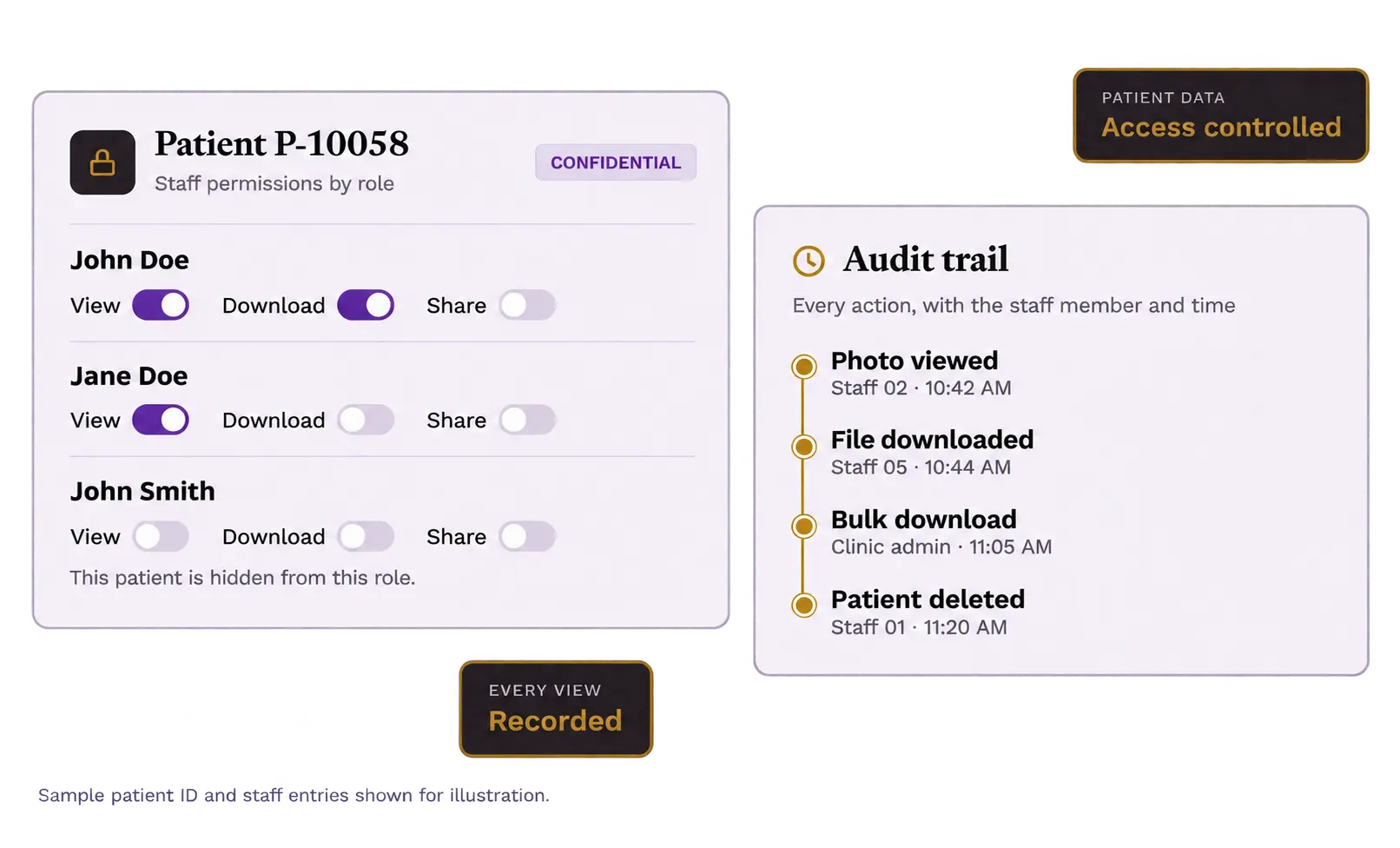
Choose what each person can open and do. Not every team member needs every photo. In CureCast staff management, an administrator first chooses which areas of the app each person can access, such as patient records or before and after photos. The administrator then chooses what that person can do there: edit, delete, download or share. For Example, A team member can be allowed to view photos but not to download or share them.
Hide sensitive patients. For sensitive cases, the patient is visible only to staff who hold confidential patient access. For everyone else in the clinic, the patient does not appear in search, does not appear in patient lists, and does not appear in before-and-after galleries.
See who viewed, downloaded or shared a photo.CureCast’s audit trail records who viewed, downloaded or shared each photo, with the staff account, the device, the IP address and the time. You can filter the log and export it as a CSV or PDF file, and entries cannot be edited or deleted. The log shows what happened. Your practice and its adviser decide whether each access was right.
Saudi Arabia’s Personal Data Protection Law (PDPL) asks for the same care about who can open health data. Article 23 says the rules for health data must limit access to the smallest number of employees needed, and only as far as they need it to give health services. Permissions by role and the confidential patient setting are two ways to put that idea into practice.
How CureCast helps clinics find, compare and manage patient photos
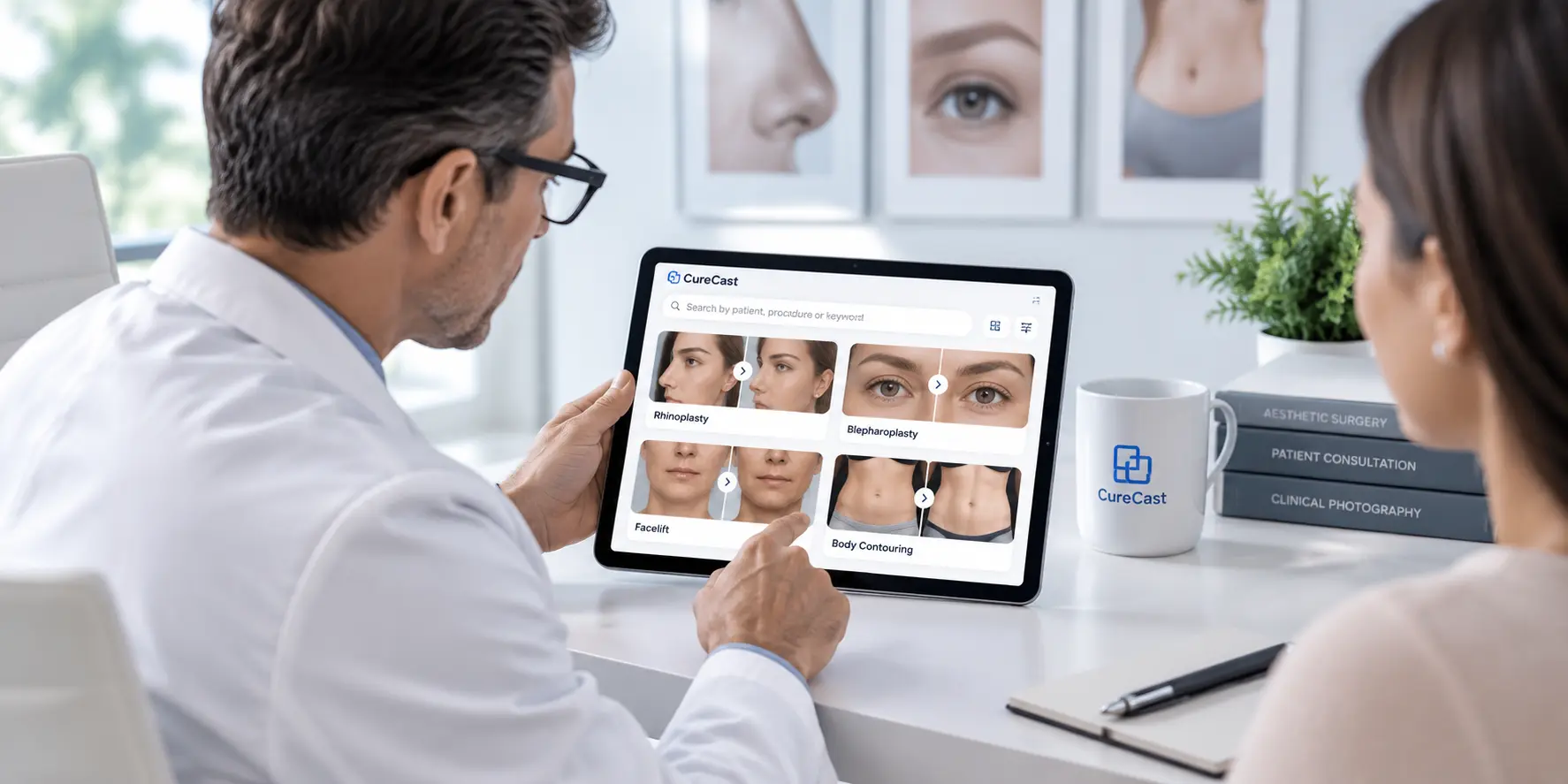
Find patient photos during a consultation
Search by procedure, diagnosis, body area, patient name or phone number. Add tags when you take photos so your team can find them later without searching through folders.
Compare before-and-after photos from two visits
Choose two photos and compare them side by side or with an overlay. Add your clinic logo or watermark and export in 9:16, 16:9, 4:3 or 3:4.
Take follow-up photos from the same angle
TrueAlign Match shows the earlier photo on the live camera screen as a ghost image or an outline for standardized clinical photography. A level guide helps you spot camera tilt. This makes it easier to match the original view, especially when comparing rhinoplasty profiles. TrueAlign Match is available on iPhone and iPad.
Collect post-operative photos from home
Send the patient a secure upload link by email or message. They can use their phone to send photos, videos or documents without installing an app, creating an account or entering a password. The files go straight into their patient record.
Keep patient photos out of the phone’s camera roll
Photos taken in CureCast are saved to the patient record and stay out of the device’s camera roll. If a staff member leaves, an administrator can revoke their access, including on a device they still have. The photos stay with the clinic. CureCast also supports two-factor authentication (2FA), adding an extra verification step at sign-in.
Your team can access the same photo library on Android phones and tablets, iPhone, iPad and desktop browsers. Guided capture overlays and photo annotation are available on iPhone and iPad.
Saudi data hosting for patient photos
Staff access protects who sees a photo. The photo file itself also has to live somewhere, and where it is stored matters too. Some practices want it kept in Saudi Arabia. Here is how Saudi hosting works with CureCast:
- Free trial: Saudi hosting is not included.
- After you subscribe: Saudi hosting can be arranged.
- Before you subscribe: Book a demo to confirm the setup and when it will go live.
PDPL Article 29 sets conditions for sending personal data outside Saudi Arabia, so check where backups and support access sit as well as the main storage. Other health bodies, such as the Ministry of Health, may add their own rules. Ask your adviser what applies to your practice.
How to start clinical photo management in Saudi Arabia
Once you know how hosting works, the path is short.
1. Start with the free trial
Sign up for the 14-day free trial. Use demo records to see how CureCast works for your team.
2. Book a demo to agree your Saudi setup
On the demo, we go through where your data will be kept, what will be imported and the account terms. When you subscribe, Saudi hosting is arranged.
3. Move your photos and add your team
Once your Saudi account is active, your existing photos are moved in, as agreed on the demo, and real patient photos can be added. You then add each team member. Practices with several locations can use multi-clinic management.
Storage is only one part of the setup. With your adviser, also review patient consent, retention and remote support access. Our guide on how long to keep patient photos covers retention. Before you post any treatment photo, read our guide to patient photography consent in Saudi clinics.
CureCast Pricing and Free Trial for Saudi Clinics
- Published pricing. Annual plans start from $150 per month billed annually, with monthly plans available. Most of this category quotes rather than publishes, which makes comparison harder than it needs to be.
- Unlimited photographs, videos and documents. No storage cap, no per-file charge, no overage as the library grows.
- No setup fee, no onboarding fee, no training fee, no contract. Cancel monthly and export your data.
- Fourteen-day trial, no card. Start on the website, iPhone or Android, with the same login across every device.
Four things to test during your CureCast trial
- Find a relevant case. Run a practice consultation with sample cases. Note how long it takes for a staff member to find photos that answer a patient’s question.
- Match a follow-up photo. Use TrueAlign Match on an iPhone or iPad to retake a sample photo. Compare the two images for angle, framing and camera tilt.
- Check staff permissions. Remove a test staff member’s permission to download photos. Sign in as that staff member and confirm the download is blocked.
- Export a sample patient’s photos. Open the downloaded files and check that all the photos you expected are there and easy to use.
Discuss Your Saudi Clinic’s Photo Workflow
Review capture, retrieval and comparison with your team, and clarify deployment requirements before onboarding.
Prefer email? [email protected]