Quick summary
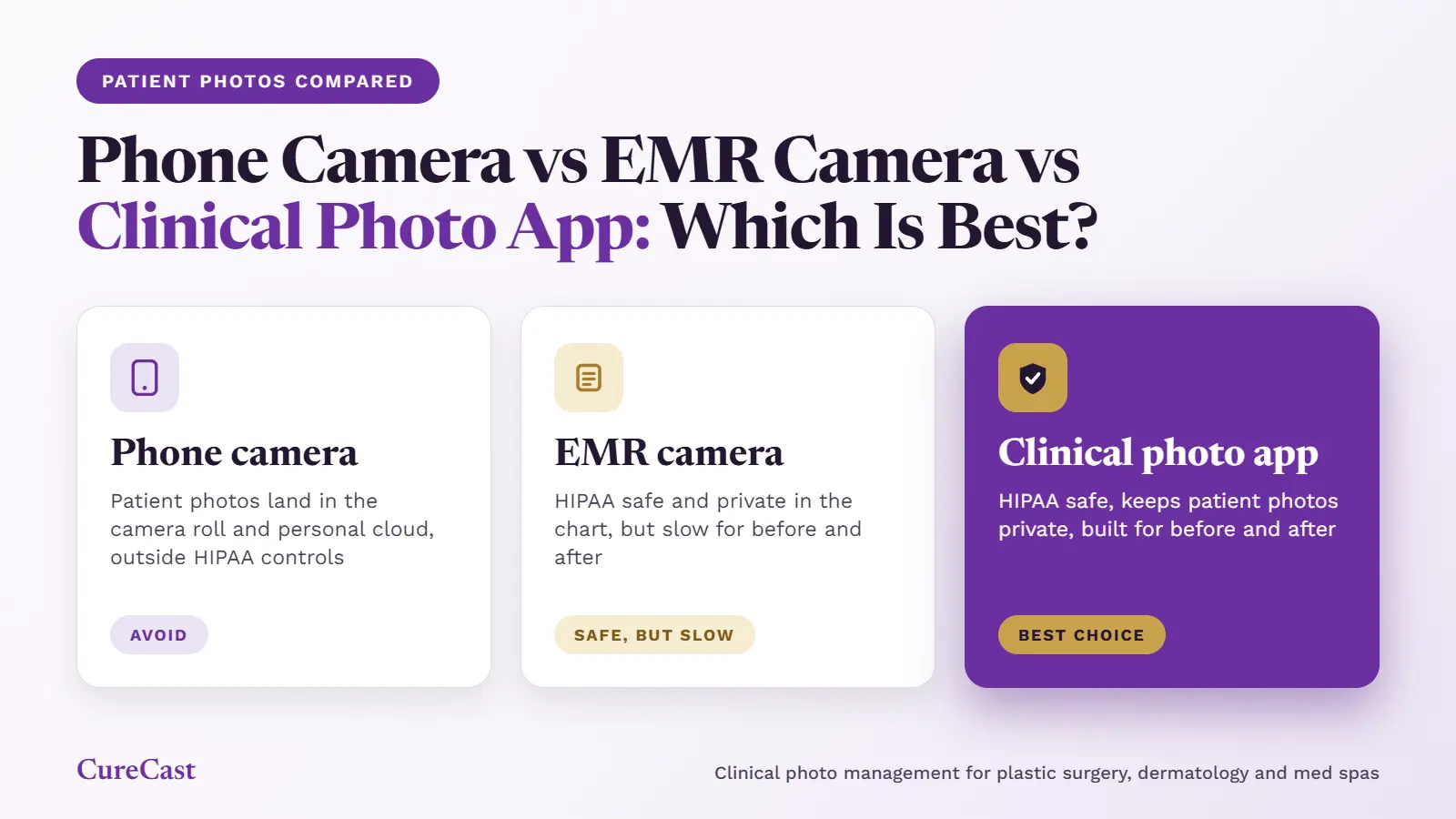
For patient photos, a clinical photo app is usually the best choice, the camera inside your EMR is a compliant second choice, and your phone’s normal camera is the one to avoid. All three cameras take a good picture. What differs is what happens next: where the photo is saved, who can see it, whether it meets HIPAA rules, and how quickly you can find and compare it later.
- Phone camera (iPhone or Android): It is quick, but the photo is saved next to personal pictures and can copy itself to a personal cloud like iCloud or Google Photos. This puts patient privacy at risk and usually does not meet HIPAA rules.
- EMR camera: An EMR (electronic medical record) is software clinics use to store and manage patient records, including medical notes, diagnoses and treatment details. The photo goes straight into the patient’s chart, inside a system built for HIPAA compliance, so patient privacy is protected. But taking, finding and comparing before and after photos is slow.
- Clinical photo app: The photos never enter the camera roll, and a HIPAA-compliant app stores them encrypted in the patient’s record. The app is also built for consistent, easy-to-compare before and after photos.
What are the three options?
Most clinics take patient photos in one of three ways. Each one is a different app on the same phone or tablet.
- The phone’s normal camera app. This is the camera that comes with an iPhone or Android phone. Photos go into the phone’s photo gallery, also called the camera roll.
- The camera inside an EMR app. An EMR (electronic medical record) is the system that holds patient charts. Many EMRs have a mobile app with a camera button that saves the photo to the chart.
- A clinical photo app. This is an app made only for patient photos. It captures, files, compares and shares photos, and it usually works alongside your EMR.
Phone camera vs EMR camera vs clinical photo app: all three compared
Only the clinical photo app does well on both HIPAA compliance and before and after work. The EMR camera keeps photos compliant, and the phone camera is simply the quickest to use.
| What to check | Phone camera | EMR camera | Clinical photo app |
|---|---|---|---|
| Photo kept out of the camera roll | No | Yes, in most setups | Yes |
| No automatic copy to a personal cloud | No, if iCloud or Google Photos backup is on | Yes | Yes |
| Deleted photo gone at once | No, kept 30 to 60 days | Not on the phone | Not on the phone |
| Linked to the patient's record | No, moved by hand | Yes | Yes |
| Vendor signs a BAA | No (iCloud) | Yes | Yes, if the vendor offers one |
| Record of who viewed or shared | No | Yes | Yes |
| Guide to match the earlier photo | No | Rarely | Yes |
| Search by treatment or body area | No | Limited | Yes |
| Before-and-after view in seconds | No | Limited | Yes |
| Marketing permission kept with the photo | No | Rarely | Yes, in most apps |
| Secure photo upload from patients | No | Sometimes, through a patient portal | Yes, often by a link |
| Steps to take one photo | Fewest | Most | Few |
| Best for | Not suited to patient photos | Store and manage patient records, diagnoses, treatment details, and occasional clinical photos | Practices where consistent before-and-after photos matter |
Note: “Rarely” and “Limited” describe general EMRs. EMRs designed for aesthetic practices may offer similar features to clinical photo apps.
What happens when you use your phone’s normal camera?
The photo is saved in your personal camera roll, and the phone can copy it to places your clinic does not control. The camera takes a good picture. The risk starts the moment you tap the button.
- It sits next to your personal photos. It can show up in Memories and widgets. In one survey of Irish urologists, 27% said family members had seen patient photos on their phone by accident (Irish urology study).
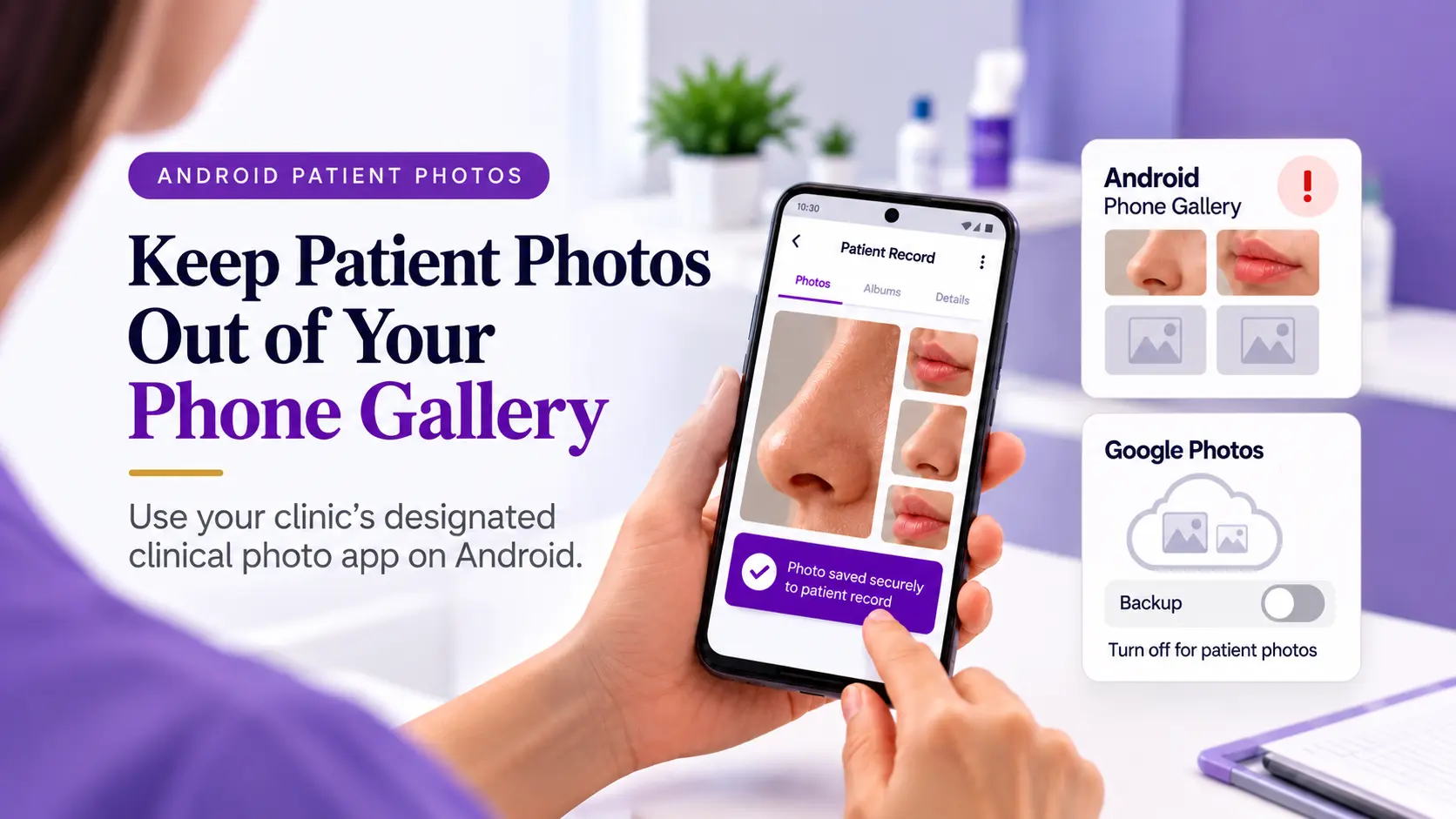
- It can copy itself to a personal cloud. iCloud Photos and Google Photos can back up new photos automatically. Under HIPAA, a company that stores patient data for you may need to sign a Business Associate Agreement (BAA), a contract that requires it to protect the data. Apple’s iCloud terms say healthcare providers must not use iCloud for protected health information (iCloud terms, quoted by Compliancy Group).
- Deleting it does not remove it straight away. An iPhone keeps deleted photos for 30 days (Apple Support), and Google Photos keeps backed-up deleted photos for 60 days (Google Photos Help).
- It carries hidden details. The photo file can hold the date, time and GPS location where it was taken.
- It is not part of the patient’s record. Someone has to move it by hand, and that step is easy to forget.
- Photos do not match. Different staff hold the phone at different angles, distances and in different lighting, so before-and-after photos can be hard to compare.
HIPAA does not ban phones outright, but it requires safeguards that a normal camera app does not provide by default. We explain the camera roll risk in more detail in our blog: Is your phone gallery HIPAA compliant?
What is it like to use the camera inside your EMR?
The EMR camera solves the storage problem, but it often makes photo work slow. EMRs were built mainly for notes, orders and billing, not for comparing photos over time.
What works well
The photo goes straight into the patient’s chart instead of the camera roll. For example, photos taken in Epic’s Rover app are saved on the Media tab of the chart. Access is controlled, and the EMR keeps a record of who opened the chart.
Where it gets hard
- Many steps for one photo. In Epic’s Haiku app, you open the patient, open the media screen, take the photo, choose a document type, add a description and save.
- You may need an open visit. Some setups only let staff take and upload a photo inside a scheduled visit or open encounter. This makes it hard to take a quick photo between visits.
- Wrong-patient mistakes. Each extra step, such as picking the patient and the visit, is a chance to file the photo in the wrong place.
- Photos get buried. Some teams paste photos into notes, while others use a general media tab. Photos inside notes are easy to lose and hard to compare.
- No easy comparison over time. An EMR can show a chart of blood pressure over months, but it rarely shows photos side by side over months.
- No help taking matching photos. Most EMR cameras have no on-screen guide showing the earlier photo, so each new photo may be framed differently.
- Limited support for marketing use. Many general EMRs do not record marketing permission for each photo or provide a gallery for before-and-after results.
To be fair, some EMRs made for aesthetic practices include better photo tools. If your clinic takes a few patient photos a week, the EMR camera may be enough. If before-and-after photo comparisons are central to your work, these limitations can quickly add up.
What does a clinical photo app do differently?
A good clinical photo app stores photos as safely as an EMR camera and adds tools for before-and-after work. Features differ from app to app, so check what each one offers. These are the main things to look for.
The photo never enters the camera roll
The app takes the photo inside its own secure space and uploads it, encrypted, to the patient’s record. Nothing syncs to a staff member’s personal iCloud or Google Photos, so a person who leaves the clinic does not leave with patient photos. Look for a vendor that signs a BAA and keeps an audit trail of who viewed or shared each photo. You can see how CureCast handles this on our security and compliance page.
Every new photo can match the last one
The app shows an earlier photo on the screen as a faint guide while you take the new one. This helps every staff member match the same angle and framing. Learn more about standardized before-and-after photos.
Comparing visits takes seconds
Photos are tagged by patient, treatment, body area and date when they are taken. You can then pick two visits and see them side by side, faded over each other, or with a slider. See how before-and-after photo management works in a consultation.
Consent is stored with the photos
Using a photo in your marketing needs separate written permission from the patient, apart from consent to treatment. A clinical photo app can collect signatures digitally and keep them in the patient’s record, next to the photos. Read about our patient consent form.
Patients can send photos without an app
When a patient cannot come back for a follow-up, you can send a secure upload link. The patient uploads from their own phone, with nothing to install, and the photos land in their record. This replaces photos sent by text or email. Learn more about secure patient photo upload.
What to weigh up
- It is another subscription and another login for your team.
- It should work alongside your EMR, so check how the two fit together.
- Staff still need short training on poses and consent.
What should any clinical photo app give you?
Not every feature matters equally. Here is what to check, from most important to least.
Must have (the law expects these)
- Photos taken inside the app, never saved to the phone’s camera roll
- Encrypted storage and a vendor that signs a BAA
- An audit trail of who viewed, shared or downloaded each photo
- Staff access you can add or remove quickly, for example when someone leaves
- Data stored in the country your law requires, such as the UAE or Saudi Arabia
Must have if you post photos in your marketing
- Digital consent forms stored with the patient’s photos, with marketing permission recorded separately
Important for daily work
- Photos tagged by patient, treatment, body area and visit date, so you can find them fast
- An on-screen guide to match each new photo to the earlier one
- Side-by-side, overlay or slider views to compare visits
Good to have
- A secure upload link so patients can send photos without an app or account. Move this up if patients often send you photos by text or email.
- Bulk download of a patient’s photos from all their visits at once, so your photos are not stuck in one system
Also check how you pay for it
- No long contract that locks you in for two or three years
- No hidden charges, such as extra fees for setup, training or integration
Clinical photo management
How does CureCast handle patient photos?
Capture, organize, compare and manage clinical photos in one place.
Keep photos private
Take photos inside the app without saving them to the phone’s camera roll.
Match earlier photos
TrueAlign Match helps staff align new photos with earlier images.
Find photos faster
Organize photos by patient and visit for quick before-and-after comparisons.
Keep consent together
Manage consent forms, marketing permissions and secure patient upload links.
Export patient photos
Use bulk downloads to export a patient’s photos across visits.
Straightforward pricing
No long-term lock-in contract or separate setup and training charges.
Comparing just two options
Are you deciding between only two of these options? Each table below compares two of them, one question at a time.
Phone camera or clinical photo app?
Short answer: a clinical photo app is about as quick as a phone camera, without the phone camera’s risks.
| Question | Phone camera | EMR camera |
|---|---|---|
| Where is the photo saved? | In the phone’s camera roll | In the patient’s chart |
| Can it copy to a personal cloud? | Yes, if backup is on | No, in most setups |
| Is it safe if the phone is lost? | No, the photo is on the phone | Yes, in most setups |
| Is it linked to the patient’s visit? | No | Yes |
| How fast is one photo? | One tap | Several steps |
| Is it easy to compare before and after? | No | Not really |
| Supports Hipaa-Compliance? | No | Yes, in most apps |
Phone camera or clinical photo app?
Short answer: a clinical photo app is about as quick as a phone camera, without the phone camera’s risks.
| Question | Phone camera | Clinical photo app |
|---|---|---|
| Where is the photo saved? | In the phone’s camera roll | In the patient’s record, encrypted |
| Can it copy to a personal cloud? | Yes, if backup is on | No |
| Do photos look the same each visit? | Only if the same person takes them the same way | Yes, an on-screen guide helps |
| Is a photo easy to find later? | No, you scroll the camera roll | Yes, you search by patient or treatment |
| Is marketing permission kept with the photo? | No | Yes |
| Does it cost extra? | No | Yes |
| Supports Hipaa-Compliance? | No | Yes, in most apps |
Many clinics use both: the EMR for notes and orders, and a clinical photo app for photos
EMR camera or clinical photo app?
Short answer: both keep photos safe. A clinical photo app makes photo work faster.
| Question | EMR camera | Clinical photo app |
|---|---|---|
| Is the photo stored safely? | Yes | Yes |
| Can you see who opened the photo? | Yes | Yes |
| Do you need an open visit to take a photo? | Often | No |
| Is there a guide to match the last photo? | Rarely | Yes |
| How fast is a before-and-after view? | Slow | A few seconds |
| Can patients send photos without logging in? | Usually not | Yes, with a secure link |
| Do you need to add a new system? | No, you already have it | Yes, it is one more system |
| Supports Hipaa-Compliance? | Yes, in most apps | Yes, in most apps |
Some clinics use an EMR (electronic medical record) to manage patient records, clinical notes, prescriptions and lab tests. They use a separate clinical photo app to take, organize and compare patient photos. The photos can then be linked to the patient’s medical record.
Is it safe? Eight common situations
Patient photo safety depends on where the photo is stored and who can access it, not which phone you used to take it.
| Situation | Safe? | Why |
|---|---|---|
| A wound photo taken in the EMR app and saved to the chart | Yes | It goes to the record, not the camera roll. |
| A before photo on a personal iPhone with iCloud Photos turned on | No | It copies to a cloud service that has no BAA with your clinic. |
| A photo on a personal phone with backup off, deleted after upload | Maybe | It stays in Recently Deleted for 30 days. The phone also needs a passcode, encryption and a clinic policy. |
| A photo sent to a colleague by normal text message | No | Normal text messages have no BAA and may lack the required safeguards. Copies can remain on both phones. |
| A photo taken in a clinical photo app whose vendor signs a BAA | Yes | It stays out of the camera roll and uploads encrypted, assuming the app is configured correctly. |
| A before-and-after photo posted on Instagram with only treatment consent | No | Marketing use generally requires separate written authorization under HIPAA. |
| A patient emails a photo to the clinic | Maybe | Move it to the patient’s record and handle email copies according to clinic policy. Next time, send a secure upload link. |
| A UAE clinic’s photos backed up to a cloud outside the UAE | Maybe | UAE health-data rules restrict overseas storage and transfers, subject to applicable exceptions. Check the rules that apply to your clinic. |
What do studies and real cases show?
Surveys from four countries show that most doctors photograph patients on their own phones. About one in four say family or friends have seen a patient photo by accident.
What surveys of doctors found
| Who was asked | What they found |
|---|---|
| Urologists in Ireland | 93.9% took medical photos on their phones. 66% kept them among private photos. 27% said family had seen patient photos by accident. |
| Plastic surgeons and residents in Canada | 89.1% used their personal phones for clinical photos. 26% had shown a clinical photo to friends or family by accident. |
| Dermatologists in the US | 69.1% emailed or texted patient images. 30.3% had patient photos on their personal phones at the time of the survey. |
| Dermatologists in India | 72.9% used a personal smartphone. 86.3% shared images in WhatsApp groups. |
| Doctors at two children’s hospitals in Dublin | 57% used the phone camera for clinical photos. Only 42% asked for consent first. |
The same problems show up inside hospitals that use EMRs. A 2025 survey of the Paris public hospital group found 75 departments with no dedicated storage for clinical photos (AP-HP survey).
Real cases
- A stolen iPhone cost $650,000. A US care provider settled with the Department of Health and Human Services (HHS) after an iPhone holding nursing home residents’ data was stolen. The phone had no encryption and no passcode (Barclay Damon summary).
- A stolen laptop cost $1,040,000. A Rhode Island health system settled with HHS after an unencrypted laptop was stolen. HHS warned that laptops and cellphones are stolen every day (HHS).
- Two nurses lost their jobs. A Wisconsin hospital dismissed two nurses in 2009 for photographing a patient’s x-ray on their phones and posting it online (For The Record).
These cases were not about clinical photo apps. They show how seriously regulators and employers treat patient data on a phone that is lost, stolen or misused.
What Do the Rules Say in Your Country?
A patient photo can identify a person and reveal information about their health or treatment. Each country has its own privacy rules.
Permission to take a photo for medical care does not automatically mean you can publish it on your website or social media. Before using an identifiable patient photo in public marketing, get the required permission and check the rules in your country.
United States
HIPAA protects identifiable patient health information. Full-face photographs and similar images are included in HIPAA’s list of identifiers used to check whether information has been properly de-identified (HIPAA de-identification rule).
Clinics covered by HIPAA can generally use patient information for treatment without a separate HIPAA authorization. However, other laws or clinic policies may require consent to take a photo.
Before publishing an identifiable patient’s photo publicly, get a valid written HIPAA authorization unless a specific legal exception applies. A general consent form may not meet HIPAA’s requirements for an authorization (HIPAA authorization rules).
United Kingdom
The General Medical Council (GMC) says doctors must have appropriate consent or another valid legal basis before making recordings of patients. They must also store the recordings securely.
Doctors generally need the patient’s consent or another valid legal basis to use or share identifiable recordings for purposes beyond the original reason for making them. This includes making patient images available to the public (GMC guidance on patient photos and recordings).
The UK GDPR also protects personal information about a person’s health. Clinics must identify a legal basis and meet the additional rules for handling health information. Check your employer’s policy before taking patient photos with a personal phone.
United Arab Emirates
UAE Federal Law No. 2 of 2019 restricts the storage, processing, creation and transformation of health data outside the UAE when the data relates to health services provided inside the country. An exception may apply when the required health-authority approval is issued (Federal Law No. 2 of 2019, Article 13).
A cloud backup may send patient photos outside the UAE, depending on the service and its settings. Before using a photo app, check where it stores patient data and backups. Confirm that any transfer outside the UAE is allowed under the rules that apply to your clinic.
Australia
The Medical Board of Australia’s cosmetic surgery advertising guidelines took effect on 1 July 2023. They set specific rules for before-and-after photos used to advertise cosmetic surgery.
The photos must show real patients treated by the medical practitioner advertising the surgery. The images must be as similar as possible in lighting, camera angle, background, framing, exposure, posture, clothing and makeup. They must not be edited or enhanced, and the after photo must not be made more prominent than the before photo (Medical Board of Australia guidelines).
These particular rules apply to cosmetic surgery advertising. Other privacy and advertising rules may also apply to patient photos used for other purposes.
Saudi Arabia
Saudi Arabia’s Personal Data Protection Law (PDPL) treats health information as sensitive personal data.
Under the law’s implementing rules, processing sensitive personal data generally requires explicit consent unless a legal exception applies. Consent must be clear, recorded and linked to a specific purpose.
The rules also require clinics and other organisations handling health data to protect it against unauthorised access and use (Saudi PDPL implementing rules).
Before publishing a patient’s photo for marketing, check that your clinic has the required permission and follows the additional rules that apply to health information.
European Union
Under the GDPR, information about a person’s health is a special category of personal data, which means it receives extra protection.
To use health data lawfully, an organisation needs a legal basis under Article 6 and must also meet one of the conditions in Article 9 (GDPR Article 9).
Explicit consent is one possible condition, but it is not the only one. A clinic must identify the correct legal basis and condition for each use of the data.
Do not assume that permission to use a photo for treatment also allows you to publish it in an advertisement. Before using an identifiable patient photo for marketing, check the applicable rules and obtain the required permission.
How do you choose the right option?
Ask these questions about your practice. Your answers point to the right tool.
What surveys of doctors found
How many patient photos do you take each week?
A few wound or lesion photos may be manageable in your EMR. If your team takes dozens of photos every day, a faster and more organised photo tool may help.
Do you compare before-and-after photos?
If you regularly compare results, you need consistent photos from one visit to the next and an easy way to view them side by side. A clinical photo app can help organise and compare these images.
Do you use photos in consultations or marketing?
If you use photos to explain treatment results or for marketing, you need to find the right images easily. You should also keep the patient's required marketing permission with the relevant record.
How many staff members take photos?
When several staff members take photos, keeping the same angle, distance and framing can be difficult. A clinical photo app with an on-screen matching guide can help staff take more consistent photos.
Do patients send you photos after treatment?
If patients send photos by text or email, consider a secure upload link that lets them send photos from their own phones without using ordinary messaging.
Is your EMR camera easy to use?
If your EMR has no photo-taking feature, or staff must follow too many steps, they may resort to using personal phones. A clinical photo app can provide a more direct way to capture and organise patient photos.
Do you have more than one clinic location?
If you work across several locations, check whether your system can keep photos organised for each clinic and give authorised staff access to the records they need.
Where must your patient data be stored?
Some countries, including the UAE, have rules that restrict where health data can be stored or transferred. Check where the app stores photos and backups before choosing it.
What is your budget and setup time?
Your EMR's built-in camera may already be included in your existing plan. A separate clinical photo app may have a subscription fee, so compare the cost with the time it could save your staff.
Keep patient photos out of your ordinary phone gallery. Use an approved clinical photo workflow that protects patient information and stores photos in the right place.
Frequently asked questions
Is it a HIPAA violation to take patient photos on my phone?
Not on its own. HIPAA does not ban phones, but it expects safeguards such as encryption, access control and a BAA with any cloud service that stores the photos. A normal camera app saves to the camera roll and may back up to a personal cloud, so it usually falls short.
Is iCloud or Google Photos safe for patient photos?
No. Apple’s iCloud terms say healthcare providers must not use iCloud for protected health information, and personal Google Photos accounts do not come with a BAA. Turn off backup on any device used for patient photos, or better, use an app that never saves to the camera roll.
If I delete a patient photo from my phone, is it gone?
Not straight away. iPhones keep deleted photos in Recently Deleted for 30 days. Google Photos keeps backed-up deleted photos in Trash for 60 days.
Can I use the camera in my EMR instead of a clinical photo app?
Yes, the EMR camera can be a suitable place to store photos when properly configured. It works well for occasional photos. If you compare before-and-after photos often, a clinical photo app may save time and help you take more consistent photos.
Do I need separate consent to post before-and-after photos?
In the US, consent to treatment does not cover marketing. You generally need the patient’s separate written HIPAA authorization before posting identifiable patient photos on your website or social media, unless a specific exception applies.
How do I get consistent before-and-after photos?
Use the same angle, distance, lighting and background every time. An on-screen guide that shows the earlier photo makes this much easier for every staff member.
What should I do if a patient texts or emails me a photo?
Follow your clinic’s approved process to move the photo into the patient’s record and handle the original copy securely. Next time, consider sending the patient a secure upload link instead.
Is turning off iCloud or Google Photos backup enough?
It helps, but it is not enough on its own. The photo still sits in the camera roll next to personal pictures, may remain in Recently Deleted after you delete it, and may not be linked to the patient’s record. If the phone is lost, the photo may be exposed.
Can staff use their own phones with a clinical photo app?
Yes, if your clinic allows it and the app and device meet your security requirements. The app should keep photos inside its secure environment rather than saving them to the phone’s camera roll. The phone should still have a passcode, and your clinic should have a written policy for staff devices.
What happens to patient photos when a staff member leaves?
With a normal camera app, patient photos may remain on the staff member’s phone. With an EMR camera or clinical photo app, photos stored in the clinic’s system can remain there when you remove the person’s access.
Does a clinical photo app replace my EMR?
No. Your EMR still holds notes, orders and billing. A clinical photo app handles photo tasks such as consistent capture, before-and-after comparisons and patient uploads, and works alongside the EMR.
What is a BAA, and why does it matter for photos?
A BAA (Business Associate Agreement) is a contract required by HIPAA in certain situations. It sets out how a company handling protected health information for a healthcare organisation must protect that information. Check whether your app or cloud provider needs to sign a BAA before using it for patient photos.
Does hiding the face make a photo safe to share?
Not always. A tattoo, birthmark, jewellery or the room in the background can still identify a patient. Hidden details in the file, such as the date and location, may also reveal information. Treat a photo that could identify a patient as sensitive.
Can patients send their own photos securely?
Yes. Instead of text or email, you can send the patient a secure upload link. They upload from their own phone without installing an app, and the photos go straight into their record.