Quick summary
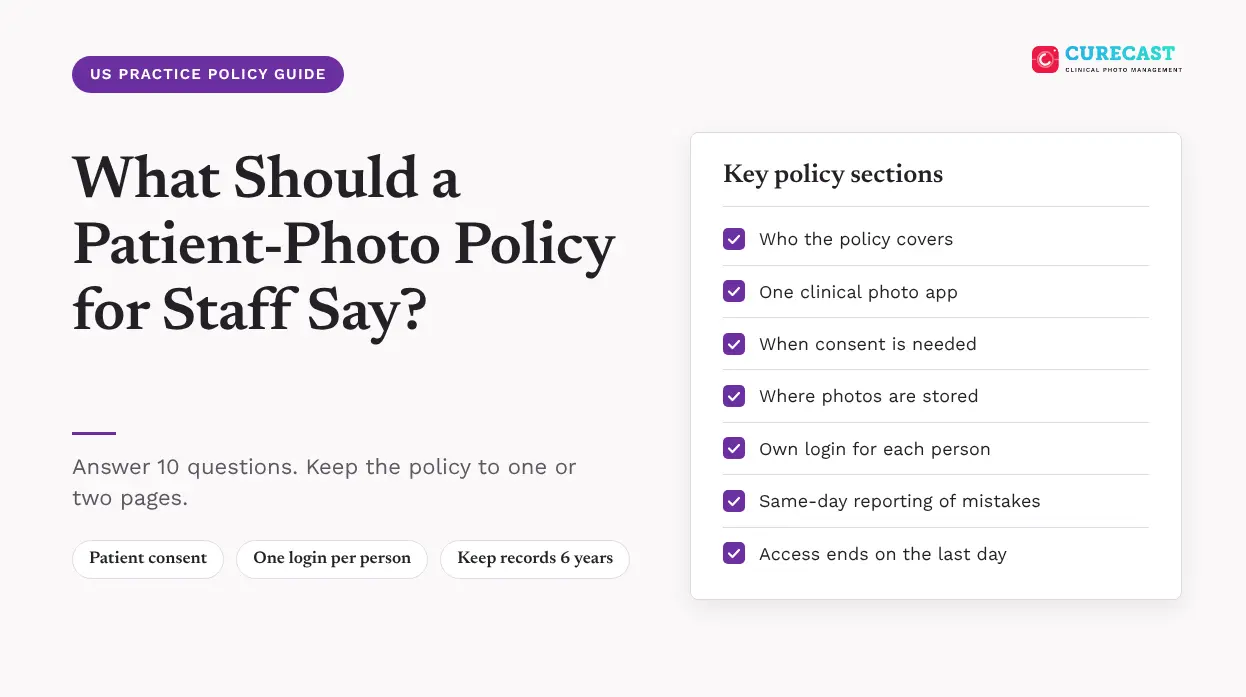
A patient photo policy for staff should answer 10 questions, such as who the policy covers, which phone and app staff can use, and when you need the patient’s permission (consent). It should also say where the photos go, who can see them, and what staff should do if they make a mistake, leave the practice or break the rules.
To write a policy that works, do these 3 things:
- Keep it to 1 or 2 pages, in plain words.
- Choose one approved clinical photo app. Do not allow any other app for patient photos.
- Train every staff member on the policy. Ask each person to sign a note that says they have read it, and keep that note.
This guide lists one section for each of the 10 questions, gives sample wording you can adapt, and shows where HIPAA backs each rule.
Key principle: A policy only works if a new medical assistant can read it and follow it on their first day. If the policy is hard to understand, staff may stop following it.
Does HIPAA require a written photo policy?
Yes, in practice. HIPAA requires your practice to keep written policies for protected health information (PHI), which means patient details that can identify the patient. HIPAA lists full-face photos as one of those details, so a photo that shows a patient’s face counts as PHI.
HIPAA does not require a separate document just for photos. But a short, separate photo policy is easier for staff to find and follow. HIPAA also says to keep your policies, and every older version, for 6 years. Count the 6 years from the day you wrote the version or the last day it was in use, whichever is later.
The policy covers every photo that counts as PHI. Not sure which photos those are? Our guide, Are patient photos PHI?, looks at 8 common cases.
What sections should the policy include?
We suggest these 10 sections. Each one answers a question that staff would otherwise have to guess. The last column shows the HIPAA rule that supports each section.
| Section | What it should say | HIPAA rule that supports each section |
|---|---|---|
| 1. Who it covers | Everyone who takes, views or handles patient photos: providers, nurses, medical assistants, front desk, temps, students and contractors | Workforce training applies to all staff (45 CFR 164.530(b)) |
| 2. Approved phone, tablet and app | Name the one clinical photo app staff must use. Say which phones and tablets it can run on. | Safeguards to protect patient information (45 CFR 164.530(c)) |
| 3. Consent | When you need the patient’s consent to take a photo. A photo used in marketing, for example on your website or social media, always needs the patient’s signed permission (authorization) first. | HIPAA allows photos to be used for treatment without a separate authorization (45 CFR 164.506). Marketing use needs a signed authorization (45 CFR 164.508(a)(3)). |
| 4. Taking the photo | Open the patient’s record first. Take the photo in the clinical photo app. Make sure no other people, and no papers with patient details, can be seen in the photo. | Safeguards, including limiting accidental sharing of patient information (45 CFR 164.530(c)) |
| 5. Storage | Keep photos only in the patient’s record. Do not keep them in a phone’s photo gallery, a personal cloud account or an email. | Safeguards to protect patient information (45 CFR 164.530(c)) |
| 6. Access and sharing | Each person uses their own login. Staff see only the photos their job needs. Photos are shared only through approved systems. | A unique login for each user (45 CFR 164.312(a)(2)(i)). Access limited to the minimum needed (45 CFR 164.502(b)). |
| 7. Patient-sent photos | Tell patients how to send photos to you. Tell staff what to do if a photo arrives by text or email. | Safeguards to protect patient information (45 CFR 164.530(c)) |
| 8. Mistakes and lost devices | Report a stray photo or a lost phone to the privacy officer the same day | Breach risk assessment (45 CFR 164.402) |
| 9. Joining, changing roles, leaving | Give a new person access to the clinical photo app on their first day. Change their access when their role changes. Remove it on their last day. | Rules for giving, changing and ending access to electronic patient information (45 CFR 164.308(a)(4)(ii)(B), (a)(4)(ii)(C) and (a)(3)(ii)(C)) |
| 10. Training and sanctions | Train new staff, and write down the date you trained them. Apply a clear consequence when someone breaks the policy, and keep a record of that too. | Staff must be trained, and the training recorded (45 CFR 164.530(b)). A practice must apply sanctions to staff who do not follow the policy, and record them (45 CFR 164.530(e)). |
Many states have their own consent and privacy rules on top of HIPAA. When you write the consent section of your own policy (section 3), check your state’s rules first.
Can staff use their own phones for patient photos?
Your policy must give one clear answer to this question. Published US policies take both approaches. Some ban personal phones for patient photos. Others allow them, with limits. The table below shows one example of each.
| Approach | Example from a published US policy | What your policy should add |
|---|---|---|
| Ban personal phones | The University of Nebraska Medical Center (UNMC) plastic surgery residency program does not allow personal phones, tablets or cameras for patient photos (July 2016). | Which devices the clinic gives to staff, and where they are kept when not in use |
| Allow them, with limits | NYU Langone Health says personal devices should not be used unless its own IT department manages the device, and then only with a secure app (reissued March 1, 2025). | Which app staff must use, a passcode rule, and what staff must remove from the phone when they leave |
What sample wording can you adapt?
Here is a short model policy that you can edit. Change the parts in [brackets]. Before you start using it, ask your privacy officer (the person your clinic has named to be in charge of privacy) or your lawyer to read it.
[Practice name] Patient Photo Policy
Scope. This policy applies to everyone who works at or for [practice name]. This includes temporary staff, contractors and students.
Approved app. Take patient photos only in [approved clinical photo app]. Never use your phone’s own camera app, screenshots or messaging apps (such as WhatsApp or text messages) for patient photos.
Personal phones. [Choose one option and delete the other.]
Option 1: Do not use personal phones, tablets or cameras for patient photos. Use only the devices that [practice name] gives you.
Option 2: You may use your personal phone or tablet for patient photos only if you agree to these rules: use only [approved clinical photo app] to take and keep patient photos, keep a passcode on the device, and remove the app and any patient photos from the device when you leave [practice name]. [Add any other rules your clinic needs.]
Consent. Confirm photo consent is on file before the first photo. Never use a patient photo in marketing, social media or a website without the patient’s signed authorization.
Taking the photo. Open the patient’s record first. Take the photo in [approved clinical photo app]. Make sure no other people, and no papers with patient details, can be seen in the photo.
Storage. Keep patient photos only in the patient’s record. If you find a photo saved anywhere else, delete it the same day and tell the privacy officer.
Access. Use only your own login. Never share your password. Open or share a patient photo only when your job needs you to. Share patient photos only through your clinic’s approved systems.
Patient photos sent to us. Ask patients to send photos through [secure upload method]. If a patient sends a photo by text message or email, move the photo to the patient’s record, delete the copy from the message or email, and tell the privacy officer.
Lost devices. Report to [privacy officer name] right away if a phone, tablet or computer that can open patient photos is lost or stolen.
Leaving. Your access to patient photos ends on your last day.
Breaking this policy. If you do not follow this policy, you may need to be retrained, or you may be subject to [disciplinary action set by your clinic], up to the end of your employment.
I have read and understand this policy.
| Name | Signature | Date |
This post is general information. It is not legal advice. Before you start using your policy, ask your privacy officer or your lawyer to read it.
What makes a photo policy fail?
A policy often fails not because of its wording, but because staff cannot use it in their daily work.
- It is too long. Busy staff may not read a 12-page policy between patients. Keep the rules to 1 or 2 pages, and put the details in a separate step-by-step guide.
- No one is in charge of it. Name one person, usually the privacy officer, who answers questions and takes reports.
- It leaves out photos that patients send. Patients may text photos after treatment. The policy needs a clear answer for what staff do next.
- It says nothing about social media. Say plainly that no patient photo goes online without the patient’s signed permission (authorization).
- It has no consequences. HIPAA requires a practice to apply sanctions, which means consequences for staff who break the rules, and to keep a record of them.
- Staff are never trained again. Train new staff within a reasonable time after they join, and train staff again when the policy changes in an important way (45 CFR 164.530(b)(2)).
Working outside the US?
The 10 sections can help in any country, but the HIPAA rules in the table apply only in the US. Clinics in other countries, such as the UK, the UAE and Australia, should check their own privacy laws. This matters most for section 3 (Consent), section 5 (Storage) and section 8 (Mistakes and lost devices), because each country has its own laws on those.
Where CureCast fits
CureCast is a clinical photo app for plastic surgery, dermatology and medical spa teams. Each staff member signs in with their own login. Photos taken in the CureCast app are designed not to be saved in the phone’s camera roll, and they are saved in the patient’s record. The audit trail (a record of who did what) shows who viewed, downloaded or shared a photo.
When someone leaves, you can deactivate their CureCast account. This ends their sessions, and their access stops the next time their app contacts CureCast. Deactivating the account does not remove files that were already saved on a device, so your steps for staff who leave still matter. Patients can send photos through a secure upload link, and they do not need to install an app.
CureCast supports HIPAA-compliant workflows. It provides a signed business associate agreement (BAA), a contract in which a vendor promises to protect your patients’ information, during your 14-day trial. Your practice is still responsible for its own policy, training and consequences for staff who break the rules. See how staff management works in CureCast.
Frequently asked questions
Does HIPAA require a separate photo policy?
No. HIPAA requires written policies for patient health information (PHI), but it does not require a separate document for photos. Even so, a short photo policy is easier for staff to follow.
Do staff need to sign the policy?
No. HIPAA does not require staff to sign the policy. It does require you to document that you trained them. A signed note that says they have read the policy is a simple way to do that.
What should the policy say about texting photos?
It should say no. Staff must not send patient photos by text message or messaging apps. If a patient sends a photo by text message, staff should move the photo to the patient’s record, delete the copy from the message, and tell the privacy officer.
How often should we update the policy?
HIPAA does not set a number of months. But the Security Rule says to review your policies from time to time, and to update them when things change, such as your app, your devices or your rules. When the change is important, train your staff again.
References
All accessed October 28, 2026. Legislation links are listed for you to click; none is marked verified.
US law (HHS, via eCFR)
- 45 CFR 164.530: the privacy officer (a)(1)(i), training (b), safeguards (c), sanctions (e), written policies (i) and (j)(1)(i), and keeping records for 6 years (j)(2)
- 45 CFR 164.514: the list of identifiers, including full-face photographs (b)(2)(i)(Q)
- 45 CFR 164.506: using PHI for treatment
- 45 CFR 164.508: authorization for marketing (a)(3)
- 45 CFR 164.502: the minimum necessary standard (b)
- 45 CFR 164.308: giving, changing and ending access (a)(4)(ii)(B), (a)(4)(ii)(C) and (a)(3)(ii)(C)
- 45 CFR 164.312: a unique login for each user (a)(2)(i)
- 45 CFR 164.402: what counts as a breach, and the risk assessment
- 45 CFR 164.316: reviewing policies from time to time (b)(2)(iii)
Published US photo policies
- NYU Langone Health, Photography Policy (reissued March 1, 2025): personal devices only if its IT department manages them and a secure app is used; identifiable photos are not sent by text message
- University of Nebraska Medical Center (UNMC) Plastic and Reconstructive Surgery Residency, patient photo policy (July 2016): personal phones, tablets and cameras not allowed for patient photos
CureCast pages
- Staff management: deactivating an account ends sessions; files already saved on a device are not removed
- Patient photo upload: secure upload link, no app to install
- Audit trail: who viewed, downloaded or shared a photo