Quick summary
Collecting postoperative photographs from patients at home works best as a defined clinic process, not as an informal request sent through a personal messaging app or email. Saudi data protection law and the NHIC telehealth guidelines expect patient information and images to be protected when they are transferred.
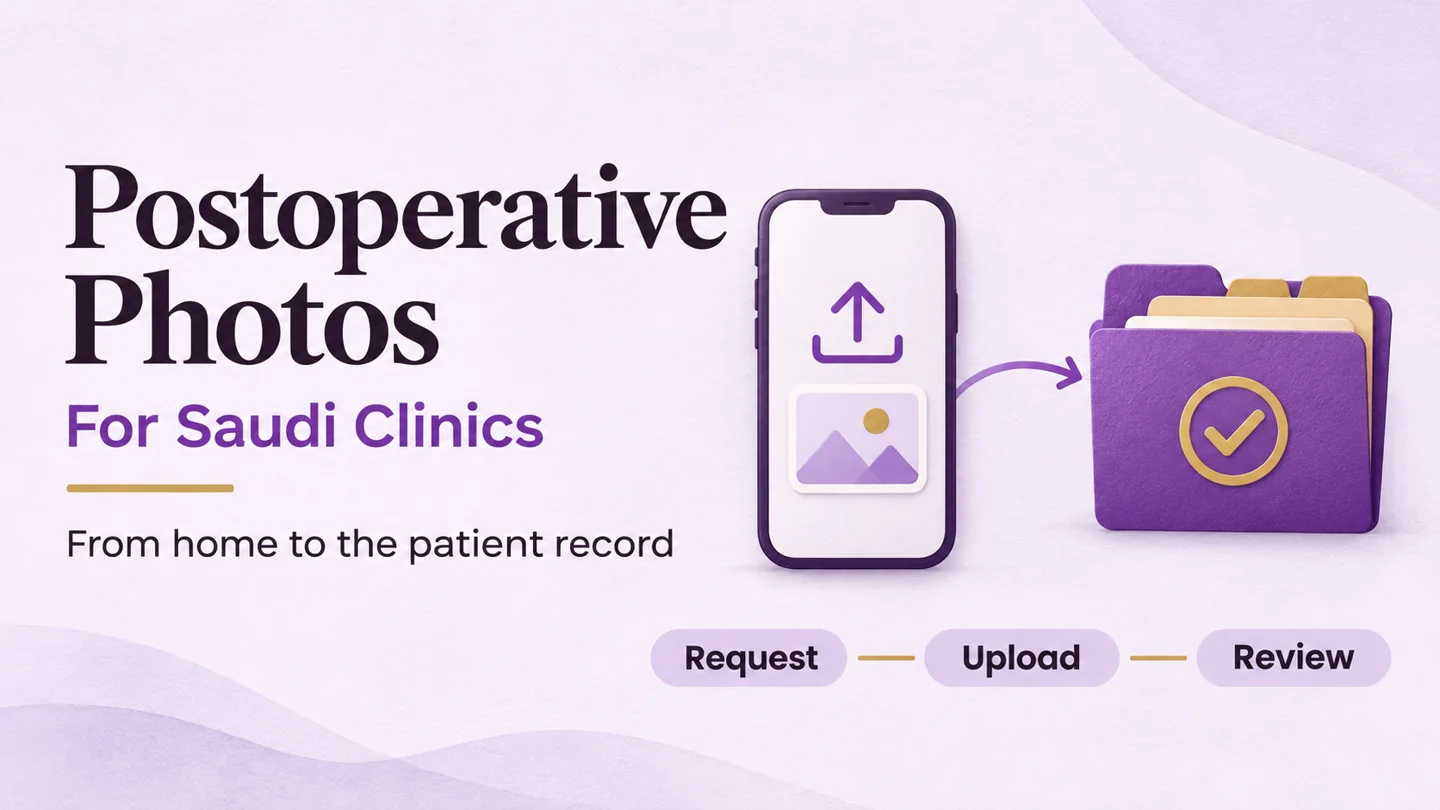
To set up a defined process, complete these three actions:
- Decide who the process is for. The treating doctor decides which patients are suitable and which views are needed, or whether the patient needs an examination instead.
- Send an approved upload link. Create the request from the correct patient record and send the link through a channel that your clinic has approved, not through a personal messaging app or email.
- Assign a reviewer and a backup. One named professional checks each submission, and a second person covers any absence. Record the response in the care record.
This guide, written for practitioners, nurses and practice managers, describes how to set up this process in plastic surgery, dermatology and other surgical and aesthetic practices in Saudi Arabia, including staff access, consent and storage arrangements, and a test with demonstration data before real patients are involved.
Key principle: a photograph supports follow-up but does not replace clinical judgement. The treating doctor decides whether it is sufficient or whether the patient needs an examination, and an upload confirms only receipt, so patients must still know how to contact the clinic directly.
What Saudi rules expect when you collect postoperative photos remotely
A patient who has returned home after surgery cannot easily be examined at the clinic, so the surgeon often relies on photographs to judge healing. A photograph helps only when it can be compared with earlier images and is linked to the correct patient record. A request such as “send us a picture” often brings the files through a personal messaging app or email, where they are hard to match to the record and may not meet the security that Saudi rules expect.
Article 19 of the Saudi Personal Data Protection Law requires organisational, administrative and technical measures to protect personal data, including during transfer, and the NHIC Telehealth Application Guidelines say images should be stored and transferred using technology that provides the required privacy. Neither document names messaging apps or email, so each clinic must confirm that the channel it uses meets these requirements.
Decide when photographs are appropriate
Before you choose a channel, start with a clinical decision, because a photograph may support follow-up but the treating doctor must decide whether it can answer the clinical question being asked, or whether the patient needs a consultation or an in-person examination instead.
Agree which patients may use the process, who may request images and who makes the decision after reviewing them, while front desk staff can help coordinate a request without being expected to interpret a postoperative image.
These decisions sit within a wider Saudi framework. The National Health Information Center (NHIC) publishes Telehealth Application Guidelines for the Saudi Health Council. They cover how clinicians select suitable patients, verify patient identity, record informed consent, protect privacy and keep medical documentation. They also address store-and-forward exchange, in which information such as images is sent for review at a later time. Whether the guidelines apply to a photograph follow-up depends on how your clinic delivers the service, so confirm the current requirements with Saudi legal counsel. The workflow in this guide is a practical planning aid and does not replace the requirements that apply to your clinic or a clinical protocol for your specialty.
Agree the plan before the patient goes home
Once the clinic has decided who may use the process, explain the photograph request to the patient before they leave the clinic, either at discharge or at the relevant appointment. Tell the patient what the request is for, and give the planned date or follow-up stage, the views needed and the clinic’s contact details.
Provide the instructions in the language that the patient understands. A clinic that serves both Arabic-speaking and English-speaking patients may prepare a reviewed version in each language.
Ask for specific views
A useful request tells the patient what to capture without asking for a clinical judgement, and the treating doctor should define the views for each procedure and any restrictions. Do not ask the patient to remove dressings, manipulate a wound or change care instructions in order to obtain an image.
| Include in the request | Why it helps |
|---|---|
| Date or follow-up stage | States when the clinic needs the photographs |
| Views and area to include | Reduces vague uploads and repeated requests |
| Simple capture guidance | Asks for a clear, focused image in suitable light, without filters |
| Privacy guidance | Explains what must be visible and how to avoid unnecessary identifying details |
| Approved upload route | Gives the patient one clear place to submit the files |
| Review and contact arrangements | Shows the patient when photographs are reviewed and whom to contact if the problem is urgent |
A simple illustration of the requested view can make these instructions easier to follow. Use an illustration that does not show a real patient, and keep any patient example within the use that the patient agreed to. Remote photographs will not always match the lighting or positioning in the clinic, so record the source of each image when you compare it with clinic photographs.
Send an upload link from the correct patient record
Once the request is defined, confirm the patient record and the contact details before you create it, because a link that is tied to the wrong record can place sensitive images in the wrong file, even when the upload itself works correctly.
If your clinic sends the link by message, keep sending the link separate from sending the photographs. The patient submits the photographs through the upload page, but the clinic must still approve the channel used to send the link, check that the right person receives it and consider what the message itself reveals, because a link does not remove every privacy responsibility.
Assign a reviewer and a backup
Before you start the service, decide who checks incoming photographs, which hours are covered, and who takes over when that person is away. Each request needs a named owner, not whoever happens to notice a phone notification.
Track each request through four stages in a written clinic procedure:
- Requested. Record the date, the required views and the intended review.
- Received. Confirm that the files are in the correct patient record.
- Reviewed. The responsible professional assesses the submission.
- Action recorded. Document the decision and the communication with the patient.
Agree how your team will record each stage, and check regularly that no request is left waiting.
If the photographs are incomplete or unclear, the reviewer decides whether to request another image or whether the patient needs a different form of assessment, and that decision belongs with the care record.
Explain what an upload confirmation means
Receipt and clinical review are different events, because a successful upload confirms only that the files were submitted, not that a surgeon has seen them or that no further care is needed.
For that reason, tell patients your actual review hours and the response arrangements that you expect to meet.
Give patients the clinic’s approved instructions for urgent contact and its out-of-hours route. Explain that a patient who needs urgent help must follow those instructions and must not wait for a routine photograph review, while the treating doctor should decide the clinical warning signs and the advice that suits each procedure.
Plan for missed requests as well, and if a patient does not upload, assign one person to contact them through an approved channel and record the outcome. A missing photograph should not drop out of the team’s follow-up process.
Keep access and consent arrangements clear
Limit access to the staff members who need it for their role, and configure viewing and action permissions instead of assuming that every team member needs download or sharing access. Review CureCast staff access controls when you plan these roles.
Record consent and the purpose of collection through the clinic’s approved process, because a follow-up request for care must not become permission to use the images in teaching or promotion. The Saudi Personal Data Protection Law requires the consent of the data subject before the purpose of processing personal data is changed, except in the cases that the law lists (Article 5). Our Saudi patient photography consent guide explains the difference between these purposes. If a relative or another person helps the patient take or upload the photographs, the clinic should also record the patient’s permission and check what authority that person has, because a relative who helps with the phone should not be assumed to be entitled to every clinical detail.
Confirm the storage arrangements
Saudi rules cover where patient photographs are stored. The NHIC Telehealth Application Guidelines state that data storage should be hosted within Saudi Arabia’s geographical boundaries. The Saudi Personal Data Protection Law also limits the transfer of personal data outside the Kingdom to listed purposes and conditions, including a level of protection abroad that is at least equivalent to the Law (Article 29), and requires data to be destroyed without undue delay once it is no longer needed for its purpose, unless a legal basis requires retention (Article 18). Before you upload real patient photographs, confirm the primary storage location, the backup locations and who has support access, and use demonstration data while you review a trial workflow.
The Saudi clinical photo management page describes the local workflow and the deployment arrangements.
Test the whole process with demonstration data
Once these arrangements are in place and before you involve patients, run a demonstration from the request to the documented response. Use the kinds of phones that your patients are likely to use, check the instructions, and ask a colleague who does not know the process to follow them.
During the test, include a poor-quality photograph, a patient who does not upload and a reviewer who is away. Check who notices each problem and what that person does next, so that the clinic can correct the process before real patients use it.
Where CureCast fits
CureCast is a clinical photo app that supports the process described in this guide. Staff create a secure patient photo upload link from the patient’s record and send it by email, SMS or another approved channel. The patient opens the link in any browser, without an app, an account or a password, and uploads photographs, videos or documents. The link carries no patient details and does not expire, so the clinic can reuse it for later uploads.
Uploaded files go to the correct patient record in the clinic’s CureCast account and not through the messaging app, and staff are notified when the patient uploads. Photographs can be organised by patient, condition, treatment, visit and body area, searched by procedure or body area, and compared side by side or as an overlay with earlier photographs.
Administrators choose which areas of CureCast each staff member can enter and, separately, whether that person can edit, delete, download or share. The audit trail records logins, views, downloads and shares against the staff account. Stored photographs use AES-256 encryption, and data in transit uses TLS. See CureCast staff access controls for the full list of permissions.
For clinics in Saudi Arabia, Saudi hosting can be arranged after subscription and is not included in the free trial. A demonstration confirms where data will be kept, and clinics should also check the backup locations and support access. The Saudi clinical photo management page describes the deployment steps. The clinic still decides who reviews each photograph, the consent wording and the retention period.
Frequently asked questions
Does Saudi law prohibit sending postoperative photographs through a messaging app or email?
Neither the Saudi Personal Data Protection Law nor the NHIC Telehealth Application Guidelines names messaging apps or email. Article 19 of the law requires security measures for personal data, including during transfer, so the clinic must confirm that the channel it uses meets these requirements.
Must postoperative photographs be stored in Saudi Arabia?
The NHIC Telehealth Application Guidelines state that data storage should be hosted within Saudi Arabia’s geographical boundaries, and the Personal Data Protection Law limits the transfer of personal data outside the Kingdom (Article 29). Whether the guidelines apply to your service depends on how the clinic delivers it, so confirm the requirements with Saudi legal counsel.
Can remote photographs replace every follow-up visit?
No. The treating doctor must decide whether the remote information is sufficient, and must arrange a consultation or an examination when one is needed.
Can postoperative photographs be used for teaching or marketing?
Not on the basis of a follow-up request alone. The Personal Data Protection Law requires the consent of the data subject before the purpose of processing is changed, except in the cases that the law lists (Article 5), so the clinic should record consent for each purpose separately.
Do the NHIC telehealth guidelines apply to a photograph follow-up?
It depends on how the clinic delivers the service. The guidelines cover patient selection, identity verification, informed consent, privacy and documentation, and they address store-and-forward exchange, in which information such as images is sent for review at a later time. Confirm the current requirements with Saudi legal counsel.
Resources

Misba Shaikh
Misba Shaikh writes for the CureCast blog. Her articles explain clinical photo consent, HIPAA and compliance in plain, clear language for medical practices.
Stay in the loop
See How CureCast Fits Your Practice
Discuss how CureCast fits your practice’s photo workflow, from capture to secure storage.