What is HIPAA?
HIPAA is a US law that protects patient health information. The full name is the Health Insurance Portability and Accountability Act. It sets rules for how clinics keep patient information private and safe.
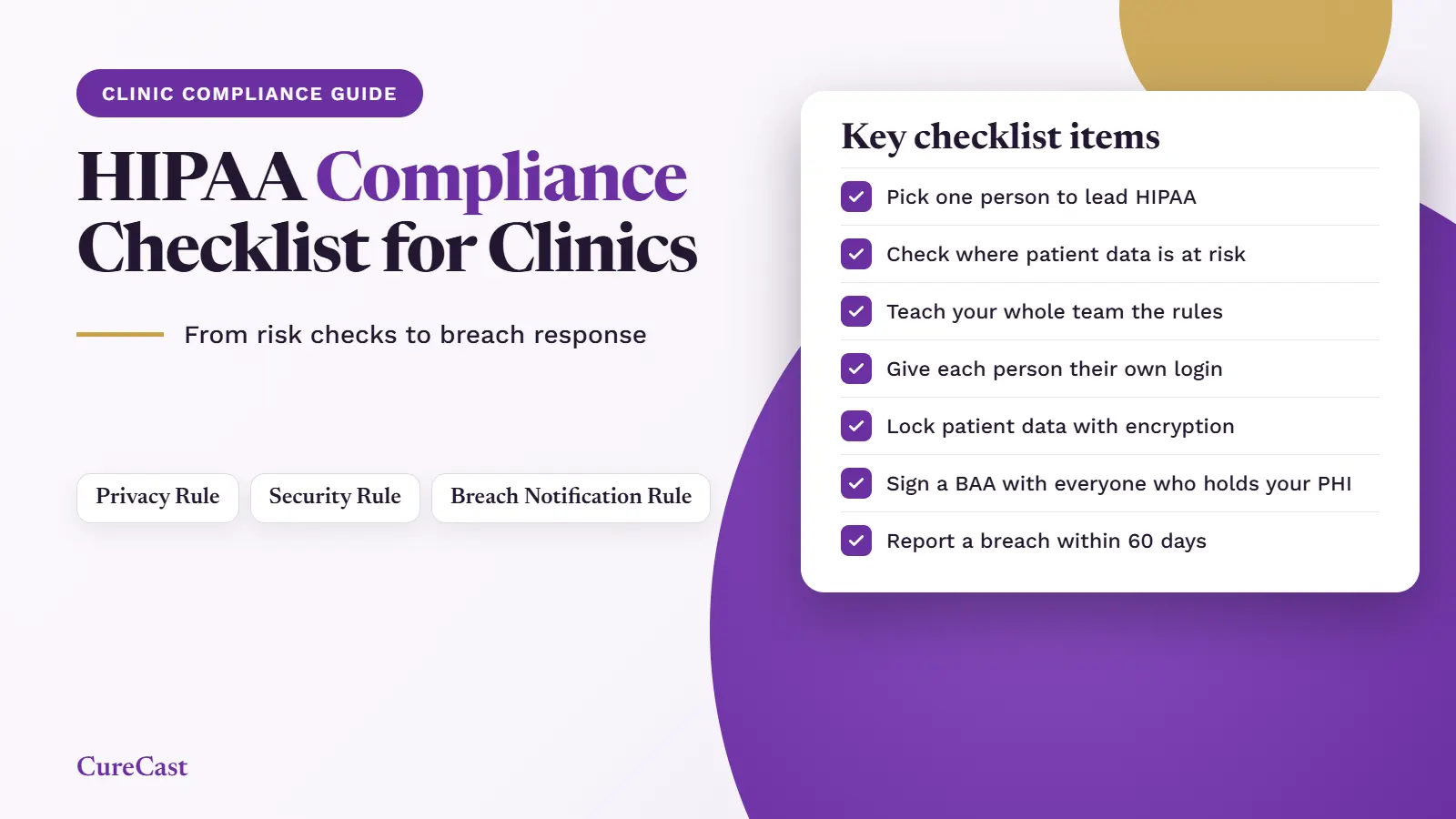
HIPAA has three main rules:
- The Privacy Rule controls who can see patient information and when you can share it. It also gives patients rights over their own records.
- The Security Rule explains how to keep electronic patient information safe.
- The Breach Notification Rule explains what to do if patient information is lost or seen by the wrong person.
Why does HIPAA matter for your clinic?
- It protects your patients. People share very private details with a clinic. HIPAA helps make sure those details stay private.
- It is the law. A clinic that does not follow HIPAA can face penalties from the US government, which can include fines. You can read how this works on the HHS enforcement page.
- It builds trust. Patients are more comfortable with a clinic that handles their information carefully.
- It helps you avoid data leaks. The same steps that keep you within the law also lower the risk of lost or stolen patient records.
Does HIPAA apply to your clinic?
Tick the boxes that are true for your clinic.
Both boxes ticked? HIPAA applies to your clinic. Use the checklist below.
Not sure? Use the free HHS tool to check. Please do not decide your clinic is exempt from this quick check alone.
Our HIPAA checklist for clinics
Important: This checklist is a practical review aid, not legal advice, a certification or a guarantee of HIPAA compliance. Requirements depend on your clinic’s circumstances. Confirm applicable obligations using official HHS guidance and qualified legal advice when needed.
This checklist covers the main HIPAA rules for clinics: the Privacy Rule, the Security Rule and the Breach Notification Rule. Tick each box your clinic can honestly say yes to. Any box you cannot tick is a gap to fix.
Some HIPAA steps are called “addressable.” This does not mean optional. You must do them, or write down why they do not fit your clinic and use another measure that protects patient data just as well. Items marked “good practice” are not written in the law, but are widely recommended.
1. Set up responsibility
2. Find and reduce risks
3. Train your team
4. Follow the Privacy Rule
5. Protect electronic patient information (Security Rule)
Administrative
Physical
Technical
6. Sign agreements with vendors
7. Be ready for a breach
8. Keep it going
Ticking every box does not prove your clinic is HIPAA compliant. HIPAA also needs written proof, and some states have extra rules. This checklist is general information, not legal advice. Last reviewed: 23th October 2026.
How CureCast helps with patient photos
CureCast is a clinical photo app for plastic surgeons, dermatologists and medical spas. It is built to support HIPAA-compliant workflows. It keeps patient photos in one place, not on personal phones or in the normal camera. Here is how it helps with your checklist:
- Secure upload link: Patients send photos from home. They need no app or account, and the photos go straight into CureCast.
- Encryption: Stored photos and records are encrypted, and so is data sent between your device and CureCast.
- Staff management: You decide what each staff member can see, and you can turn off their access when they leave.
- Audit trail: It records who views, changes or downloads patient information. You can export the record.
- Reauthentication: Inactive sessions end after 2 hours on desktop and 4 hours in the iPhone and iPad app. The person then signs in again.
- Device management: You can see which devices are signed in. If a phone or tablet is lost, you can end its CureCast session.
- Business Associate Agreement: CureCast provides one from the first day of your trial.
CureCast does not make your clinic HIPAA compliant on its own. Your clinic still needs to work through the full checklist above. You can read how CureCast handles security on our security and compliance page.
Resources
These official HHS pages cover the rules used in this checklist: