Your first steps when a device with patient photos goes missing
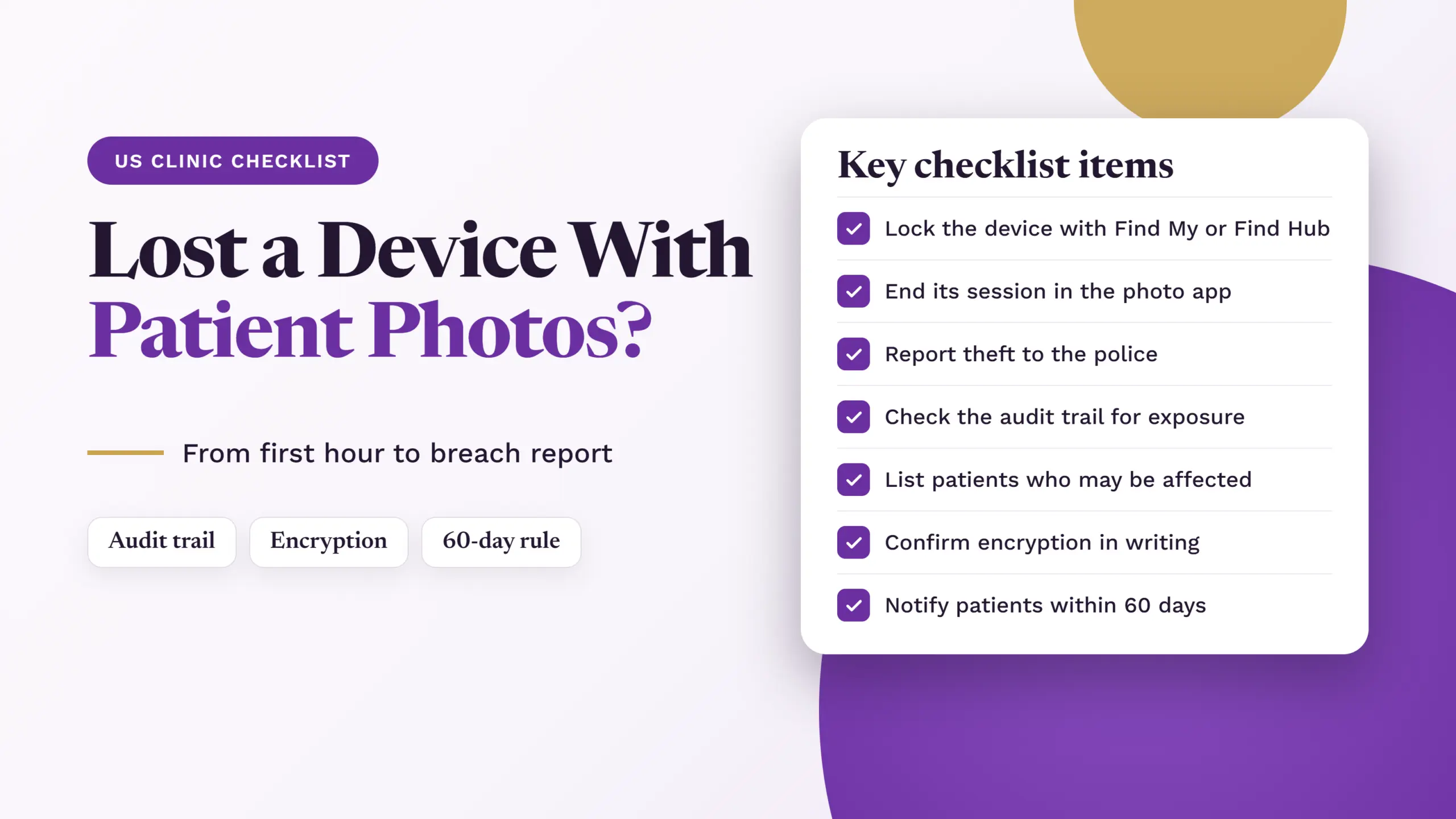
A lost device with patient photos on it is stressful, but your clinic can handle it calmly with a clear plan. The first hour matters most. The right steps help you lock the device, work out which photos were on it, and decide whether you must report it under HIPAA, the US law that protects patient information.
HIPAA treats a lost device with patient information as a breach unless you can show a low chance that the information was seen or taken. This is why the checklists ask you to write down each step and the time you did it. Your notes are your proof. Some steps, such as turning on Find My or Find Hub, are not named in the law, but they help you show that the risk was low. If you must tell patients, the deadline is no later than 60 days after you find the breach, but starting early makes every later step easier. For a fuller explanation, read our guide on what to do when a device with patient photos is lost.
1. First hour
Record the discovery time and who reported it
Remotely lock the device using Find My or Find Hub
Yes: Using a clinical photo app
End device session, deactivate account, or contact app provider
Review the app audit trail
Check which patient photos were viewed, downloaded, or shared
No: Not using a clinical photo app
Trace possible photo copies
Check phone's camera storage, email, messaging apps, and cloud storage
3. Identify potentially affected patients
List patients whose photos may have been exposed
Use available records and staff recollections
4. Assess possible exposure
Confirm device security settings and encryption
Assess what information was involved
Consider who may have the device now
Check whether information was actually accessed or viewed
Record actions taken to reduce the risk
Decide whether reporting is required
5. Notify when required
Notify affected patients and relevant authorities
Follow applicable reporting deadlines
6. Document and improve
Save evidence and security records
Document actions, times, and decisions
Improve the clinic's lost-device process
Our lost device checklist for US clinics
Important: This checklist is a practical guide, not legal advice or a guarantee that your clinic follows HIPAA. The right steps depend on your clinic’s situation, and your state may have extra rules. Check official HHS guidance and ask a qualified lawyer when needed.
This page has two checklists for when a device with patient photos is lost. Use Checklist 1 if your clinic takes patient photos in a clinical photo app. Use Checklist 2 if you save photos another way, for example with the phone’s own camera app rather than a clinical photo app.
Choose the checklist that matches your clinic. Each checklist includes the steps to prepare, respond to a missing device, assess a possible HIPAA breach and report it when required. Tick each box your clinic can honestly say yes to. Any box you cannot tick is a gap to fix.
Checklist 1: US clinics using a clinical photo app
A. Before a device goes missing
B. First hour: What to do when a device is lost
C. Check which patient photos may have been exposed
Important: An audit trail may not show photos opened outside the clinical photo app, such as images already saved in the phone’s gallery.
D. Decide whether the incident is a HIPAA breach
E. If the breach must be reported
F. After the incident
Checklist 2: US clinics not using a clinical photo app
A. Before a device goes missing
B. First hour: What to do when a device is lost
C. Find out which patient photos may have been exposed
D. Decide whether the incident is a HIPAA breach
E. If the breach must be reported
F. After the incident
How CureCast helps with patient photos
CureCast is a clinical photo app for plastic surgeons, dermatologists and medical spas. It is built to support HIPAA-compliant workflows. It keeps patient photos in one place, not on personal phones or in the normal camera. Here is how it helps with your checklist:
- Secure upload link: Patients send photos from home. They need no app or account, and the photos go straight into CureCast.
- Encryption: Stored photos and records are encrypted, and so is data sent between your device and CureCast.
- Staff management: You decide what each staff member can see, and you can turn off their access when they leave.
- Audit trail: It records who views, changes or downloads patient information. You can export the record.
- Reauthentication: Inactive sessions end after 2 hours on desktop and 4 hours in the iPhone and iPad app. The person then signs in again.
- Device management: You can see which devices are signed in. If a phone or tablet is lost, you can end its CureCast session.
- Business Associate Agreement: CureCast provides one from the first day of your trial.
CureCast does not make your clinic HIPAA compliant on its own. Your clinic still needs to work through the full checklist above. You can read how CureCast handles security on our security and compliance page.
Resources
These official HHS pages cover the rules used in this checklist:
Breach Notification Rule
Guidance on making patient information unreadable (encryption)
How to report a breach to HHS
Security Rule
Business Associate Agreements: sample contract terms