Clinical Photo Management for Australian Clinics
Keep every patient photo, signed consent form and follow-up image in one place. CureCast is clinical photo management software for Australian plastic surgery, dermatology, med spas and surgical practices. It helps your team see what each patient agreed to, compare progress over time, and choose the right photos for the right use.
Built around capture, consultation and follow-up
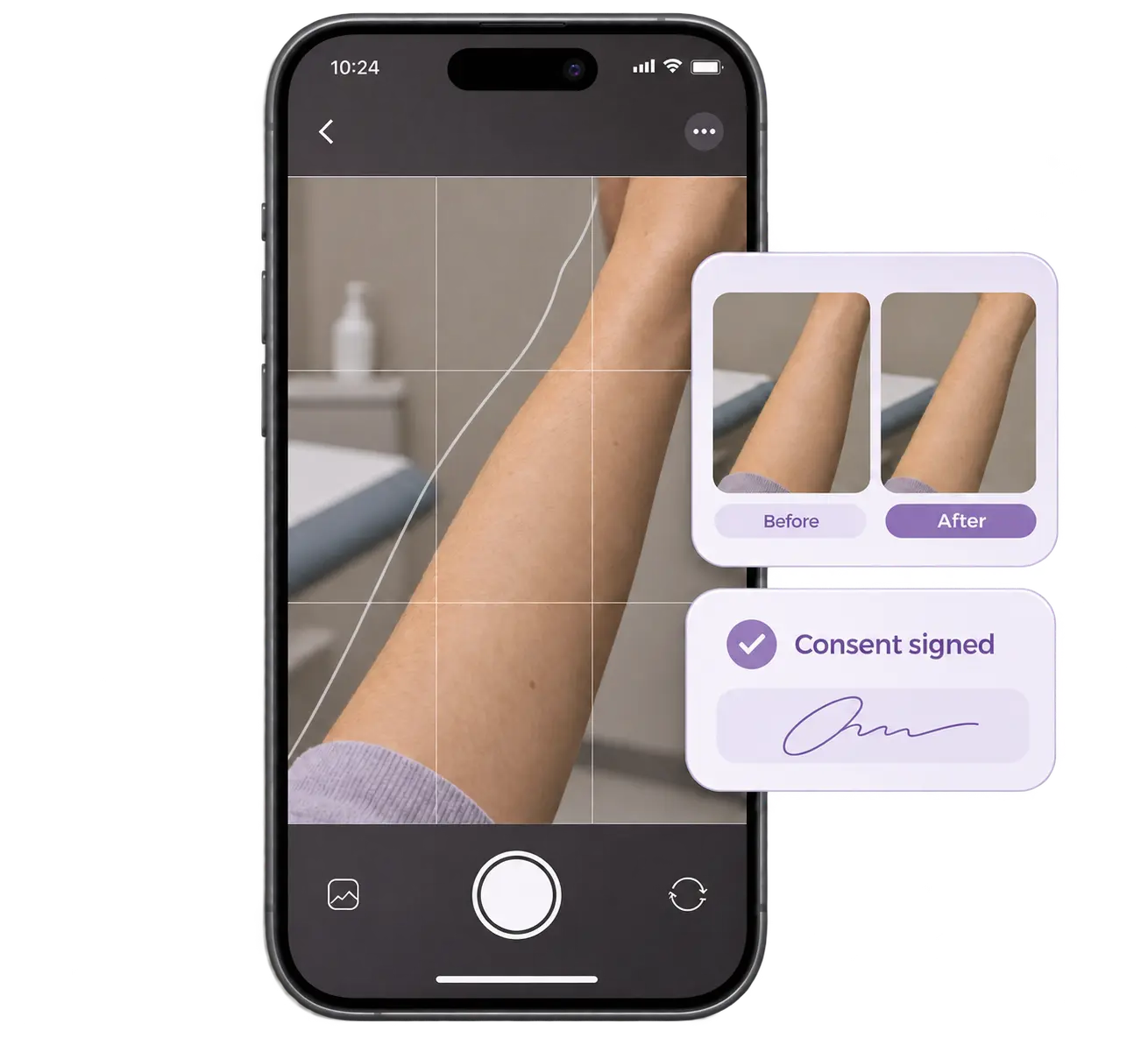
Patient Photo Software for Plastic Surgery, Dermatology, Med spas and Pediatric surgery
Every clinic takes photos for a different reason. CureCast gives each team a clear way to store, find and review them.
Plastic surgery photo management
Take baseline and follow-up views, then find the right visit and its consent record quickly at the next appointment.
Dermatology photo tracking
Label photos by condition and body site so your team can follow a skin concern over time.
Medical spa and aesthetic clinic photos
Keep treatment photos with signed consent and check each proposed public image before it goes to marketing.
Pediatric surgery photo follow-up
Children do not always need a trip to the clinic for a quick check. Parents can send a photo of the area from home with a CureCast remote upload link, so your team can see how the child is healing without calling the family in.
Clinical Photos Have Three Uses: Patient Care, Teaching and Marketing
A single treatment photo can be used in three very different ways. It can help with the patient’s care. It can be shown in a teaching session. It can also be proposed for an advertisement. Each use needs its own permission and its own check.
Photos for patient care
A photo taken for diagnosis, treatment planning or tracking results becomes part of the patient’s clinical record. Get consent first, just as you would for any other clinical procedure. Tell the patient why you are taking it, who in the treating team can see it, and where it will be stored. If the patient agrees by speaking, write that in their notes. Written consent is best practice, and it matters most for photos of intimate areas.
Photos for teaching and research
Teaching, conference talks and published research are secondary uses, so do not assume the consent for care covers them. Covering the face is often not enough, because a tattoo, a mark or a rare visible condition can still identify the patient. Get written consent and say exactly how the photo will be used. Most journals also ask for signed consent, even for photos that do not show who the patient is. Formal research usually needs ethics committee approval as well.
Photos you may use for marketing
I cannot write this card from the text you pasted, because it has no marketing section. The card in your screenshot (keep the photo separate from the clinical record, check permission, check Ahpra and National Boards advertising guidance) has no source behind it yet. Send me the marketing section, or I can look up the Ahpra advertising guidance and write this card from that.
The Office of the Australian Information Commissioner (OAIC) asks clinics to think about four things when they use patient photos. The four things are:
- Consent: whether the patient agreed to the photo being taken and to the way it will be used.
- Identifiability: whether the patient can be recognised from the photo. This includes details other than the face, like a tattoo or scar.
- Security: how the photo is stored and who can access it.
- Overseas disclosure: whether the photo is sent or stored outside Australia.
Patient Photo Consent: Make the Check Part of Your Workflow
A patient can change their mind about how a photo is used. If that happens, review the affected use first. Then review your clinical record retention duties as a separate question. Our Australian patient photography consent guide explains both in more detail.
At the photography appointment
Decide which views the patient’s care needs. Explain how the photos may be used. Write down the patient’s choices. CureCast stores customisable signed consent forms with the patient record, so the next team member finds the form next to the photos.
See how patient consent forms workWhen someone asks to use the image
Open the visit and compare the request with the recorded permission. If the request is for a website or social media post, send the photo through your clinic’s advertising review. Finding a photo, or placing it in an album, does not mean it is approved for use.
Explore Before-and-After Photo ToolHow CureCast helps clinics find, compare and manage patient photos
Find patient photos during a consultation
Search by procedure, diagnosis, body area, patient name or phone number. Add tags when you take photos so your team can find them later without searching through folders.
Compare before-and-after photos from two visits
Choose two photos and compare them side by side or with an overlay. Add your clinic logo or watermark and export in 9:16, 16:9, 4:3 or 3:4.
Take follow-up photos from the same angle
TrueAlign Match shows the earlier photo on the live camera screen as a ghost image or an outline for standardized clinical photography. A level guide helps you spot camera tilt. This makes it easier to match the original view, especially when comparing rhinoplasty profiles. TrueAlign Match is available on iPhone and iPad.
Collect post-operative photos from home
Send the patient a secure upload link by email or message. They can use their phone to send photos, videos or documents without installing an app, creating an account or entering a password. The files go straight into their patient record.
Keep patient photos out of the phone’s camera roll
Photos taken in CureCast are saved to the patient record and stay out of the device’s camera roll. If a staff member leaves, an administrator can revoke their access, including on a device they still have. The photos stay with the clinic. CureCast also supports two-factor authentication (2FA), adding an extra verification step at sign-in.
Your team can access the same photo library on Android phones and tablets, iPhone, iPad and desktop browsers. Guided capture overlays and photo annotation are available on iPhone and iPad.
Australian Data Hosting for Patient Photos
Where patient photos are stored matters to many clinics. Here is how it works with CureCast:
- Free trial: Australian hosting is not included.
- After you subscribe: Australian hosting can be arranged.
- Before you sign up: Contact us to confirm the setup and when it will be active.
Use the free trial to test your workflow
Walk through a baseline appointment, a return visit and a permission check using demonstration records. Confirm your account’s hosting arrangement before you decide what patient information to add.
Questions to ask before you go live
Ask where your main data, backups and recovery copies will be kept. Ask which sub processors are involved. Ask where support staff may be able to see information. Agree these details, what will be imported, and the account terms before handover.
Hosting location is only one part of privacy. Your clinic still needs consent, staff access, retention and disclosure processes. The Australia privacy guide covers this in detail.
CureCast Pricing and Free Trial for Australian Clinics
- Published pricing. Annual plans start from $150 per month billed annually, with monthly plans available.
- Unlimited photographs, videos and documents. No storage cap, no per-file charge, no overage as the library grows.
- No setup fee, no onboarding fee, no training fee, no contract. Cancel monthly and export your data.
- Fourteen-day trial, no card. Start on the website, iPhone or Android, with the same login across every device.
Four things to test during your CureCast trial
- Find a relevant case in seconds. Run a practice consultation with sample cases. Before you meet a real patient, practice the steps with sample cases. Your team learns where to search and which photos to open, so the real consultation feels calm and quick.
- Match a follow-up photo. Use TrueAlign Match on an iPhone or iPad to retake a sample photo. Compare the two images for angle, framing and camera tilt.
- Check staff permissions. Remove a test staff member’s permission to download photos. Sign in as that staff member and confirm the download is blocked.
- Export a sample patient’s photos. Open the downloaded files and check that all the photos you expected are there and easy to use.
Australian Patient Photo Guides
Choose the guide that answers your question.
- Can we publish this comparison? Use the advertising guide when your team is preparing before and after photos for public use.
- What did the patient agree to? Review clinical, teaching and marketing purposes, the consent form discussion, and changes to permission.
- How should our team handle the photo library? Review device handling, access, storage and retention alongside your clinic’s policies.
- How long should we keep clinical photos? See our patient photo retention guide, including the Australian section.
These guides give general information. Check the current rules and professional guidance for your clinic.
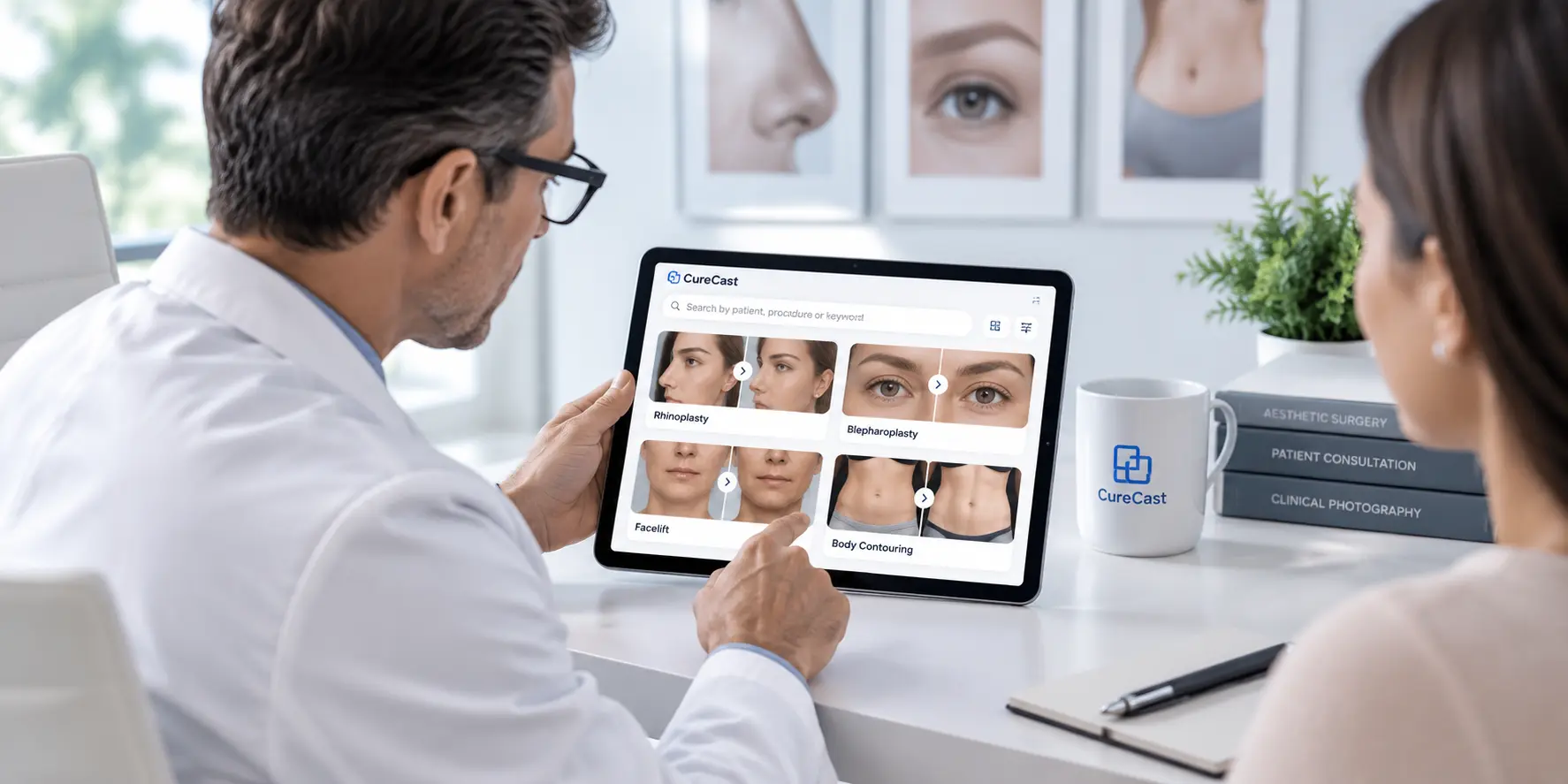
See How CureCast Fits Your Practice
Discuss how CureCast fits into your Australian clinic’s photo workflow, from capturing and organising patient photos to comparing follow-up visits.
Prefer email? [email protected]