Clinical Photo Management for Australian Clinics
Give every clinical photograph a clear place and purpose. CureCast helps Australian plastic surgery, dermatology and aesthetic teams keep treatment photos and signed consent together, review a patient’s progress and select images for their intended use.
Built around capture, consultation and follow-up
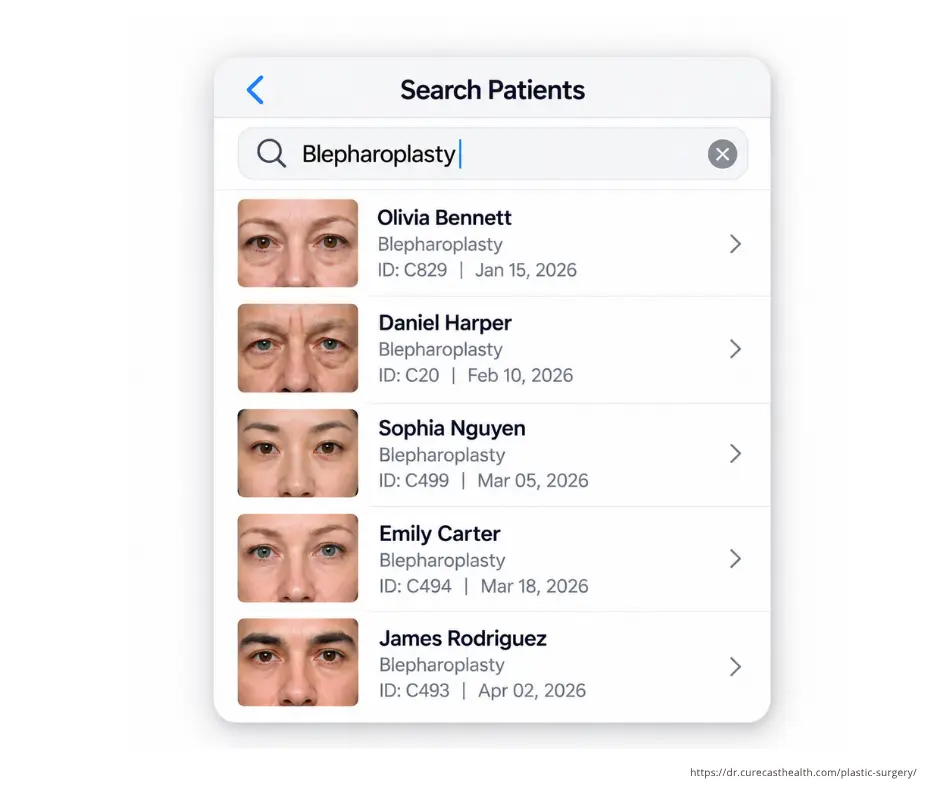
One photo record, three different purposes
A treatment photograph may be useful in the patient’s care, a teaching session or a proposed advertisement. Those uses need separate consideration. OAIC guidance asks clinics to consider consent, identifiability, security and overseas disclosure when using patient photographs.
Clinical care
Start with the patient and visit. Record why the view is needed, capture it under consistent conditions and keep the relevant consent discussion or form accessible for the next appointment.
Teaching and discussion
Check the audience and the purpose before selecting a photo. Concealing a face may leave a tattoo, scar or other identifying detail. Review permission and your clinic’s policy before sharing.
Marketing candidates
Keep a proposed public selection separate from the full clinical record. Check the patient’s permission and applicable Ahpra or Board advertising guidance before the clinic approves publication.
Make the permission check part of the photo workflow
At the photography appointment
Decide which views are needed for care, explain the intended uses and record the patient’s choices. CureCast stores customisable signed forms with the patient record, so the next team member can find the documentation alongside the photographs.
When someone asks to use the image
Retrieve the relevant visit and confirm the proposed purpose against the recorded permission. If the request is for a website or social post, send the selection through the clinic’s advertising review. Finding an image or placing it in an album does not approve its use.
If a patient changes their permission, review the affected use and your clinical-record retention obligations separately. The Australian patient photography consent guide explains those questions in more detail.
Australian hosting after the trial
Australian hosting can be arranged when your clinic subscribes. It is not included during the free trial. Contact us before signing up to confirm the setup and activation timing.
Use the trial for your team’s evaluation
Walk through a baseline appointment, a return visit and a permission check with demonstration records. Confirm the account’s hosting arrangements before deciding what patient information can be added.
Confirm the subscribed account
Ask where primary data, backups and recovery copies will be held, which subprocessors are involved and where support staff may access information. Agree these details, the import scope and the account terms before handover.
Hosting location is one part of privacy management. Your clinic still needs appropriate consent, staff access, retention and disclosure processes. Read the Australia privacy guide for the detailed discussion.
Choose the Australian guide that answers your question
Can we publish this comparison?
Use the advertising guide when your team is preparing before-and-after imagery for public use.
Ahpra before-and-after photo guidance →What did the patient agree to?
Review clinical, teaching and marketing purposes, the form discussion and changes to permission.
Patient photography consent in Australia →How should our team handle the library?
Review device handling, access, storage and retention alongside your clinic’s policies.
Australian patient photo storage guide →Reviewing how long to keep the clinical record? See our patient photo retention guide, including the Australian section.
These resources provide general information. Check the current rules and professional guidance relevant to your clinic.
Bring one real workflow to your Australian clinic demo
- Plastic surgery: choose a baseline and follow-up view, then check how the team retrieves the relevant visit and consent record.
- Dermatology: bring the condition and body-site labels your team uses to follow a skin concern over time.
- Aesthetic treatments: show how a proposed public comparison would be selected and reviewed before marketing receives it.
- Before migration: check sample patient identities, visit dates, exports, staff permissions and the agreed Australian hosting activation.
For the full product detail, explore plastic surgery, dermatology, aesthetic clinic workflows and consistent photography.
Frequently asked questions
Is Australian hosting included in the free trial?
No. Australian hosting can be arranged when your clinic subscribes. Contact us before signing up to confirm the setup and activation timing.
Can we keep different consent forms with a patient’s photos?
CureCast supports customisable signed forms stored with the patient record. Your clinic defines the purposes and checks that the form covers the intended use.
Does creating a before-and-after image mean we can publish it?
No. Review patient permission and the advertising guidance that applies to your practitioner, treatment and proposed channel. A comparison tool does not approve an advertisement.
What if a patient changes their permission?
Review the specific use affected, locate the relevant documentation and follow your clinic’s process. A change to marketing permission does not automatically decide whether clinical records must be retained.
How can we improve consistency between visits?
TrueAlign Match on iPhone and iPad can display an earlier view as a ghost image or outline, with grid and level guides. The team still controls lighting, distance, background and patient position.
Where can we review staff and storage controls?
Use the linked feature pages for staff permissions, audit activity and device access, and the Australian privacy resources for the wider clinic process.
See How CureCast Fits Your Practice
Discuss how CureCast fits into your Australian clinic’s photo workflow, from capturing and organising patient photos to comparing follow-up visits.
BOOK YOUR 15-MINUTE DEMOPrefer email? [email protected]
Explore CureCast for UK clinics.