Clinical Photo App for HIPAA-Compliant Workflows
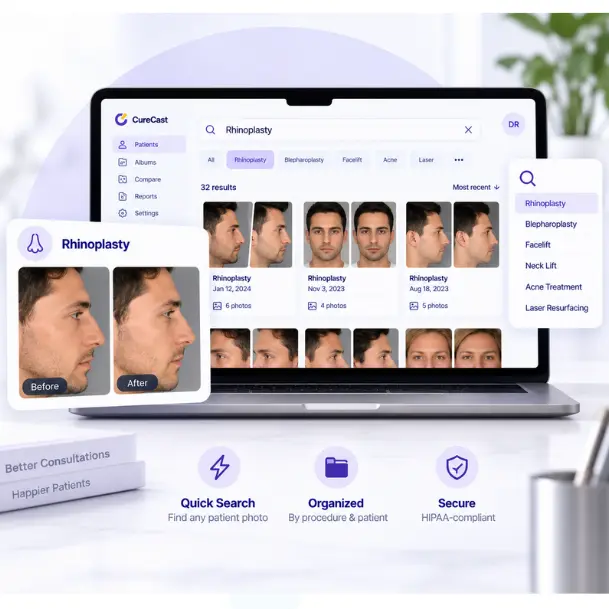
What should you check in a HIPAA-compliant photo app?
For a US plastic surgery practice, dermatology clinic or med spa, check how the app handles patient photos from capture through follow-up and sharing. Use this checklist to compare apps, including CureCast. Some points below cover HIPAA safeguards. Others, such as before-and-after comparison, photo positioning guides and patient-level downloads, are useful features rather than specific HIPAA requirements. Pricing and contract terms are practical factors to compare when choosing an app.
- BAA and hosting: Review and Business Associate Agreement (BAA) before entering any patient information into the app, even during a free trial or before becoming a paying customer. Confirm the hosting setup for your US account.
- Staff access: Set permissions for each staff member, including who can edit, delete, download or share. Administrators configure access for new staff.
- Photo protection: Review encryption, audit records and device session controls. Photos captured in the app are not saved to the device camera roll.
- Before-and-after workflow: Test finding a patient, by comparing before-and-after photos across visits and collecting follow-up photos through a secure upload link. Check the tools like consistent clinical photography. Curecast's Photo Ghosting helps match follow-up views on iPhone and iPad. Photo annotation is also available on iPhone and iPad.
- Consent and sharing: Check recorded marketing permission before preparing a public gallery. Choose sharing channels that meet your practice's privacy requirements.
- Fees and flexibility: Ask about contract length, cancellation terms and charges for setup, training or support. CureCast has no long-term contract or onboarding and training fees. Review plans and pricing before you start.
- Patient-level downloads: Check whether you can download a patient’s photos together instead of saving each image individually. CureCast supports patient-level photo downloads, helping your practice keep a copy of the photo history if you change systems.
CureCast supports HIPAA-compliant workflows; your practice also needs appropriate policies, staff training and risk management. See our US HIPAA guide for more detail.
Everything your practice needs, in one photo system.
CureCast replaces nine separate tools and manual workflows with one system built specifically for clinical photo management.
Practice Photo System
Built to protect patient photos and records.
CureCast combines seven security controls to manage who accesses patient information, what activity is recorded, and how data is protected at rest and in transit.
- Staff Access Control : who can access what
- Audit Trail : what activity is recorded
- Device Management : which devices have CureCast access
- Session Timeout : how inactive sessions are handled
- Encryption : how patient records and clinical photos are protected
- Confidential Patient : invisible to unauthorised staff
- Multi-Clinic : how access stays scoped to a single clinic location
Practice Security Status
Dubai and UAE clinical photo workflows
Clinical Photo Management App for Dubai and UAE Clinics
CureCast is a patient photo management app for plastic surgeons, dermatologists and medical spas in Dubai and across the UAE. Teams can organize clinical photos by patient and treatment, find relevant cases during consultations, compare results across visits and collect follow-up photos through a secure patient upload link.
Built for aesthetic clinic photography
- Find any patient photo in seconds by procedure, diagnosis, body area, patient name or phone number, on iPhone, iPad, Android or desktop.
- Capture inside the app so photos go straight to the patient record and are never saved to a staff member's camera roll or personal cloud.
- Use Photo Ghosting to line up each follow-up photo with earlier ones, then build before and after comparisons and treatment-specific consultation albums.
UAE data residency
For UAE-hosted CureCast accounts, the primary Azure region is UAE North in Dubai and the recovery region is UAE Central in Abu Dhabi. Clinics should confirm the hosting configuration for their account.
Read the DHA clinical photography and UAE data residency guide for consent, storage and advertising considerations.
Practitioners featured on this page
Practitioners already featured on this page include Dr. Matteo Vigo at HealthBay Aesthetics in Dubai, Dr. Maurizio Viel at the London Centre of Aesthetic Surgery, SkinLab by Dr. Jamuna Pai across 20+ clinic locations, and Dr. Kiran Sethi at Isya Aesthetics.
UAE data residency supports local hosting requirements. It does not by itself establish DHA or UAE legal compliance.
Trusted by clinics globally


Want to hear from more practices using CureCast? Read more customer reviews →
You have the photos. You just can’t find them when it matters most.
These are the moments where the wrong photo system costs your practice patients, compliance, and time every single day.
Four capabilities that make CureCast the clinical photo app aesthetic practices trust
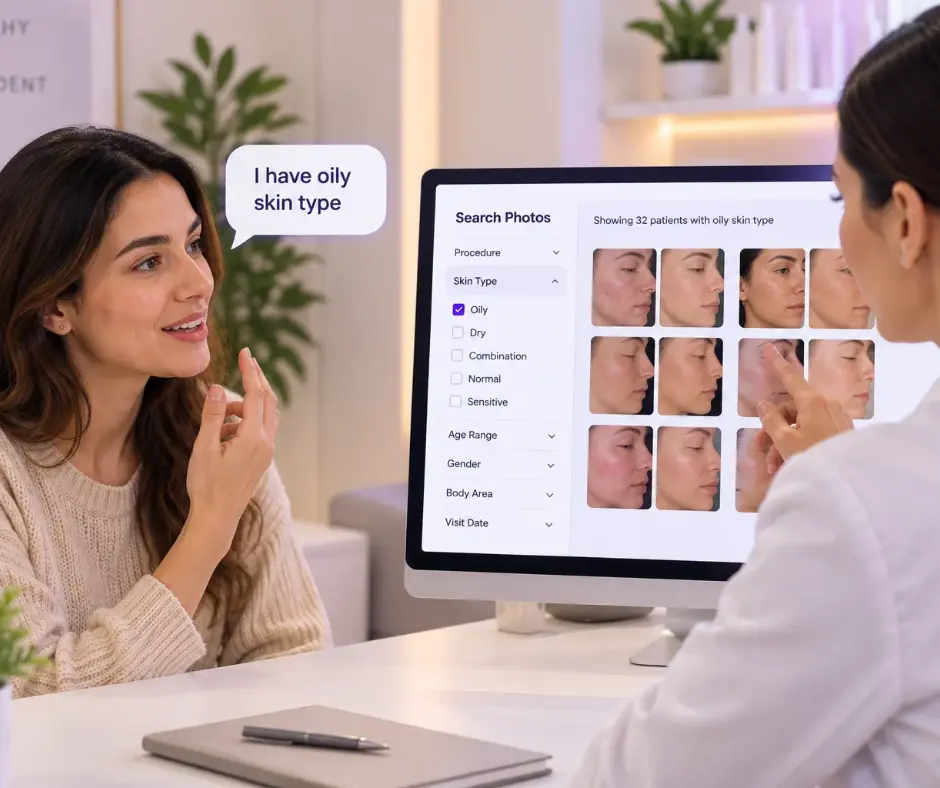
Find any clinical photo in under 3 seconds by procedure, diagnosis, patient name, or phone number
Every photo captured in CureCast is automatically tagged at the moment of capture by procedure name, diagnosis, body area, patient name, phone number, and patient ID. No manual filing. No folders. No searching. During a live consultation, one search brings up every relevant photo instantly.
- Search by any procedure rhinoplasty, Botox, CoolSculpting, laser, acne, rosacea
- Search by patient name, phone number, diagnosis, or patient ID simultaneously
- Tag one photo under multiple procedures appears in all relevant searches
- Works on iPhone, Android, iPad, and desktop. Results appear in under 3 seconds on any device mid-consultation
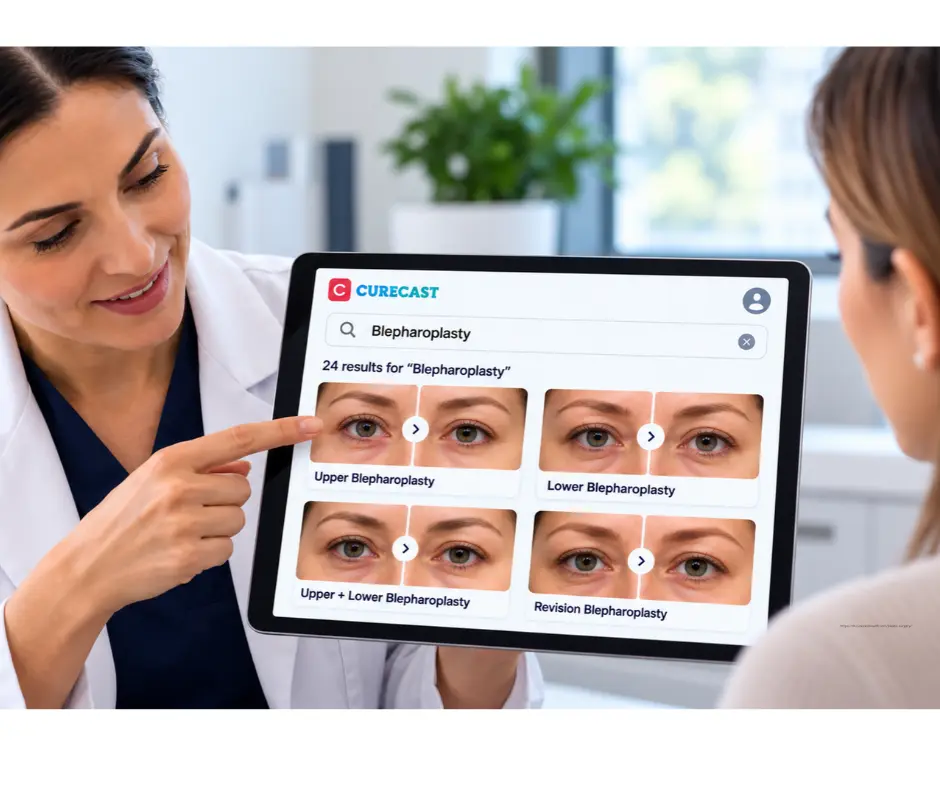
Build before-and-after comparisons and add your clinic watermark
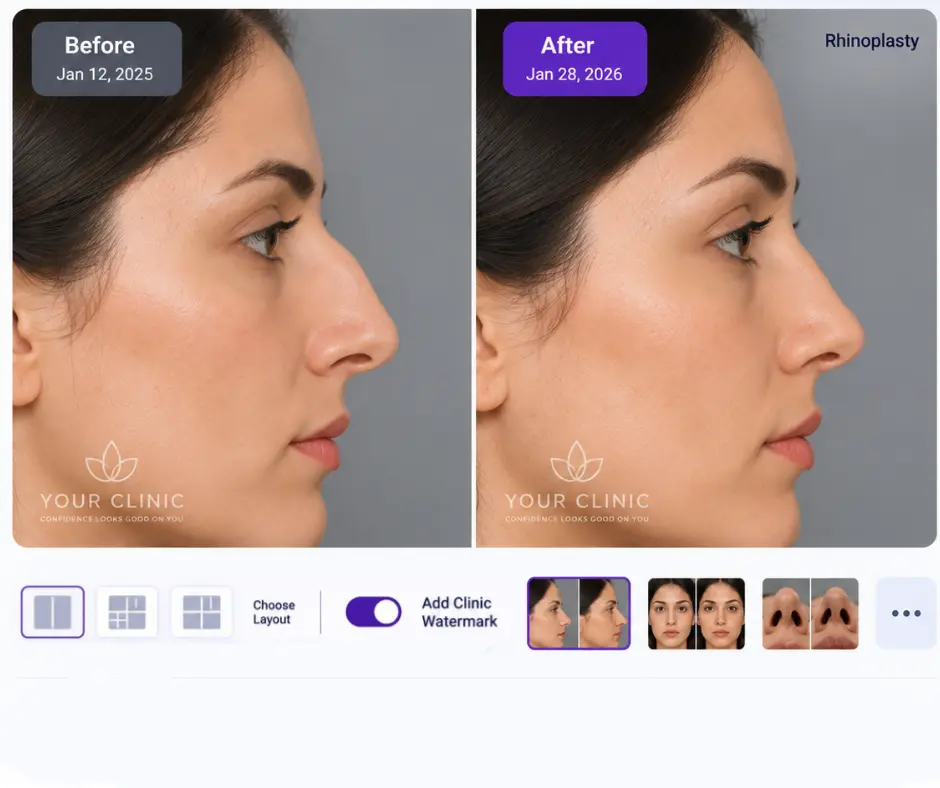
Select any two photos from any two visits, whether they’re one week or two years apart. CureCast creates a side-by-side or overlay comparison in seconds. With TrueAlign, you can match the framing of follow-up photos to the original image, helping create more consistent before-and-after comparisons over time. Add your clinic watermark and logo, then use the device’s sharing options. WhatsApp sharing does not require saving the patient’s number to personal contacts. Your practice must check the recipient, permissions and suitability of the chosen channel before sending patient information. Sharing through CureCast does not make an external messaging or social platform HIPAA compliant.
- Instant side-by-side and overlay comparison from any two visits
- Add clinic watermark and logo before sharing professionally branded every time
- Share directly to Instagram, Facebook, WhatsApp from within CureCast
- WhatsApp sharing without saving client number to personal contacts
Explore Before-and-After Photo Tool →
Consistent clinical photos across visits with iPhone and iPad
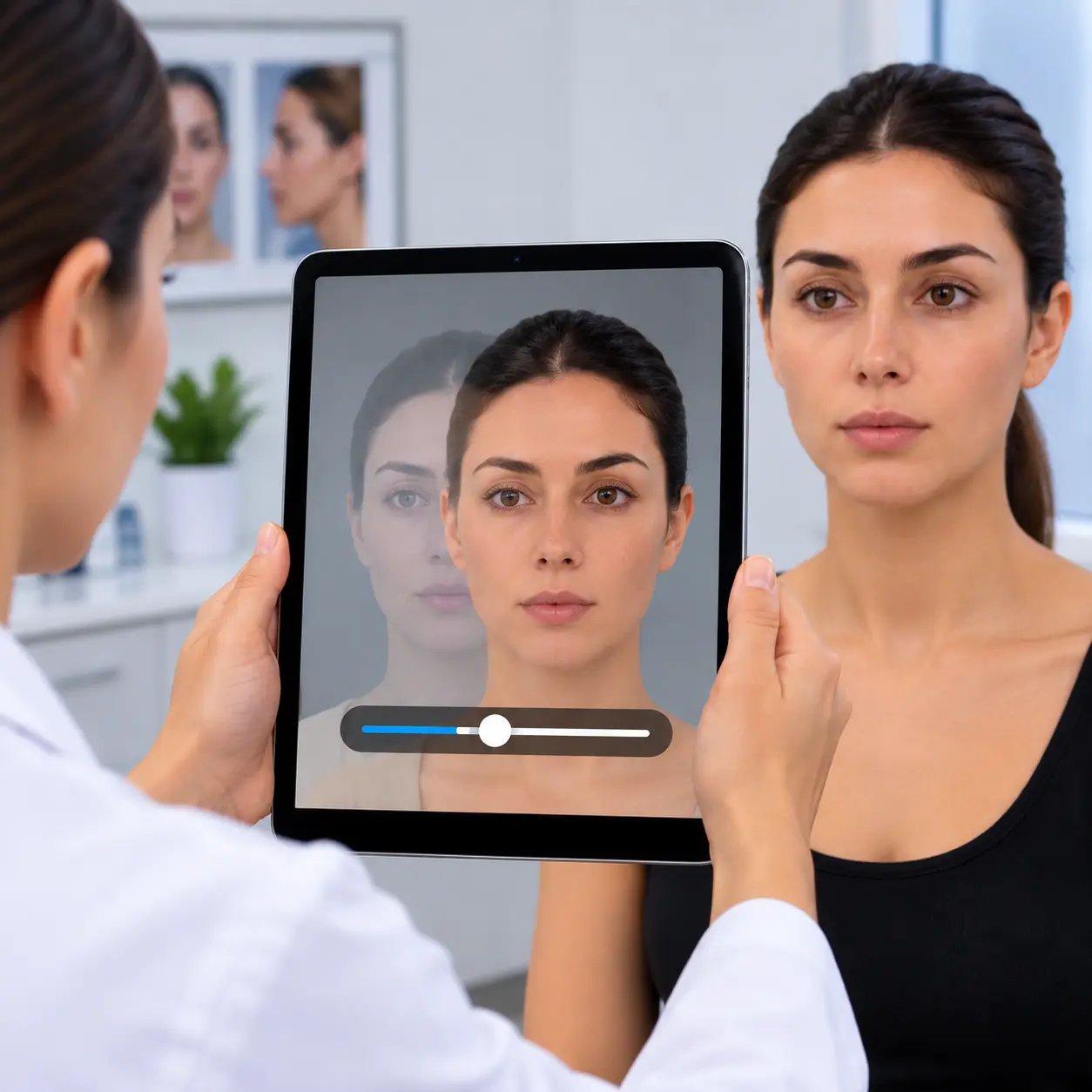
Good clinical photo management is not only about storing and finding photos. It starts with taking them consistently. If each photo is taken from a different angle or distance, your comparisons become less clear, no matter how well the photos are organized.
TrueAlign Match shows the patient’s earlier photo on the live camera screen as a faded ghost image or a simple outline. You can align the new photo with the earlier view to help keep follow-up photos consistent.
- Shows you when the camera is tilted up or down
- Choose up to 15 earlier photos from the patient’s file as a guide
- Use photos taken before you started using TrueAlign Match
- Works on both iPhone and iPad
Photos captured on iPhone and iPad are stored consistently within CureCast. So if a patient is photographed on a different device at their next visit, you can still use TrueAlign Match to help recreate the earlier view. There are no filters and no retouching, so every photo in your library is a true record of the patient.
Show new clients exactly the results they want before they book
A new client considering CoolSculpting describes their target area. Within seconds you are showing them your results filtered by body area such as the abdomen, flanks, inner thighs from clients with similar body types. They stop asking if you get results. They can see yours. The consultation converts itself.
- Build treatment-specific galleries e.g. CoolSculpting, Botox, laser, skin tightening
- Filter by body area so clients see results matching exactly where they want treatment
- Use combination treatment galleries to cross-sell complementary treatments naturally
- Every before/after auto-filed into the right treatment gallery as you work
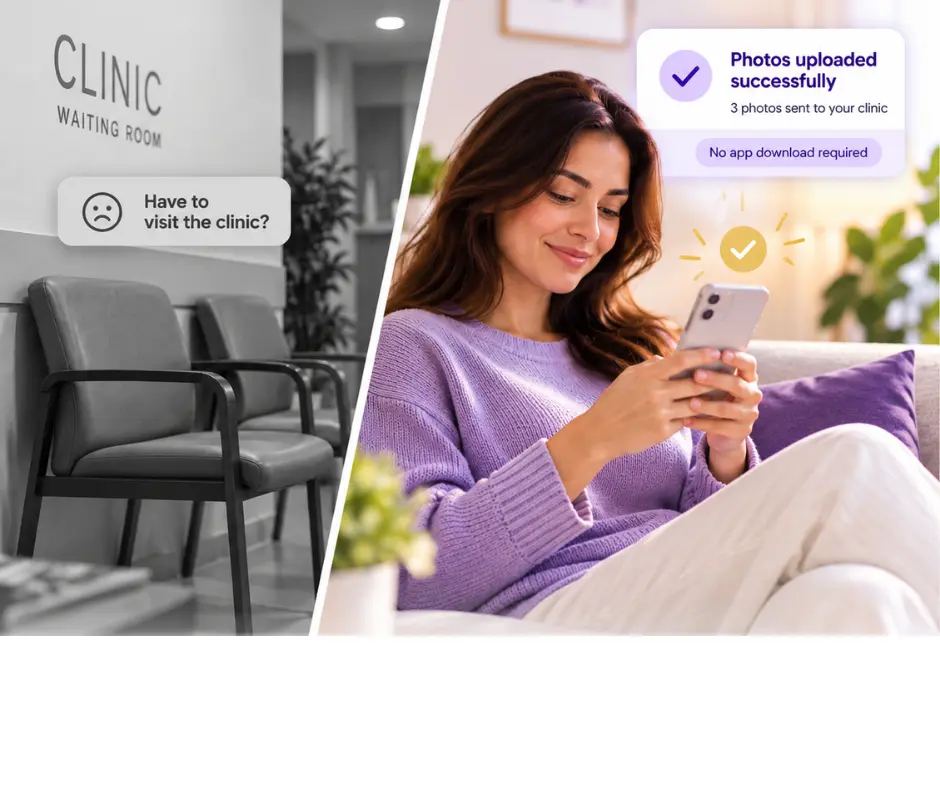
Collect post-operative photos, videos, and documents from patients who never come back for follow-up
Send a secure upload link directly from CureCast, if the patient’s phone and email are saved, it sends automatically via WhatsApp or email in one tap. The patient uploads photos, videos, or documents from their phone without installing any app. Files auto-file to their chart. You receive an instant push notification.
- Secure link generated and sent in one tap – WhatsApp or email
- Patient uploads without installing any app – frictionless experience
- Photos auto-file into client chart on the upload date
- Photos, videos, and documents all accepted
Is there a clinical photo app that works on Android?
Very few. Most clinical photography apps in the aesthetic market are iOS only, which leaves any practice running Android phones or tablets without an option. CureCast runs on Android phones and tablets, on iPhone and iPad, and in any desktop browser, using the same account and the same patient library across all of them.
If you have looked at this category before and concluded that you would need to buy iPhones to use clinical photo software, that conclusion was reasonable. RxPhoto is iOS only. TouchMD Snap is iOS only. Canfield is capital imaging hardware rather than an app at all. For a clinic with an Android fleet, the shortlist is genuinely short.
What works on Android, and what does not
Feature availability differs by platform. The table below identifies five capabilities unavailable on Android. Guided capture overlays and photo annotation are available on iPhone and iPad; staff management and audit-trail review are available on iOS and desktop. Reauthentication is available on iOS and desktop, with different session timeouts.
| Capability | Android | iPhone & iPad | Desktop browser |
|---|---|---|---|
| Capture patient photos in the app | Yes | Yes | No |
| Photos never saved to the device camera roll | Yes | Yes | Yes |
| Search the photo library by procedure, name or date | Yes | Yes | Yes |
| Build and show before-and-after comparisons | Yes | Yes | Yes |
| Consultation albums by procedure | Yes | Yes | Yes |
| Secure remote upload link for patients | Yes | Yes | Yes |
| Sharing options vary by account and market | Yes | Yes | Yes |
| Encryption | Yes | Yes | Yes |
| Device management | Yes | Yes | Yes |
| Guided capture overlays for image consistency | Not yet | Yes | n/a |
| Photo annotation and markup | Not yet | Yes | Not yet |
| Staff management and permissions | Not yet | Yes | Yes |
| Audit trail | Not yet | Yes | Yes |
| Reauthentication | Not yet | Yes | Yes |
Administrators can manage staff permissions and review audit records from a desktop browser. Photo annotation is currently available on iPhone and iPad. Choose your capture devices around the features your team needs.
For consistent follow-up capture, consider the guided overlays available on iPhone and iPad.
How to set up a mixed Android and iOS clinic
Guided capture overlays let the person taking the photograph align the new image against the previous one, which is how before-and-after pairs end up matching on angle, distance and pose. That consistency is not just an aesthetic preference. Ahpra requires before-and-after images to be as similar as possible in lighting, camera angle, background, framing, exposure and posture. Dubai's DHA requires the same patient and the same lens. Ontario's CPSO requires consistent lighting, pose, technique and setting.
So the honest recommendation for a practice that publishes before-and-after images in those markets is this: put one iOS device in the photography room and run Android everywhere else. A single iPad handles the capture where consistency is regulated, while Android phones, tablets and desktop browsers handle consultation, search, sharing and review across the rest of the clinic. Everyone works from the same patient library regardless of which device they picked up.
If your practice photographs for clinical records rather than for advertising, the overlay gap matters far less and Android alone is a perfectly workable setup.
Why we publish this table. Platform parity is the question every Android practice asks and almost no vendor answers, because the honest answer is usually "we do not support Android at all." Ours is that we do, with the platform differences listed above. You should be able to see that before you book a demo rather than discover it in week two. Feature availability last reviewed September 2026.
Why clinic choose CureCast
Clinical photography resources
Guides for US practices
Explore practical guides to patient photo privacy, iPhone capture and the safeguards that support your clinic’s HIPAA workflows.
Are patient photos PHI?
Understand when clinical photos are protected health information and what can identify a patient.
Taking clinical photos on an iPhone
Review capture, device and staff-access practices for a HIPAA-compliant photo workflow.
Patient photos and iCloud
Understand how personal photo storage and backups affect your clinic’s photo workflow.
HIPAA checklist for clinics
Use a practical checklist to review your clinic’s policies, access controls and handling of patient photos.
Get Started With CureCast

See How CureCast Fits Your Practice
Discuss how CureCast fits into your clinical photo workflow, from capturing and organizing patient photos to securely managing them across your practice.
Clinical photo management for Australian clinics Clinical photo management for UK clinics Clinical photo management for Saudi clinics
Prefer email? [email protected]